
SuiteCRM Tutorial Dev Journey : Day 3
Now Its Day 3. I hope you have gone through all packages builder exercise on Day 1 , and played wide range on creating/managing fields on Day 2. As your journey to become a…
Updated on
Rating 0.0 / 5
Reading time 3 minutes
Best SuiteCRM Tutorial is available for FREE on SuiteCRM Developer Training, SuiteCRM Admin Training, and SuiteCRM End-user Training by Outright Systems.
Now Its Day 3.
Related walkthrough
SuiteCRM Tutorial for Beginners | Day 1 Complete Overview (Modules, Fields, Layouts)

I hope you have gone through all packages builder exercise on Day 1 , and played wide range on creating/managing fields on Day 2.
As your journey to become a developer, here is some real fun going to start. Before you need to know that development in SuiteCRM Tutorial is very tricky, there are many ways to do the same, you will become wise to decide the best way as long as you go deeper.
In this article, we are covering
- Logic Hooks
- Views
1. Logic Hooks– During your development , most of the time you are making logic hooks. They are of 3 types.
- Application Level– Application-level hooks are supposed to fire on all requests, irrespective of any module.
- Module Level– Module level hooks only fire when the specific module is loaded.
- User Level- This context executes the logic for user action for Log-in and Log-out time.
They are further sub-categorized, please check the link below to see the detailed version.
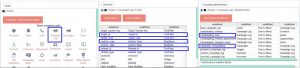
So like you have a "Before Save" logic hook on an application level , it is going to fire on all module when an Save event is going to be triggered.
Again if you have a “Before Save” hook on the Lead module, it will only be fired when a lead is going to save.
So writing Application-level hooks, you need to be pretty sure about your needs. Until and unless not need to go for module-level hooks.
I have a complete article on how to write a logic hook and how they get fired.
Here I have elaborated everything about the logic hooks.
Now it’s time to see the views.
2. Views– There are many customization using views. Here are the examples.
For any view customization, you need to copy the files from
- modules/mod_name/views/view.edit.php -> custom/modules/mod_name/view.edit.php
- modules/mod_name/views/view.list.php -> custom/modules/mod_name/view.list.php
- modules/mod_name/views/view.detail.php -> custom/modules/mod_name/view.detail.php
There are many custom requirements when you need to add your code into above files. If you are not present in their core location, you need to make it at the custom location by yourself. Here are a few examples.
- Changing a field value on the base of a condition after displaying.
- Refreshing any subpanel
- Any after load Jquery/Javascript.
- Custom code for any field on layouts.
Article rating
Was this article useful?
0.0 out of 5 from 0 ratings

