

Cloud Disaster Recovery Testing: How to Validate Your Recovery Plan
Learn how cloud disaster recovery testing validates backups, failover procedures, data integrity & recovery targets to strengthen business resilience & readiness.
A cloud backup is only useful if your business can restore its systems, applications, and data when something goes wrong. Yet many organizations discover gaps in their recovery arrangements only after an unexpected outage, corrupted database, or security incident.
Cloud disaster recovery testing helps prevent this uncertainty by checking whether recovery procedures work under controlled conditions. It examines backup availability, application dependencies, infrastructure readiness, and the time required to restore essential operations.
For businesses operating across the USA, Pakistan, India, and Australia, these checks are particularly relevant when teams, customers, and workloads depend on cloud-hosted applications.
The objective is straightforward: establish whether your recovery plan can meet business requirements, identify weaknesses, and correct them before an actual disruption occurs.
Why Cloud Recovery Plans Need Practical Testing
Cloud infrastructure provides flexibility, but it does not automatically guarantee that every workload can recover successfully.
A backup might exist while its encryption key is unavailable. A recovered server might start successfully but fail to connect to its database. A secondary environment might be operational but lack the network permissions required by business applications. Regular disaster recovery testing helps organizations verify backup integrity, test recovery procedures, and identify access issues before an actual disruption occurs.
Cloud disaster recovery testing identifies these gaps before they affect customers or employees.
Three business benefits make the process valuable:
Reduced Operational Uncertainty
Teams understand which recovery steps work and which require improvement.
Better Recovery Planning
Actual test results help organizations compare recovery performance against their business requirements.
Improved Accountability
Documented disaster recovery exercises establish responsibilities across infrastructure, security, and business teams.
Testing also helps organizations evaluate whether their cloud recovery arrangements remain suitable as applications, data volumes, and infrastructure change.
What Should a Cloud Disaster Recovery Test Actually Prove?
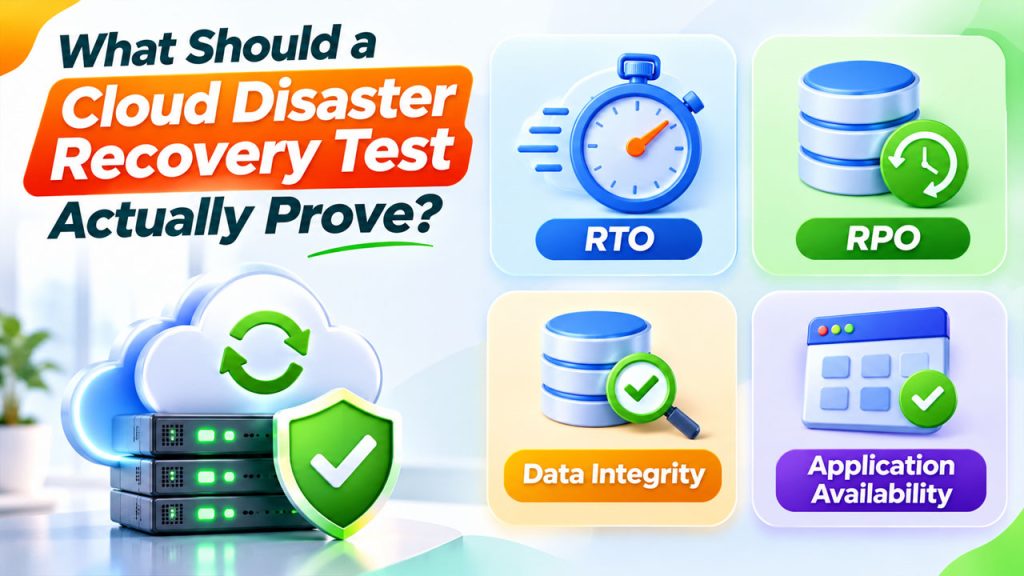
A useful test should go beyond checking whether backup jobs completed successfully. It should demonstrate that the business can restore usable services. Regular CRM backup and restoration testing helps verify that backed-up data can be recovered successfully and that essential information remains accessible after data loss.
Start with four essential checkpoints:
1. Recovery Time Objective (RTO)
RTO represents the maximum acceptable period for restoring a system after disruption.
For example, an online booking application might have an RTO of two hours, while an internal reporting tool could tolerate a longer interruption.
Cloud disaster recovery testing measures actual restoration time against these requirements.
2. Recovery Point Objective (RPO)
RPO defines the maximum acceptable amount of data loss measured in time.
Suppose a database is replicated every 30 minutes. If an outage occurs, the organization must determine whether its available recovery point satisfies its agreed RPO.
3. Data Integrity
Restored information must be accurate, complete, and usable.
Recovery validation should include database consistency checks, file accessibility, transaction verification, and application-level testing.
4. Application Availability
A running virtual machine does not necessarily mean a working application.
Check authentication, database connections, APIs, DNS resolution, network access, scheduled jobs, and integrations before declaring recovery successful.
Google Cloud’s recommendations for testing recovery from data loss also identify data integrity, RTO, and RPO as important recovery test criteria.
A Practical Framework for Cloud Disaster Recovery Testing
Instead of performing one large annual simulation, organizations should build a repeatable process that examines different recovery components.
Step 1: Identify business-critical workloads
Create an inventory of the systems that support daily operations.
Include:
- Customer-facing websites and applications.
- Production databases and file storage.
- CRM and ERP platforms.
- Authentication and identity services.
- APIs and third-party integrations.
Assign an owner to each workload. This person should understand its business importance and recovery requirements.
Step 2: Define realistic failure scenarios
Select scenarios based on actual infrastructure risks rather than testing only convenient situations.
Examples include:
- Accidental deletion of important database records.
- Ransomware affecting production data.
- Cloud storage becoming inaccessible.
- Regional infrastructure outages.
- Application deployment introducing critical errors.
- Network configuration preventing access to essential services.
These scenarios give disaster recovery exercises a clear purpose and help teams prepare for different disruption types.
Step 3: Prepare an isolated recovery environment
Whenever possible, conduct simulations in a separate test network.
The environment should reproduce important production dependencies without exposing live applications to unnecessary risks.
Check network routing, access permissions, DNS settings, storage availability, encryption keys, and required application configurations.
For organizations using Azure Site Recovery, Microsoft’s test failover documentation explains how to create test virtual machines in a selected recovery network without disrupting ongoing production replication. Businesses can strengthen this process with Azure disaster recovery solutions to support cloud infrastructure resilience, recovery planning, and business continuity.
Step 4: Execute the recovery procedure
Follow the documented recovery sequence rather than improvising during the test.
Restore the selected resources, start required services, reconnect dependencies, and verify application functionality.
Record timestamps for each major activity. This provides measurable evidence for cloud disaster recovery testing and highlights delays caused by manual intervention or missing dependencies.
Step 5: Compare results against recovery targets
Once the environment is restored, compare actual performance with the agreed RTO and RPO.
For example:
| Measurement | Target | Actual result | Assessment |
| Recovery time | 2 hours | 1 hour 40 minutes | Passed |
| Data recovery point | 30 minutes | 45 minutes | Failed |
| Application availability | All critical functions | 4 of 5 working | Failed |
These are illustrative figures, not results from a real organization.
This comparison makes recovery validation more meaningful because it identifies whether the system meets business requirements rather than simply confirming that servers restarted.
Step 6: Document findings and repeat
Record the test scenario, participating teams, recovery times, errors, data checks, and corrective actions.
Assign each unresolved issue an owner and deadline. Repeat the relevant test after implementing changes.
Which Testing Methods Should Businesses Use?
Related walkthrough
SuiteCRM 8 Database Backup-Restore | Protect & Recover Your CRM Data

Different disaster recovery exercises provide different levels of assurance. Choosing the right method depends on infrastructure complexity, business risk, and available testing resources.
| Testing method | What it checks | Business impact |
| Tabletop exercise | Roles, communication, and decisions | Low |
| Backup restoration test | Whether stored data can be recovered | Low to moderate |
| Component recovery test | Individual servers, databases, or services | Controlled |
| Cloud failover testing | Switching workloads to a recovery environment | Moderate |
| Full recovery simulation | End-to-end business service restoration | Higher |
A sensible approach combines these methods rather than depending on a single exercise.
For instance, a small business might begin with backup restoration and tabletop exercises before introducing controlled failover simulations. A structured CRM disaster recovery plan can help businesses prepare recovery procedures, validate backups, and conduct simulated recovery exercises as their operations grow.
Larger organizations with complex infrastructure may require coordinated, multi-system recovery testing.
Common Challenges That Can Undermine Recovery Validation
Even carefully planned testing can produce misleading results if important details are overlooked.
Configuration Differences
A recovery environment may not contain the same network rules, permissions, or application settings as production.
Incomplete Backup Coverage
Newly introduced databases, storage locations, or virtual machines may not be included in existing backup policies.
Unclear Ownership
Infrastructure teams may manage servers while application teams control integrations. Without coordination, recovery responsibilities become fragmented.
Security Dependencies
Restored applications may require unavailable credentials, certificates, encryption keys, or identity services.
Uncontrolled Testing
Running failover activities against production without suitable safeguards can create avoidable operational disruption.
Cloud disaster recovery testing should therefore include technical safeguards, clear approvals, rollback procedures, and communication arrangements.
How Frequently Should Businesses Perform Recovery Exercises?
There is no universal testing schedule suitable for every organization.
A practical starting point is to combine regular lightweight checks with deeper recovery simulations.
- Monthly: Review backup coverage, job failures, and recovery-point availability.
- Quarterly: Perform selected restoration tests and application dependency checks.
- Twice a year: Conduct broader failover or coordinated recovery exercises where appropriate.
- After major changes: Retest affected workloads following migrations, infrastructure redesigns, or significant application upgrades.
The frequency should reflect business criticality, regulatory obligations, infrastructure complexity, and the rate of technological change.
Google Cloud also recommends simulating disaster scenarios in advance of major events and evaluating results afterward to identify architectural improvements.
Making Recovery Testing Part of Infrastructure Management
The strongest recovery strategy is one that evolves with the infrastructure it protects.
OutRight Systems provides cloud infrastructure services covering AWS, Microsoft Azure, application deployment, migration, and ongoing optimization. Businesses reviewing their recovery architecture can explore its AWS cloud solutions and cloud infrastructure and DevOps maintenance services.
The important consideration is to treat cloud disaster recovery testing as an ongoing operational responsibility, not an occasional compliance exercise.
Conclusion
A recovery plan should be judged by what an organization can actually restore, not by what its documentation promises.
Consistent cloud disaster recovery testing reveals whether backups are usable, applications can reconnect, recovery targets are realistic, and teams understand their responsibilities.
Start with critical workloads, test realistic failure scenarios, document measurable results, and resolve the weaknesses uncovered.
When recovery procedures are regularly examined and improved, businesses gain a clearer understanding of their operational resilience and are better prepared to respond when infrastructure disruptions occur.
Frequently Asked Questions
It is the process of simulating infrastructure failures and checking whether cloud-hosted applications, systems, and data can be restored according to established recovery requirements.
Cloud backup stores copies of data for future restoration. Disaster recovery testing verifies that those copies and associated recovery procedures can restore working business services.
Cloud failover testing checks whether workloads can switch from a primary environment to a secondary recovery environment when the primary infrastructure becomes unavailable.
Organizations compare actual recovery time and data recovery points against their RTO and RPO targets. They also verify application functionality, data integrity, security, and service availability.
The schedule depends on business requirements and risk. Many organizations combine monthly backup reviews, quarterly restoration tests, and periodic full recovery simulations, with additional testing after significant infrastructure changes.