
Razorpay vs PayU vs Easebuzz: Which B2B Payment Gateways Fits Your Business?
Compare Razorpay, PayU, and Easebuzz B2B Payment Gateways for invoice payments, collection automation, accounting integration, and payment reconciliation.
Getting a B2B payment Gateways is typically straightforward: You issue an invoice, you get paid, you reconcile. Where it gets complicated is when a customer is invoiced with a partial payment or they settle multiple invoices with a single bank transfer.
This article compares Razorpay, PayU and Easebuzz on invoicing, payment automation and reconciliation, with a special focus on how each aligns with your billing and accounting flow.
Key Takeaways
- CRM and Billing Workflows: Razorpay’s invoice APIs, payment events and bank-transfer reconciliation, as the backbone of a connected infrastructure for invoice tracking, receipt booking and settlement credit explanation.
- Easebuzz: It is second overall, and is perhaps a better fit for Tally-led receivables: invoice sync, multi-invoice matching, and ageing reports are all useful when finance teams would like a bundled collections journey focused on their accounting platform.
- It has GST invoicing, partial settlement, and collection APIs for the fundamentals of collection. However, Tally synchronisation, AR management, and domestic virtual-account workflows need a more specialised demo.
- Customer identification, invoice allocation and reconciliation of settlements address separate issues. A customer identifier can tell who paid but the business needs allocation rules to clear the right invoices and check the credit from the bank.
- Compare Full Product Quotes: Collection tools, accounting integrations, virtual identifiers and settlement options. Just because you pay a lower B2B payment gateways rate doesn’t necessarily mean you’re getting the whole picture of the costs associated with building and maintaining the right finance workflow.
The B2B Payment Gateways Verdict at a Glance
| Rank | Provider | Best fit for this comparison | Main point to validate |
| 1 | Razorpay | Businesses connecting payable invoices, customer-specific collections and payment events to their CRM or billing system | Product activation, accounting mappings and the settlement model selected |
| 2 | Easebuzz | Finance teams prioritising a packaged receivables platform with Tally integration | Teller and InstaCollect scope, integration behaviour and commercial terms |
| 3 | PayU | Businesses needing payable invoices, payment links and transaction-to-settlement visibility | Domestic bank-transfer matching, multi-invoice allocation and accounting sync |
How the B2B Payment Gateways Provider Are Ranked
The ranking prioritises invoice collections connected to an existing CRM or billing system.
- Evaluation focus: bank-transfer identification, payment-state automation and settlement traceability.
- Evidence date: official product information reviewed on 3 November 2026.
- Ranking limit: this is an editorial assessment, not a measured performance benchmark.
- Alternative fit: Easebuzz may be preferable when ready-made Tally receivables automation is the main requirement.
What Should a B2B Invoice Payment Platform Actually Do?
A B2B invoice payment platform should help finance teams answer three questions:
- Customer identification: connect each incoming receipt to the right business customer. This gives finance teams a starting point for resolving unfamiliar bank references and checking who has paid.
- Invoice allocation: apply the receipt to the correct invoice or combination of invoices. Advances, part-payments and consolidated transfers should leave a clear record of what is paid and what remains outstanding.
- Settlement reconciliation: connect payment and adjustment records to the net bank credit. Finance teams should be able to explain fees, refunds and differences without treating a successful payment as proof of settlement. Choosing a secure payment gateway also helps businesses protect payment transactions and maintain confidence when collecting invoice payments.
| Evaluation area | What to look for | Why it matters |
| Payable invoices | Item details, tax fields, due dates and a way to pay | Links the collection request to a specific business obligation |
| Payment flexibility | Partial payments and bank-transfer collection where available | Accommodates advances and buyers paying through their banking processes |
| Receivables automation | Reminders, payment events and outstanding-balance updates | Keeps collections work aligned with what the customer still owes |
| Invoice allocation | Rules for one payment covering one or several invoices | Prevents an identified payment remaining unapplied in the ledger |
| Settlement reconciliation | B2B Payment Gateways, refund, fee, adjustment and bank-reference records | Explains the difference between gross collections and the bank credit |
| Business-system integration | Documented APIs or a suitable accounting connector | Reduces repeated entry between the payment platform, CRM and accounts |
Rank 1. Razorpay: Best Overall for Connecting B2B Collections to Business Systems

Razorpay suits businesses that want invoice collections and payment updates connected to their existing CRM, billing or order-management system.
Razorpay Invoices for B2B Billing
Razorpay Invoices supports payable invoices through its dashboard and B2B Payment Gateways (API).
- Invoice details: add itemised charges, GST calculations, discounts and due dates in one payable invoice. Customers can see what they are paying for, while the business retains a consistent billing record.
- Partial payments: let customers pay invoices in parts, which is useful for advances and balance collections. The workflow should distinguish a part-paid invoice from a fully settled customer obligation.
- Invoice management: create, issue, and track invoices through the dashboard or APIs. Businesses can start with dashboard operations and connect invoice actions to existing order or billing processes as their workflow develops.
- CRM integration: connect Razorpay invoices to existing customer, order and billing records through a configured integration. Teams can keep their current business system as the main workspace for invoice and collection status.
Invoice Webhooks for Payment Automation
- invoice.partially_paid: use the event to trigger an outstanding-balance update in the connected system. For example, a recorded advance can prompt a revised balance instead of leaving the original amount in the follow-up queue.
- invoice.paid: trigger the configured paid-invoice workflow after full payment. The connected application can update the invoice record and stop further payment follow-ups once the event is processed and the business rules are met.
- invoice.expired: flag an expired invoice for the appropriate follow-up rather than treating it as an active collection request. Teams can configure a review task before deciding whether to contact the customer or issue a replacement.
These events supply triggers. Your team must still implement and test the CRM rules, balance updates and follow-up actions.
Smart Collect for Bank Transfer Reconciliation
- Smart Collect: identify incoming NEFT, RTGS and IMPS payments using customer identifiers. It requires enablement, with a documented settlement timeline of T+2 working days.
- Smart Collect 2.0: adds virtual UPI IDs and direct, real-time collections through a configured current or escrow account. Confirm enablement and the approved banking arrangement before implementation.
- Payment visibility: use reconciliation records and payment notifications to connect receipts with customer records. In a configured workflow, these inputs can help finance and customer-facing teams work from the same payment status.
Settlement Reports and Accounting Integration
- B2B Payment Gateways report: fetch payments, refunds, transfers and adjustments for a day or month through the combined reconciliation API. These records support a structured payment gateway-to-bank review that includes exceptions alongside successful collections.
- Settlement details: review fees, tax, settlement IDs and settlement UTRs to explain net bank credits. Finance teams can use these references to investigate differences between gross customer payments and the amount recorded in the bank.
- Invoice allocation: configure how customer-level receipts clear individual or multiple invoices. Keep customer identification separate from the business rules needed to manage advances, consolidated payments and remaining dues.
These components require configuration. RazorpayX’s Tally integration does not establish automatic sync for every Razorpay customer-receivables workflow.
Rank 2. Easebuzz: A Strong Alternative for Tally-Led Accounts Receivable
Related walkthrough
Claude vs ChatGPT: Which AI Is Better for You?

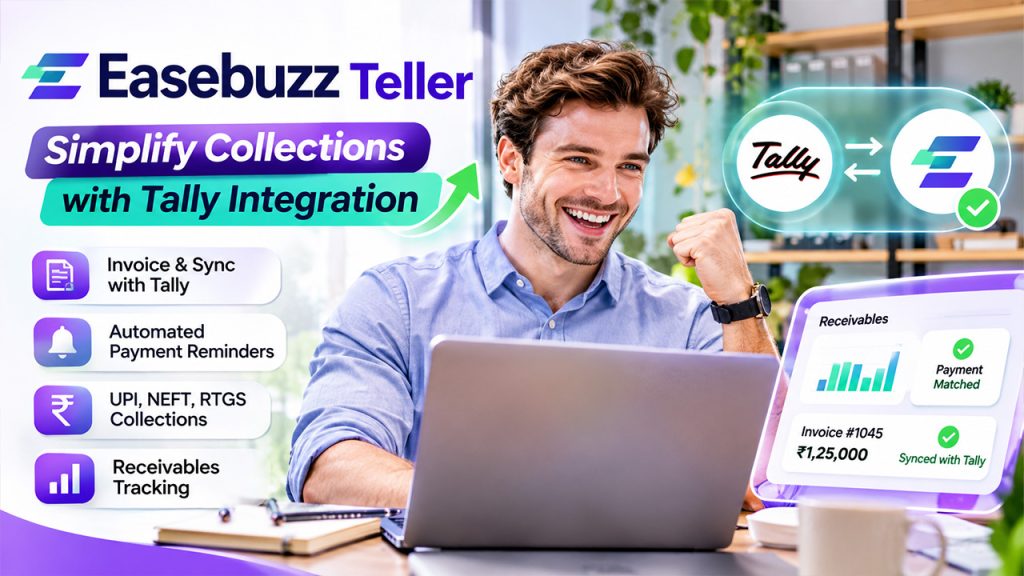
Easebuzz Teller is a strong option for teams prioritising a packaged accounts-receivable workflow, especially when their finance process centres on Tally.
Easebuzz Teller for Invoicing and Tally Sync
- Invoice creation: create invoices and sync invoice information with Tally. This is relevant for businesses that want their accounting records and customer collection process connected through a packaged receivables platform.
- Multi-invoice matching: reconcile a single payment against multiple invoices. For customers who clear several bills in one transfer, demonstrate how the payment is allocated and how remaining balances appear in the ledger.
- Receivables tracking: review invoice ageing and outstanding balances to prioritise collection work. Teams can assess which customers require follow-up and whether the receivables view reflects the latest recorded payments.
- Accounting adjustments: manage debit and credit notes alongside the receivables process. Check how these adjustments affect invoice balances, customer records and the information synchronised with the accounting system.
- Tax reporting: access GST/TDS split reports to support the finance team’s reconciliation review. Validate the fields against the business’s accounting process rather than treating a product feature as a complete tax-compliance solution
These features may suit wholesalers and manufacturers that want receivables management centred on their accounting system.
Automated Invoice Delivery and Payment Reminders
- Delivery channels: send invoice requests through email, WhatsApp and SMS. Evaluate whether these options match how customers prefer to receive bills and whether delivery costs are included in the selected plan.
- Follow-ups: schedule payment reminders as part of the receivables workflow. Check that reminders reflect paid and unpaid invoices correctly, especially when customers make partial payments or clear several bills together.
- Accounting integration: assess how invoice and payment information stays aligned with the ledger. A practical demonstration should show sync direction, timing and the treatment of records that fail to update.
InstaCollect for Virtual Account Collections
- Collection methods: accept UPI, IMPS, NEFT and RTGS through virtual accounts and virtual UPI IDs. This makes InstaCollect relevant to businesses receiving payments through several bank-transfer and UPI collection routes.
- Reconciliation: use automatic matching, webhook notifications and dashboard transaction visibility to track incoming receipts. Test how the configured workflow connects receipts to customer records and resolves unmatched transactions.
- Settlement controls: check how confirmed collections move into the business bank account. Distinguish receipt notification, settlement initiation and bank availability rather than describing every stage as the same event.
Collection confirmation and availability in the bank account should be verified as separate stages.
Rank 3. PayU: Useful Invoicing Tools, With More to Validate for Advanced AR
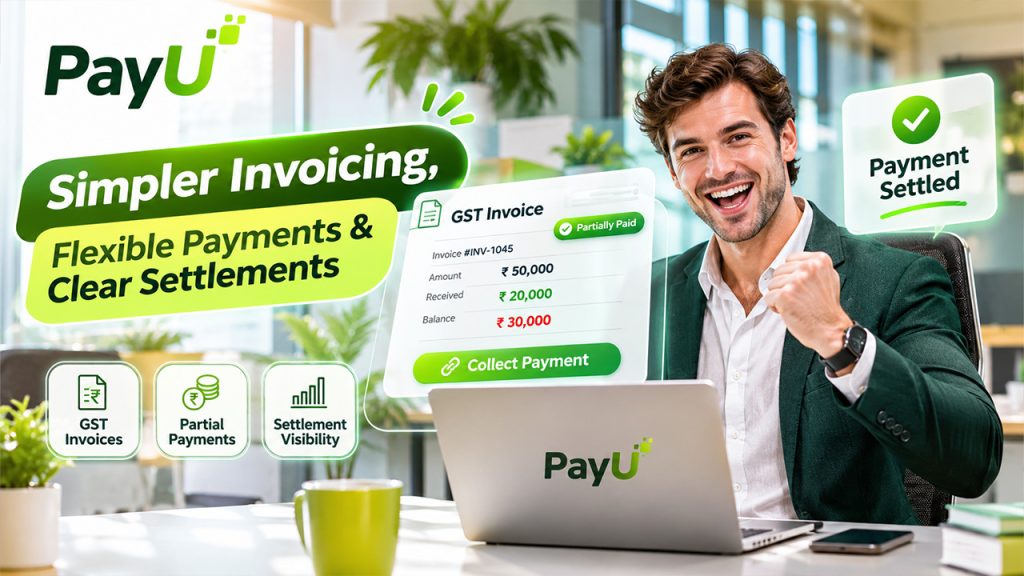
PayU supports invoice collection and settlement visibility. Its third-place position reflects the additional validation needed for the advanced receivables workflow examined here.
PayU GST Invoices and Partial Payments
- Payable invoices: create GST-enabled invoices with item details and due dates. This covers a useful starting point for collecting against customer bills, particularly when the business already uses PayU for payment acceptance.
- Partial payments: enable customers to pay invoices in parts. Test how the setup displays the amount received and remaining dues before relying on it for advances, milestone B2B payment Gateways, or balance collections.
- Invoice tracking: search invoices, filter by status, and download reports. These functions support invoice review, while the business should separately establish how the information reaches its CRM or accounting records.
PayU Payment Links and Settlement APIs
- Collection automation: integrate PayU Payment Links through APIs and bulk workflows. This supports repeated collection requests, but the team still needs to map each request and B2B payment Gateways outcome to the relevant business record.
- Payment references: include invoice numbers, tax, merchant references and partial-payment settings in the link workflow. Consistent identifiers give the integration useful information for connecting collection requests with customer and invoice records.
- Settlement visibility: retrieve settlement status, amount, ID and UTR, including refund and chargeback records. These are useful reconciliation inputs; demonstrate how the proposed setup carries them into the receivables ledger.
Why PayU Ranks Third for Advanced B2B Receivables
- Tally receivables sync: request a demonstration of the required accounting integration. Establish which fields synchronise, how failed updates are handled, and whether the proposed merchant setup provides the receivables workflow needed.
- Multi-invoice allocation: validate how one receipt clears several invoices and updates outstanding balances. For this comparison, that demonstration matters more than confirming only that the payment gateway can accept a payment.
- Ageing workflows: confirm the reporting and follow-up process in the proposed setup. The finance team should be able to distinguish unpaid, partially paid, and cleared invoices when prioritising collection activity.
Compare the Full Cost of the Workflow
Fees to Include in a B2B Payment Gateways Quote
- Invoice tools and receivables features: confirm what is included in the selected product, including invoice management, reminders, reporting, and any additional receivables capabilities needed by the finance team.
- Bank-transfer collections and virtual identifiers: request charges and activation conditions for the exact collection routes being proposed. Do not assume standard payment gateway pricing covers every bank-transfer product.
- Accounting integration and custom mappings: include implementation effort, connector charges and ongoing maintenance. A complete cost comparison should reflect the work required to keep invoice and payment records aligned.
- Settlement options and support: confirm the applicable timelines, optional services and agreed support scope. Compare the merchant’s actual configuration rather than a headline settlement or service claim.
- Internal work needed to review unmatched receipts: assess how much manual investigation remains in the proposed process. Use a pilot to understand the workload instead of assuming that all reconciliation exceptions disappear.
Compare eligibility, ongoing charges and implementation costs. The available prices do not establish a universal cheapest provider or justify choosing solely on an introductory offer.
The Selection Checklist for Finance and CRM Teams
- Map your actual flow from invoice approval to B2B payment Gateways and bank reconciliation. Identify the system that owns each record, the event that updates it and the team responsible when the update fails.
- Demonstrate an advance, a balance payment and one receipt covering multiple invoices. Check both the customer-facing payment experience and the finance team’s view of paid and outstanding amounts.
- Confirm the exact bank-transfer product, activation requirements and supported account arrangement. Written scope helps ensure the integration plan matches the features available on the merchant account.
- Test CRM or accounting updates, including duplicate events and unmatched receipts. Confirm that the configured workflow handles repeat notifications without creating duplicate business entries.
- Trace a refund and a fee deduction through the settlement report to the bank statement. Finance teams should be able to explain the difference between the original collection and the net credit.
- Agree who handles exceptions, how they are reviewed and what the full configuration costs. Assign ownership before launch so unresolved receipts and accounting differences do not become an informal follow-up process.
Conclusion
Choose the provider that can demonstrate your complete invoice-to-bank workflow.
- Razorpay: the preferred first evaluation for custom CRM or billing integration. Its invoice APIs, payment events, customer identifiers and settlement records offer a connected foundation for configuring collections around existing business processes.
- Easebuzz: a strong alternative for businesses prioritising Tally-led receivables. Invoice sync, multi-invoice matching and ageing reports may make its packaged AR approach a better fit for accounting-centred teams.
- PayU: useful invoicing and B2B payment gateways tools for core collections, particularly for existing merchants. Confirm advanced AR, accounting integration and domestic virtual-account requirements before choosing it for the full workflow.
Use your own invoices, partial payments, and reconciliation exceptions to confirm the final fit.
Frequently Asked Questions
Razorpay is the first recommendation for collections connected to a CRM or billing system. Easebuzz is especially relevant for Tally-led receivables and multi-invoice matching. PayU supports payable invoices and partial payments; confirm advanced receivables requirements.
Razorpay Smart Collect and Easebuzz InstaCollect support customer-specific bank-transfer collection and reconciliation. Smart Collect 2.0 also supports virtual UPI IDs. PayU’s documented cross-border PSP virtual-account flow requires separate domestic-product and eligibility checks.
Razorpay and PayU both support partial payments on invoices. Razorpay Standard Payment Links also support partial payments; the separate UPI Payment Links product does not. Test outstanding balances, reminders and accounting entries after each receipt.
No. Reconciliation matches records; accounting integration moves or updates them in the ledger. Customer identification, invoice allocation and settlement matching remain separate stages. Easebuzz Teller advertises Tally receivables sync. Assess Razorpay and PayU against the exact accounting workflow required.
No. Customer collections are accounts receivable; supplier invoice payments are accounts payable. Providers may offer both through separate products. Evaluate supplier approvals, payout funding, tax handling, and fees separately.