
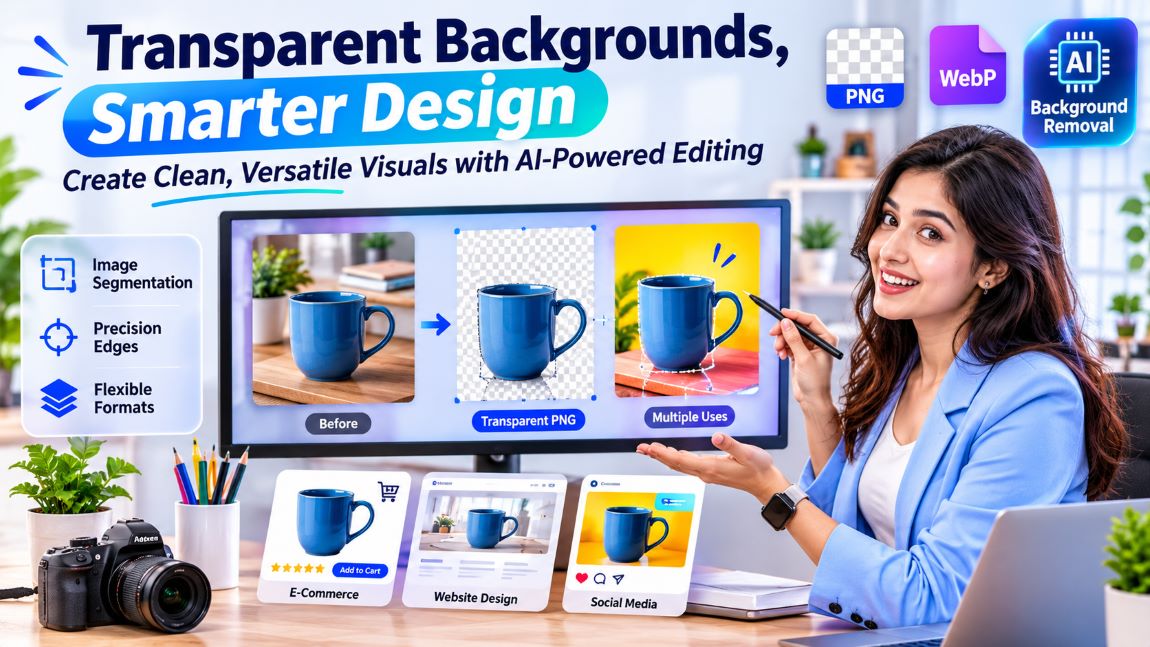
The Importance of Transparent Backgrounds in Modern Digital Design
Explore how transparent backgrounds enhance digital design with cleaner images, AI tools, and versatile visuals.
Design now does a lot of the talking online, from websites and social feeds to web shops and marketing material. Pictures carry much of that load, and what sits behind the subject can make or break the whole look. A lovely photo of a handmade mug loses its charm when a cluttered kitchen worktop fills the frame. That’s why removing backgrounds has become such a popular trick for making graphics cleaner and easier to reuse. With the backdrop gone, designers can drop an image into almost any layout without a clumsy box or a distracting scene getting in the way.
Understanding Transparent Backgrounds
In simple terms, a transparent background is empty space. There’s no colour and no solid layer behind the subject at all. So rather than a white, black or coloured rectangle sitting behind an object, whatever lies underneath simply shows through. The subject then blends in naturally, much like a cut-out sticker pressed onto a notebook cover.
PNG is the format most people link with transparency, thanks to something called an alpha channel. That channel records how see-through each pixel is, so some parts can vanish completely while others stay fully solid. Other formats, such as WebP, handle transparency too, which makes them handy for modern websites and apps. Picking the wrong format is a surprisingly common slip.
Why Background Transparency Matters in Digital Design
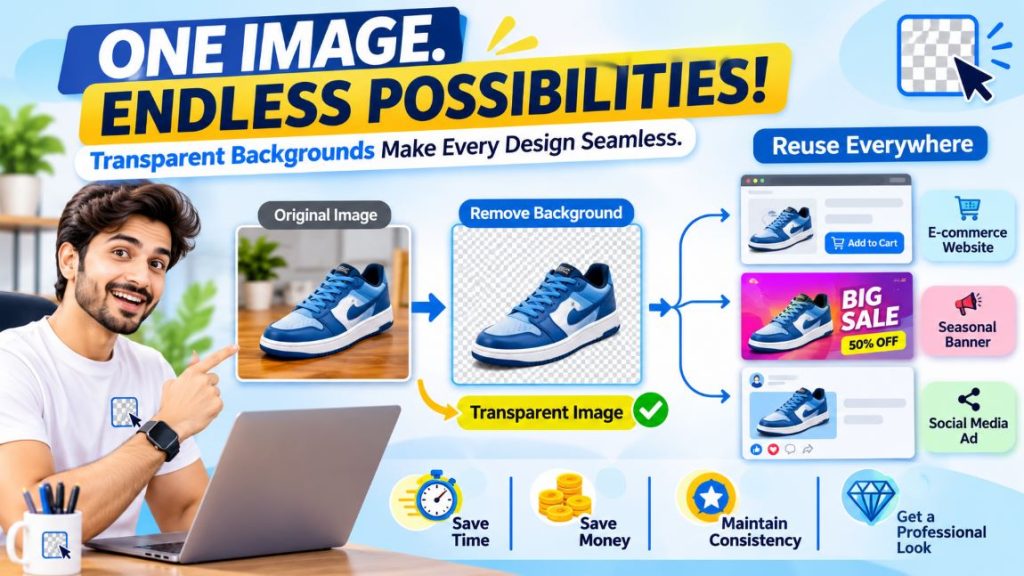
Consistency matters a great deal in graphic design. An image with a pointless backdrop often sits awkwardly in a new layout, like a jigsaw piece from the wrong box. Transparent images are far more flexible. The same element can sit happily on top of all sorts of colours, patterns and backdrops.
Picture-heavy businesses feel the benefit most. A small online shop selling trainers might need product shots for its website, a seasonal banner and a social media advert. One cut-out photo can do the job across all three, with no need for a fresh shoot each time. Businesses looking to build tailored digital platforms for managing product visuals, online operations, and specific workflows can also explore the benefits of custom software development. That’s a good deal of time and money saved.
A clean cut-out also looks more polished. Logos, icons, product drawings and decorative touches tend to look far tidier once the extra background is stripped away. A bakery logo sitting on a grey box always looks slightly unfinished.
How Background Removal Technology Works
The technology has come on in leaps and bounds, thanks to rapid progress in AI and computer vision. In the old days, editors had to pick out each object by hand, trace around it carefully and rub out everything else. The results could be spot on, but the job took ages and a steady hand. Tracing around a bicycle’s spokes could eat up an entire afternoon.
Today’s AI tools take a smarter route. They use image recognition and a process called segmentation to tell the main subject apart from whatever surrounds it. The software looks closely at colour shifts, edges, textures, shapes and the borders between objects. It’s rather like a sharp-eyed friend pointing out exactly where the cat ends and the sofa begins.
Once the subject has been spotted, the tool lifts it away from the original backdrop. Everything unwanted turns transparent, and the main object stays in place. Some tools go a step further and tidy up the tricky bits, such as wisps of hair, the edges of clothing and complicated outlines. Curly hair used to be an editor’s nightmare.
Common Uses Across Different Industries
Related walkthrough
Remove Image Background Instantly with One Click | Free Tool by OutRightCRM
Plenty of professions rely on cut-out images every single day, often without anyone noticing.
E-commerce: Web shops lean on transparent product shots to keep their listings looking neat and uniform. With the background gone, shoppers can focus on the item itself instead of a messy stockroom shelf.
Graphic Design: Designers reach for transparent elements when building posters, brochures, slide decks and online adverts. These pieces can be stacked with other visuals, giving far more freedom in the final layout.
Social Media: Creators often mix portraits, drawings and decorative touches with all sorts of backdrops. Cut-out images make it much simpler to build posts and promo graphics that hang together nicely.
Website Development: Web designers slot transparent logos, icons and illustrations straight into their page layouts. These pieces fit every section without leaving an ugly white box behind them.
Choosing the Right Background Removal Method
The best approach depends on the picture and where it’s going. A simple photo with a clear subject usually comes out well through an automatic tool. A busy scene, overlapping objects or very fine detail, on the other hand, may call for some extra hand editing. A bride’s lace veil against a garden hedge is a sterner test than a coffee cup on a plain table.
An individual exploring image editing techniques can learn about creating a transparent background and see how cutting out backdrops slots into the bigger design picture. It’s a skill that earns its keep quickly.
When picking a method, image resolution, edge accuracy, overall processing quality and the available export formats all deserve a careful look. Keeping the original quality intact matters most of all when graphics are headed for professional print or a huge digital screen. A blurry edge that goes unnoticed on a phone can look dreadful on a shopping-centre billboard.
Best Practices for Working With Transparent Images
A few good habits can make cut-out graphics far better and easier to use. None of them takes long.
It all starts with the source picture, which needs enough resolution to work with. Grainy, low-quality images tend to leave rough, jagged edges once the background is gone. The subject also needs to stand out clearly from its surroundings wherever possible. A black cat photographed against a dark sofa makes life hard for any tool.
A careful look at the edges is time well spent, especially around hair, glass objects and odd shapes. Tiny leftover scraps of the old background can stick out badly once the image sits on a contrasting colour. A thin white halo around a dark logo is the classic giveaway.
Last of all, the finished file needs saving in a format that keeps the transparency. Saving it as a JPEG, for example, wipes out the see-through areas and fills them with a solid colour instead. Plenty of designers have learned that lesson the hard way.
Conclusion
Transparent backgrounds have earned a firm place in modern design because they bring flexibility, consistency and a cleaner look. Their uses stretch from web-shop product shots to web page artwork and Instagram posts. As AI keeps getting better at removing backgrounds, making adaptable visuals is becoming easier for everyone. A firm grasp of the formats, editing methods and quality checks involved helps designers create images that look right wherever they end up. The background may disappear. Its importance doesn’t.