

Better AI Video Prompts Explain What Should Stay Still
Improve AI video prompts by defining what stays still. Learn how stable subjects, camera movement, and backgrounds create clear AI-generated videos.
Many weak AI video prompts are overloaded with movement. The subject walks, the camera circles, the wind lifts every loose object, the lighting changes, the background crowd reacts, and the scene transitions before the first visual idea has time to settle.
That sounds energetic on paper, yet it often produces a clip with no clear center. A more reliable approach is to describe motion together with restraint: what moves, what moves only slightly, and what should remain visually stable.
Stillness is not the absence of direction. It is one of the most useful forms of direction a prompt can provide.
Motion Is Easier to Read When Something Anchors the Frame
Every effective moving image contains a relationship between change and continuity. Steam rises from a cup while the product label stays readable. A camera pushes toward a face while the person maintains eye contact. Even an action scene needs stable geography so the audience understands where the movement is happening.
AI video prompts often describe the changing parts but leave the stable parts undefined. The model must then decide whether the background should shift, the subject should turn, clothing should flutter, or the camera should reframe. Each open decision creates another opportunity for the shot to drift.
This matters especially when starting from an image. The source frame already contains a composition, pose, lighting pattern, and spatial relationships. The prompt should clarify which parts are allowed to change.
A useful question is not only, “What happens next?” but “What must remain recognizable?”
Three Kinds of Stillness Worth Writing Into a Prompt
“Keep everything still” is too broad. Better prompts identify the specific kind of stability the shot needs.
1. Composition Stillness
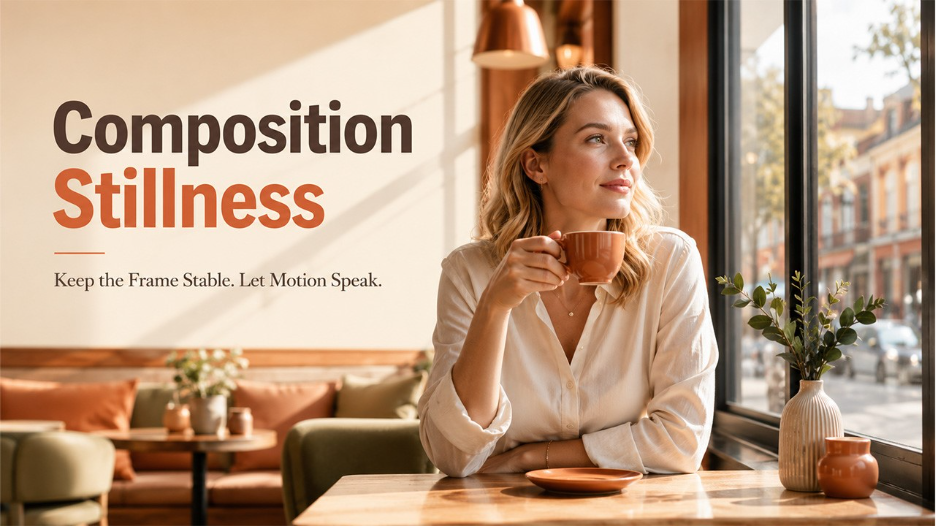
Composition stillness protects the arrangement of the frame. It is useful when the starting image already has a strong layout, such as a centered portrait, an arranged tabletop, a storefront, or a wide landscape.
A prompt might say that the subject remains centered, the camera height stays constant, or the horizon does not tilt. These instructions create a stable container for movement.
A woman slowly raises her coffee cup and looks toward the window. Keep her seated in the same position, preserve the centered composition, and keep the café background fixed. Use a gentle camera push with no orbit.
2. Identity Stillness
Identity stillness protects the traits that make a person, object, or location recognizable. In a portrait, this may include facial structure, hairstyle, clothing, and expression. In a product shot, it may include packaging shape, label placement, colors, and proportions.
Repeating phrases such as “the exact same woman” or “identical product” is less useful than naming the visible features that matter.
When working from a reference image in Grok Imagine, the prompt can describe the desired motion while specifying that the subject’s outfit, face, and position should remain consistent. This does not guarantee perfect preservation. It reduces ambiguity by identifying the visual information that carries the shot’s identity.
3. Environmental Stillness
Environmental stillness keeps the setting from becoming an unintended second subject. It is useful in interviews, product demonstrations, and quiet cinematic scenes.
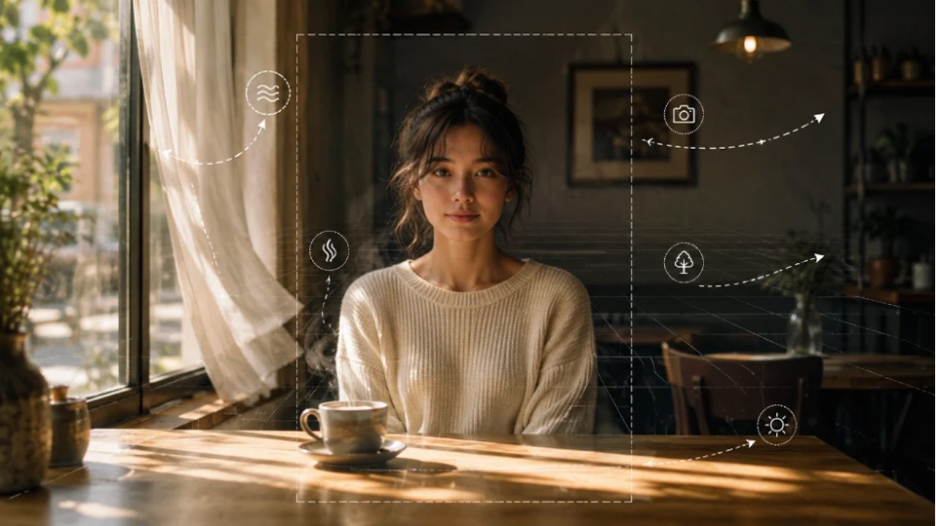
The curtains shift slightly in a soft breeze and sunlight moves across the floor. Keep the furniture, wall decorations, and background objects stationary. No people enter the room.
Selective movement creates atmosphere without making the scene unstable. One or two moving details are often more believable than asking every object to react.
Replace Long Blacklists With Positive Visual Direction
Negative instructions can help, but a prompt filled with “no shaking, no warping, no turning, no zooming, no changes” spends more time rejecting possibilities than describing the shot.
| Vague restriction | Clearer direction |
| Do not change the background | Keep the background fixed and softly focused |
| Do not move the camera too much | Use a locked medium shot with a slow push-in |
| Do not distort the product | Preserve the bottle shape, label position, and cap proportions |
| Do not make the person move around | Keep the subject seated, facing forward, with natural hand movement |
| No chaotic motion | Limit movement to drifting steam and one slow camera move |
The clearer version tells the model what the shot should look like, not only what it should avoid. It also gives the writer a standard for reviewing the output.
Separate Subject, Camera, and Background Motion
Related walkthrough
Flint K12 Review | How AI Is Transforming Personalized Learning for Schools

Prompts become confusing when several types of movement are mixed into one sentence. A cleaner structure assigns instructions to three layers:
Subject motion: What does the main person or object do?
Camera motion: How does the viewpoint change?
Background motion: Which environmental details move, and which remain fixed?
Compare these prompts:
A chef plates pasta in a lively restaurant while the camera moves dramatically and people move in the background.
The chef places one basil leaf on the pasta and pauses. Use a slow push-in from a medium close-up. Keep the plate centered and the olive oil label readable. Background diners remain softly blurred with subtle natural movement.
The second prompt is stronger because each layer has a job. It limits the primary action, specifies the camera, and controls the background without making the scene lifeless.
The same method works for text-to-video and image-to-video creation using an AI Video Generator. With Grok Video, users can start from a text prompt or an uploaded image and describe the intended motion.
The same method works for text-to-video and image-to-video creation. With Grok Video, users can start from a text prompt or an uploaded image and describe the intended motion. A layered prompt is easier to revise because one variable can be changed without rebuilding the entire concept.
Stillness Should Support the Purpose of the Shot
Not every element deserves protection. The right constraints depend on what the clip is meant to communicate.
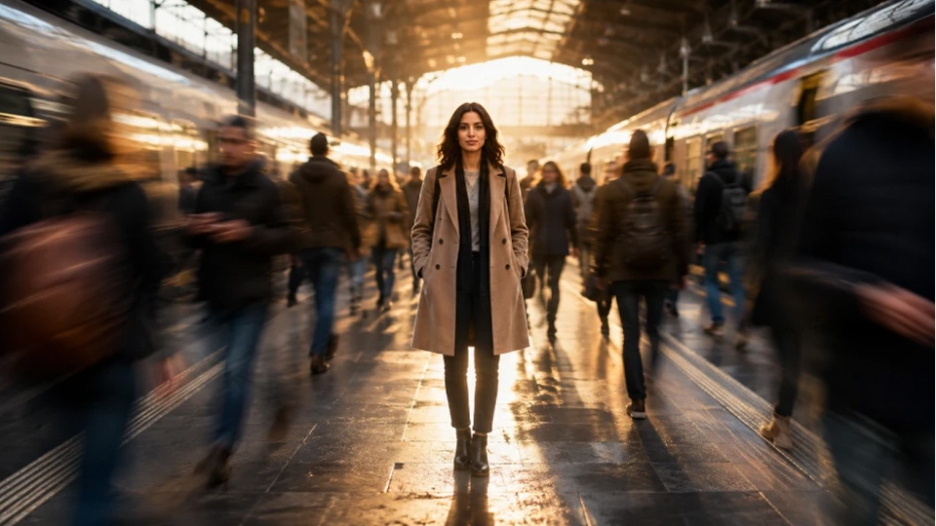
For a product video, the packaging and silhouette may need to remain stable while reflections, steam, ingredients, or the camera move. For a character portrait, facial identity and costume may matter more than the exact background. For a landscape, the horizon and major architecture may stay fixed while clouds, water, foliage, or light create movement.
Before drafting the final prompt, complete three sentences:
- The viewer should notice ______ first.
- The main movement is ______.
- To keep the shot readable, ______ must remain stable.
Those answers usually reveal which details belong in the prompt and which can be removed.
Refine One Motion Rule at a Time
When a generated clip feels wrong, adding more adjectives is rarely the best response. Identify which layer lost control.
Did the camera move too aggressively? Replace an orbit with a locked shot or slow push. Did the subject lose the original pose? Reduce the action to one gesture. Did the environment become distracting? Name the single background element that may move and hold the others steady.
A disciplined revision sequence can look like this:
- Keep the subject action and simplify the camera.
- Keep the camera and reduce background activity.
- Keep the motion and strengthen one identity constraint.
- Compare the results before adding another creative element.
The purpose is not to remove surprise. It is to stop every part of the scene from improvising at once.
Conclusion
Good AI video prompts do more than describe events. They organize attention. They tell the system what leads, what supports, and what stays quiet.
That hierarchy often separates an intentional clip from one that merely feels busy. Movement attracts the eye, but stillness tells the eye where to return. A stable face makes a gesture readable. A fixed product makes lighting effects useful. A controlled background gives camera movement meaning.
Before adding another action, transition, or atmospheric effect, decide what the viewer must continue recognizing from the first frame to the last. Then write that continuity into the prompt as clearly as the movement itself.
The most effective direction may not be another verb. It may be a boundary.

