
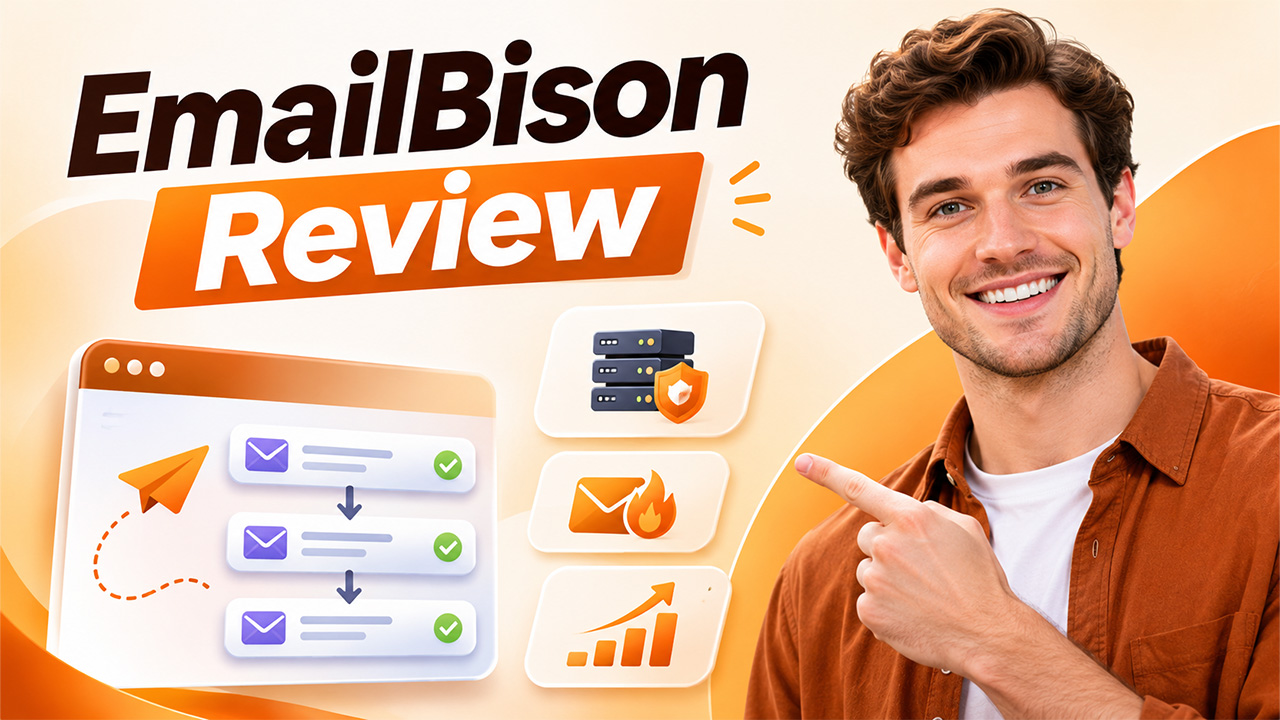
EmailBison Review: Is This Private Email Sequencer Worth It in 2027?
Read our EmailBison Review to explore its features, pricing, dedicated IPs, email warmup, deliverability, pros and cons, and overall value in 2027.
Selecting the right cold email platform is crucial for businesses looking to scale outbound campaigns while maintaining reliable email deliverability. This EmailBison review examines how the platform works, its key features, private sending infrastructure, email warmup capabilities, pricing, and overall value.
Unlike many traditional cold email platforms that primarily compete through affordable subscriptions and extensive automation features, EmailBison places greater emphasis on private sending infrastructure, dedicated IPs, and deliverability management. However, whether its features justify the $599 monthly subscription depends on the specific requirements of each business.
What Is EmailBison?
This isolated infrastructure reduces the potential for sending activity from other customers to affect an individual customer’s sending environment.
The platform is particularly relevant to agencies managing multiple clients that require separate workspaces and campaign environments.
Its pricing structure also caters to this audience by including unlimited leads, workspaces, and team members under a single subscription.
This platform offers a range of tools that can be used to manage your outbound email campaigns, such as:
- Multi-step email sequences
- Automated follow-ups
- Dedicated IP infrastructure
- Private email warmup
- Bounce protection
- A/B testing
- Unified inbox management
- API access and webhooks
- Inbox placement testing through EmailGuard
The software is a great tool for agencies working with multiple clients and needing to utilise separate areas.
The pricing is perfect for this type of audience too. It allows for an unlimited number of leads, workspaces, and team members.
How Does EmailBison Work?
EmailBison is a private email sequencer that allows businesses to connect multiple email accounts to a centralized campaign management system. Users can organize prospect lists, create multi-step campaigns, configure sending schedules, and automate follow-up messages.
The process would look like this:
1. Connect your email accounts
Connect your email account to your EmailBison account. These will be your ‘outbound’ accounts.
2. Manage your prospects
You can upload your prospect lists and manage your leads to fit your campaigns/workspaces. If you are an agency, you can have separate workspaces for each client.
3. Create Sequences
Create your multi-step campaigns. Personalize your messages and subject lines and use automation to send your emails. You can personalize your messages even further using variables and conditional content.
4. Schedule your emails
Schedule your campaign and how many emails are sent. This ensures you spread your emails.
5. Track your campaigns
Keep track of your sending activity, bounced emails, replies, etc. This means you can spot any issues and make any changes.
6. Manage replies
You can view all your campaign conversations in the Master Inbox. This means your team can easily see what replies they have received.
Overall, this creates an email campaign management, sequencing, and reply to system.
What Are the Main Features of EmailBison?

EmailBison’s feature set is built around high-volume outbound email operations. Its main selling point is the combination of private infrastructure and campaign management rather than simply offering another email automation dashboard.
Let’s examine its most important features.
1. Private and Dedicated Sending Infrastructure
Infrastructure is one of the biggest reasons businesses consider EmailBison.
Many cold email platforms operate on shared infrastructure or use sending environments where customers may have less control over the underlying setup. EmailBison takes a more isolated approach.
It provides a single-tenant environment with dedicated IPs, static egress, and private networking.
This setup offers several advantages:
- Better workload isolation: Your sending environment is separated from other customers.
- Dedicated IPs: Your infrastructure does not rely on a common sending IP shared across customers.
- Static egress: Sending traffic uses consistent network endpoints.
- Greater infrastructure control: Businesses have a more isolated environment for managing outbound operations.
This structure can be useful for agencies handling large campaigns because their infrastructure is less exposed to problems caused by unrelated customers.
However, dedicated IPs do not automatically guarantee inbox placement. Email authentication, sending patterns, domain reputation, recipient engagement, and message quality still influence deliverability.
2. Private Email Warmup
Email warmup is another important feature included in EmailBison.
It helps businesses gradually establish sending activity for their email accounts before relying on them for larger campaigns. EmailBison offers private warmup pools with automated interactions designed to support sender reputation. Businesses can also automate email follow-ups to maintain consistent communication and manage outreach sequences more efficiently.
Its warmup system includes:
- Gradual sending volume increases
- Simulated email conversations
- Automated replies and engagement
- Provider-aware sending schedules
- Bounce and spam protection
- Individual warmup profiles for sending accounts
The platform also monitors sending activity and can pause or reduce activity when it detects potential risks.
One notable aspect is its private warmup network. EmailBison states that it vets participants and monitors its network to maintain a controlled environment.
This approach may offer more control than an open warmup network. Still, automated warmup should not be treated as a substitute for sending relevant emails to real, interested recipients. Warmup activity alone cannot establish a strong reputation or guarantee inbox placement.
3. Multi-Step Email Sequences
EmailBison allows users to create automated email sequences with multiple steps.
Instead of manually sending every follow-up, businesses can schedule messages to reach prospects at different stages of an outreach campaign.
The sequencing system supports:
- Automated follow-up messages
- Custom sending schedules
- Email templates
- Spintax
- Liquid syntax
- Personalized variables
- Campaign pausing and resuming
- Real-time campaign statistics
Spintax allows users to create different versions of phrases or sentences within a message. Liquid syntax supports conditional content and dynamic personalization.
For example, a campaign can use different greetings depending on the recipient’s local time.
These features help agencies manage large prospect lists without manually creating every email variation.
4. A/B Testing
Writing an email that receives responses often requires testing different approaches.
EmailBison includes A/B testing capabilities that allow users to compare different subject lines and email body variations at individual sequence steps.
For example, an agency might test two different opening messages:
- Version A focuses on a specific business challenge.
- Version B highlights a potential improvement or opportunity.
The platform can compare the performance of these variations and automatically select a winning version based on campaign results.
This helps teams make decisions using actual campaign data rather than relying entirely on assumptions.
However, testing should be conducted carefully. Small sample sizes and differences in audience quality can produce misleading results.
5. Master Inbox
Managing replies from multiple email accounts can become complicated, especially when an agency works with several clients.
EmailBison addresses this problem through its Master Inbox.
It provides a centralized interface where users can read and respond to incoming messages from their connected sending accounts.
Its main capabilities include:
- Centralized reply management
- Email composing
- Sending one-off emails
- Attachment support
- Real-time message synchronization
- Webhook notifications
The Master Inbox is useful for teams that need to manage conversations without switching between numerous individual inboxes.
It also supports follow-up workflows, allowing interested leads to move into additional email campaigns while keeping conversations within the same thread.
6. EmailGuard Integration and Inbox Placement Testing
Sending an email successfully does not necessarily mean it will reach the recipient’s primary inbox.
It may land in spam, promotions, or another filtered folder.
EmailBison integrates with EmailGuard to provide inbox placement testing. Users can test campaign messages against a network of Google Workspace and Microsoft 365 accounts before launching their campaigns.
This helps identify potential placement issues and gives teams an opportunity to review their email copy.
The integration is useful because it brings deliverability testing closer to the campaign creation process.
However, placement tests represent testing conditions, not a guarantee that every future email will reach the inbox. Actual results depend on the recipient’s email provider, sender reputation, message content, and engagement.
7. API Access and Webhooks
For agencies and technical teams, API access can make a significant difference.
EmailBison provides API access for managing campaign and sequencing activities programmatically. It also supports webhooks for receiving real-time notifications when relevant events occur.
This allows businesses to connect their email operations with other tools and workflows.
For example, an agency can use automation to transfer prospect information, manage campaigns, and send activity updates to its internal systems.
EmailBison also supports integrations with tools such as Clay, n8n, and Make.
These capabilities make the platform more suitable for teams that want to build customized outbound workflows instead of depending entirely on manual operations.
How Much Does EmailBison Cost in 2027?

EmailBison uses a flat monthly pricing model rather than charging separately for every user or workspace.
Its publicly listed Base Plan is:
| Feature | Base Plan |
| Monthly price | $599 |
| Monthly email capacity | 500,000 emails |
| Leads | Unlimited |
| Workspaces | Unlimited |
| Teammates | Unlimited |
| Dedicated IP infrastructure | Included |
| Email warmup | Included |
| Bounce protection | Included |
| API access | Included |
| Dedicated support | Included |
Businesses that need more than 500,000 emails per month can purchase additional sending capacity in monthly buckets.
The exact additional capacity pricing is not publicly specified, so businesses should confirm the cost directly with the sales team.
Is EmailBison’s Pricing Worth It?
Related walkthrough
ExtractMails: Turn Emails & Attachments into CRM Records Automatically
Whether $599 per month is reasonable depends on how much email volume a business manages.
For a small business sending a few thousand emails monthly, this subscription may be difficult to justify.
However, an established agency managing multiple clients may find the pricing more practical.
Consider an agency managing five clients. Instead of purchasing separate subscriptions for every team member or workspace, it can use EmailBison’s unlimited workspace and teammate model under one subscription.
The value becomes more noticeable when the agency regularly uses a significant portion of its included sending capacity.
Before purchasing, businesses should calculate their expected sending volume, additional infrastructure costs, and the resources required to manage campaigns.
What Are the Advantages of EmailBison?
EmailBison offers several advantages for businesses with demanding outbound email requirements.
Dedicated Infrastructure
Its single-tenant infrastructure and dedicated IPs provide greater separation between customers. This can be particularly useful for agencies that want more control over their sending environments.
Unlimited Workspaces and Teammates
The platform does not charge additional per-seat fees for teammates or separate workspaces. This makes it easier for agencies to organize different client operations.
Built-In Warmup and Bounce Protection
Email warmup and bounce protection are included in the subscription. Businesses can manage important sending activities without purchasing separate tools for every function.
Extensive API Capabilities
The API and webhook support make it easier to connect EmailBison with other applications and automate repetitive processes.
Centralized Reply Management
The Master Inbox helps teams handle incoming messages from different sending accounts in one place.
Deliverability-Focused Features
Dedicated infrastructure, warmup controls, EmailGuard integration, and sending diagnostics give users several tools to monitor and manage email deliverability.
What Are the Limitations of EmailBison?

Despite its advantages, EmailBison is not necessarily the right choice for every business.
There are a few important limitations to consider before investing in the platform.
1. Additional Sending Capacity Costs Extra
Although the Base Plan includes 500,000 monthly emails, businesses that exceed this limit need to purchase additional sending capacity.
The prices of these additional monthly buckets are not clearly displayed publicly.
Agencies with unpredictable campaign volumes should request a detailed pricing breakdown before signing up.
2. Not an All-in-One Lead Generation Platform
EmailBison focuses primarily on email sequencing and sending infrastructure.
Businesses that need prospect databases, advanced lead discovery, email verification, or multichannel LinkedIn outreach may need additional software.
This means the total cost of an outbound sales system can be higher than the subscription price alone.
3. Limited Public Customer Reviews
Another consideration is the platform’s relatively small independent review footprint.
Unlike more established email marketing and sales engagement platforms, EmailBison has fewer widely available customer ratings across major software review websites.
This makes it harder to evaluate long-term customer satisfaction and compare consistent user experiences.
Businesses should request a live demonstration, ask about support arrangements, and understand the platform’s terms before committing.
Who Should Use EmailBison?
EmailBison is designed for businesses that have more demanding outbound email requirements than a typical small sales team.
It may be particularly useful for the following users.
Cold Email Agencies
Agencies managing multiple client campaigns can benefit from unlimited workspaces, teammate access, and isolated infrastructure.
High-Volume Sales Teams
B2B sales teams that regularly contact large prospect lists may find the sequencing and automation features useful.
GTM Teams
Go-to-market teams can use the API, webhooks, and campaign management features to connect outbound email operations with their existing workflows.
Established Businesses
Companies with consistent outbound requirements may benefit from the predictable subscription model and dedicated sending environment.
Who Should Avoid EmailBison?
Not every cold email sender needs a premium sequencing platform.
EmailBison may not be the best choice for:
- Freelancers – The $599 monthly subscription may be difficult to justify for individuals managing only a small number of campaigns.
- Multi-Channel Sales Teams – Businesses that rely heavily on LinkedIn outreach and other communication channels may require additional tools to support their multichannel sales activities.
- Low Budget Agencies – Agencies that are still building their client base may prefer platforms with lower starting prices and more flexible subscription options.
Is EmailBison Worth It in 2027?
EmailBison can be a suitable option for established agencies and B2B teams that regularly manage hundreds of thousands of outbound emails each month.
Its key strengths include isolated sending infrastructure, dedicated IPs, private email warmup, and unlimited workspaces. These capabilities address several operational challenges faced by agencies managing multiple clients and high-volume outbound campaigns.
The platform’s $599 monthly subscription reflects its infrastructure and range of included features. For businesses with substantial sending requirements, multiple clients, and larger sales teams, the subscription may offer value by combining campaign automation, sending infrastructure, and team management under one plan.
However, smaller businesses, freelancers, and companies that are still developing their outbound sales operations may find the subscription difficult to justify. These businesses should evaluate whether the platform’s advanced capabilities align with their current campaign volume and operational requirements.
Overall, EmailBison is a specialized cold email sequencing platform designed primarily for established agencies and high-volume B2B sales teams. Businesses that rely heavily on outbound email and require greater control over their sending infrastructure may find its features worth considering.
Frequently Asked Questions
EmailBison does not publicly advertise a free plan or standard self-service trial. Businesses can book a demo to discuss the platform and its availability.
Yes, EmailBison provides dedicated IPs through its isolated, single-tenant infrastructure. It also offers static egress and private networking.
Yes, EmailBison supports unlimited workspaces and teammates under its Base Plan. Agencies can use separate workspaces to organize different client campaigns and team activities.
Yes, EmailBison provides API access and webhooks for managing campaign activities and connecting outbound workflows with other applications.
Yes, businesses can purchase additional monthly sending capacity beyond the 500,000 emails included in the Base Plan. The additional pricing should be confirmed with EmailBison.
Yes, agencies are among its primary target customers. Its isolated infrastructure, unlimited workspaces, unlimited teammates, and centralized inbox make it suitable for managing multiple client campaigns.