
Password Creator Tools: How to Generate Strong Passwords for Business Applications
Explore how password creator tools help businesses generate strong, unique passwords and improve account security with password managers, MFA, and access controls.
There are over 75 cyberattacks per organization every day, according to a Cyber Threats Surge report by Check Point in July 2026. And unsurprisingly, a significant number of breaches begin when passwords get compromised.
Now, NIST recommends a minimum of fifteen characters for passwords used as the only authentication factor. For businesses, this means that familiar eight-character combination can no longer be default.
But by length alone, this cannot protect an account when employees reuse credentials or enter them on convincingly fake login pages. A stronger protection also starts with random generation, and then it depends on secure storage and sensible access controls.
Here’s how to build a practical password process that protects business applications without making everyday work unnecessarily difficult for employees.
Set Password Policies That Match Your Applications
Length and uniqueness provide a better foundation than complicated character formulas alone. Predictable combinations based on company names or seasons remain poor choices, even with added symbols.
Application limits also shape what your policy can achieve. Where supported, screening new passwords against known compromised credentials adds protection that a basic complexity check cannot provide.
Evaluate Password Creator Tools for Business Use
When assessing enterprise generation utilities, useful starting criteria include configurable length, random output and compatibility with application requirements. A good password creator tool lets users adjust length and character types while checking a strength indicator. As an example, Bitdefender’s free tool lets you generate unique passwords in your browser instantly.
An important thing is that those controls help with generation, but they do not establish enterprise suitability. Workplace use also demands looking into secure storage, sharing and administrative oversight.
Generation and governance serve different purposes. A standalone generator does not replace centralized access policies or account recovery procedures.
Generate Credentials Employees Can Actually Use
Strong credentials must work across the devices your team uses. Otherwise, employees may simplify passwords or create workarounds.
Prioritize Length and Randomness
According to NIST’s guidelines, longer passwords and password managers support stronger account protection. Freshly generated credentials avoid predictable variations of an existing password.
Test Everyday Sign Ins
University researchers in a 2024 study surveyed 999 participants and found that difficult password entry could encourage weaker choices. For your team, that makes testing phones and other non-desktop devices an important rollout step.
Add Multi Factor Authentication
Use a strong password. If you add Multi-Factor Authentication (MFA) to your sign-in requirements, then you reduce the impact of having a strong password being used within a realistic phishing scenario.
Using phishing-resistant advanced sign-in options such as security keys and supported passkeys will reduce the risks of using just an approval prompt.
When it comes to your employees, having secure sign-ups and recovery options will help keep things safe. Having clear recovery options will help reduce the risk of a lost device causing them to be locked out for long periods of time, or providing an opportunity to ignore security controls.
Store Credentials in an Approved Password Manager
Related walkthrough
How to Create App Password for Microsoft Outlook Email | Office 365

Employees will have difficulty creating unique passwords across dozens of applications. This can lead to the creation of personal spreadsheet solutions for storing passwords.
Creating an Enterprise Password Manager means that your credentials are stored in a controlled environment. Each employee will have their own access. This can be further improved by using shared vaults to reduce the need to share passwords. There is also value from a business perspective.
Managed access makes employee departures and device losses easier to handle without losing ownership of essential accounts.
Replace Calendar Based Rotation with Clear Triggers
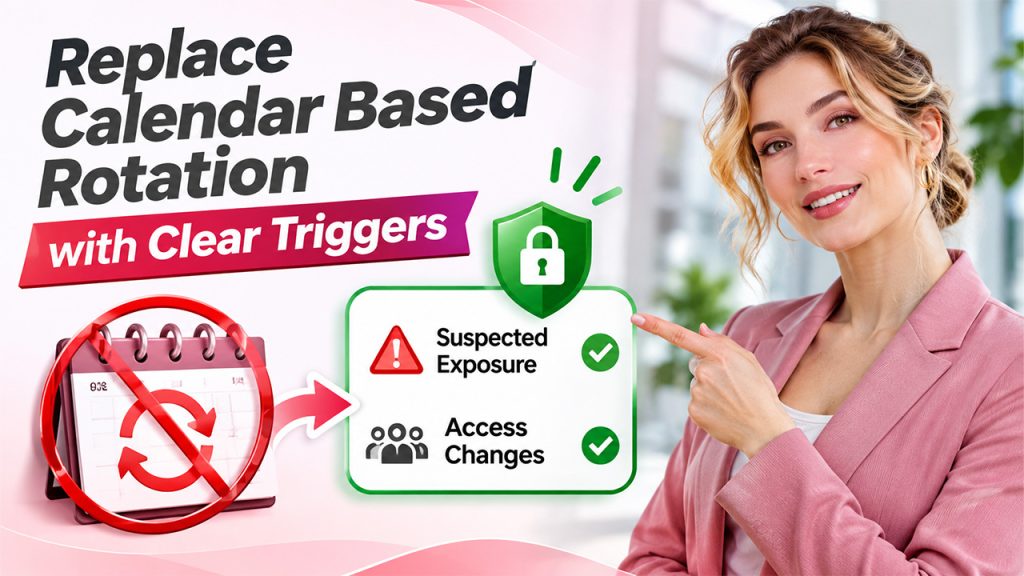
Changing passwords frequently can look reassuring, yet predictable resets may simply produce another variation of the same weak password. Guidelines from NIST and organs like NHIMG on updating credential parameters advise against mandatory periodic changes without evidence of compromise.
Think of a password as an office key. Replacing it every month achieves little if copies remain uncontrolled. A more useful distinction separates regular reviews from credential replacement.
Suspected exposure calls for a change, while shared-account membership changes deserve a review of who still holds access.
Train Employees to Recognize Credential Theft
Often, credential theft begins with an ordinary-looking request, such as review a document, approve an invoice, or resolve an account problem. Various familiar tasks can also make fraudulent messages that feel credible.
Training usually becomes more useful when it explains all these situations rather than just presenting employees as the weakest link. A short example for this can show how a fake sign-in page interrupts a normal workflow.
Easy and blame-free reporting also matters. Employees also need somewhere to turn when a request feels wrong, even after clicking.
Audit Password Health Without Collecting Passwords
A password health review asks whether account protections are working, not what employees’ passwords contain. Approved manager reports, application settings and account inventories can reveal gaps without exposing credentials.
Useful findings include:
- Missing MFA
- Reused or exposed passwords
- Accounts belonging to former employees
Each points to a different underlying weakness.
Giving findings ownership keeps the review actionable. Documented exceptions also help older applications remain visible instead of quietly falling outside the security process.
Make Strong Credentials an Everyday Habit
Good password security fits the way people work. Password creator tools contribute most when secure storage and reliable recovery support them. The goal is a consistent process, not a collection of rules employees struggle to remember, and regular reviews help keep that process relevant as access needs change.
If this piece was helpful, browse on to explore our other guides for more practical perspectives on passwords and business account security.