

Twitter GIF Downloader: How to Save GIFs from X (Twitter) Easily?
Twitter GIF downloader enables you to save animated GIFs from X (Twitter) in seconds. You can paste the tweet link, select your chosen format, and download the file for free. No login is required.
One of the great joys that comes from mindlessly scrolling through X is finding perfectly timed and socially relevant GIFs. It can be an informative clip, a hilarious reaction, or even a creative animation; GIFs make content more relatable and engaging. However, Twitter does not provide an in-built GIF download option, leaving many users searching for ways to save them. This is precisely where a Twitter GIF downloader becomes useful. Having the right tool lets you save your favorite animated content from X in just a few seconds. You do not need any technical expertise. All you need is the right tool.
What Is a Twitter GIF Downloader?

A Twitter GIF downloader can be defined as a free digital tool that enables users to save GIFs shared on X (Twitter) directly to their devices. In such tools, all you have to do is share the Tweet URL, and then the tool extracts the media file and gives you a downloadable link. A typical Twitter GIF downloader does not need an app installation or account registration.
It is significant to comprehend an important technical aspect: Twitter does not store GIFs as conventional .gif files. Instead, the platform converts all uploaded GIFs automatically into MP4 (MPEG-4) video format for quick loading and effective compression. An MP4 file can be approximately 10 times smaller than its GIF while ensuring the same quality in visuals. An effective Twitter GIF downloader will enable you to choose whether you keep the file in MP4 format or change it back to the animated GIF format as per your requirement.
Main formats in which you can download media files include:
- MP4 — The native format of Twitter; high quality and smaller size.
- GIF — Animated format; valuable for sharing through emails, chats, and websites.
- WebP — Served occasionally for modern browsers.
How to Utilize a Twitter GIF Downloader: A Step-by-Step Guide
Using a Twitter GIF downloader is extremely simple and does not require technical expertise. The process is almost the same across the majority of tools available today. Here is a detailed guide to downloading GIFs from Twitter on any device:
- Open your X (Twitter) and find the tweet with the GIF that you wish to save.
- Select the Share icon existing below the tweet and choose “Copy Link.” Otherwise, you can also copy the tweet URL from the browser’s address bar directly.
- Go to a trusted Twitter GIF downloader website, and after that, paste the copied tweet link into the designated input box. The website will mention all the supported formats as shown in the screenshot. The screenshot below is from the website convertico.com.
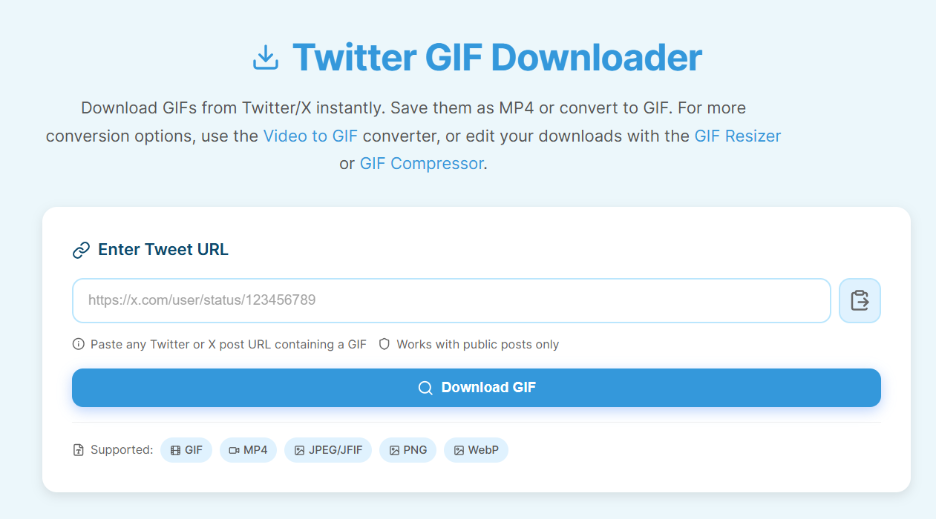
- Click on the Download button. The tool will extract the media from the file.
- Select a format. The tool will show you the list of formats you can choose to save your file, like MP4 or animated GIF. You can then download and save the file in the preferred format on your device.
The process is virtually the same whether you are on a desktop browser or a mobile device. For iOS users, especially, since the official X app does not support GIF saving, visiting a Twitter GIF downloader from a mobile browser is the most practical solution.
Pro Tip: If you are using the tool on your phone, you need to select the timestamp of the tweet to open it in a different tab. After that, you can copy the URL from the address bar to get the cleanest link.
Read More: Best Ways To Download Social Media Videos Quickly
Important Features of a Typical Twitter GIF Downloader
Related walkthrough
Figma Liquid Loader Animation Tutorial | Smooth Loading Animation in Figma

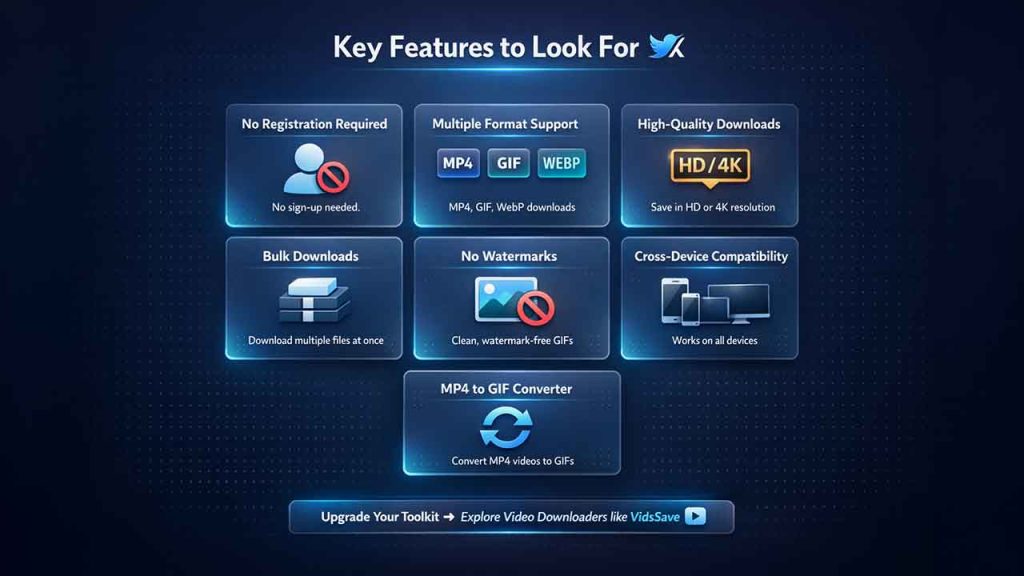
Not all tools for downloading Twitter GIFs work in the same way. Some can be relevant to you while others are not. You can look for the following features in a typical Twitter GIF Downloader:
- No Registration Required: A dependable tool must enable you to save GIFs from Twitter without logging in or creating an account.
- Diverse Format Support: The capability to download both animated GIF and MP4 provides you with much better flexibility.
- Downloads in High-quality: The right tools extract the top-quality versions available directly from the servers of Twitter, with no loss in compression.
- Bulk and Gallery Downloads: A lot of tools support tweets with multiple files, compiling them into a ZIP archive for simplicity.
- No Watermarks: Files that are downloaded must be clean with no overlays in branding.
- Cross-Device Compatibility: The tool must work smoothly across Android, desktops, and iOS browsers.
- Converting MP4 to GIF File: Nearly all Twitter GIF downloaders convert the uploaded GIFs to an MP4; an in-built converter enables you to get the true animated GIF whenever required.
Apart from GIF downloads, if you want to expand your video toolkit, exploring X video downloaders such as VidsSave can be the next step. This is specifically useful for teams looking to incorporate saved video content into training programs, CRM workflows, and marketing strategies.
Conclusion
It is not easy to natively save Twitter GIFs. However, you can solve this problem by using a reliable Twitter GIF downloader. When you want to save GIFs for personal purposes, use it among your friends, or just want to create a collection of your favorite reactions, such tools ensure a free, fast, and simple solution. Complexity is nothing more than copying a link and selecting a download button.
When choosing a tool to download GIFs from Twitter, you need to emphasize the ones that provide top-quality output, flexibility in format, and no mandatory sign-up. Bookmark the right GIF downloader for Twitter, and you will never miss out on the opportunity to save your favorite GIFs appearing in your feed.
FAQs About Twitter GIF Downloader
Q1. Is it possible to download GIFs from private Twitter accounts?
A- No. A Twitter GIF downloader can help you access content from public tweets. If a tweet was made from a private account or has been deleted, the tool will not be able to extract the media.
Q2. Can you legally download GIFs from Twitter?
A- It is generally acceptable to download GIFs from Twitter for personal use. However, users must be mindful of copyright, prevent redistribution, and not use it commercially without the permission of the creator.
Q3. Why is my downloaded file in MP4 format and not GIF?
A- This is because all Twitter GIF downloader tools automatically convert GIFs to MP4 for more effective performance and smaller file sizes. To get the animated .gif file, utilize the Convert to GIF option available in most Twitter GIF downloader tools.
Q4. Can such tools be used on smartphones?
A- Yes. Most Twitter GIF downloader websites are completely browser-based and support iOS and Android devices. There is no need for additional installation of apps. All you need to do is visit the website from your mobile browser, paste the link of the tweet, and download the file in the preferred format.

