

How to Redesign Your Ecommerce Website Without Sacrificing SEO
Redesign your ecommerce website with 7 SEO tips to protect rankings, improve user experience, and maintain organic traffic.
A website redesign is usually judged from the homepage outward. The team reviews the new look, tries the navigation, and checks whether the store feels easier to use. Customers arriving from Google often experience it in the opposite direction. Their first stop might be a collection, a buying guide, or a product page they have never seen before. Whether the redesign works for them depends on what happens at that entrance.
That is where development and ecommerce SEO services overlap. A new layout can change the addresses, content, and connections that bring shoppers into a store. The challenge is to improve the shopping experience while preserving the reasons those shoppers found it in the first place.
Understand How Customers Arrive Before Changing Where They Go
Consider a furniture store with a collection devoted to dining tables for small spaces. The page may look unremarkable, but it answers a specific question: which tables will fit an apartment without making every meal feel crowded? Its product selection, dimensions, and buying advice give visitors a useful starting point.
During a redesign, combining that collection with a broader dining-room section might seem like sensible housekeeping. Yet the change could remove the page that best served those shoppers. The larger collection still sells tables, but visitors now have more work to do.
This is why the first step should be an inventory of what the existing site contributes. Review organic landing pages alongside orders and revenue, then save the URLs, headings, content, and internal links of important pages. A crawl of the old site gives the team something concrete to compare with the replacement.
A collection that consistently brings in buyers has earned a place in the design brief, even if nobody loves its current appearance. Give the designer those findings before approving the new structure. It is easier to preserve a valuable entrance while drawing the plans than to reconstruct it after customers stop arriving.
Make Every Move Lead Somewhere Useful
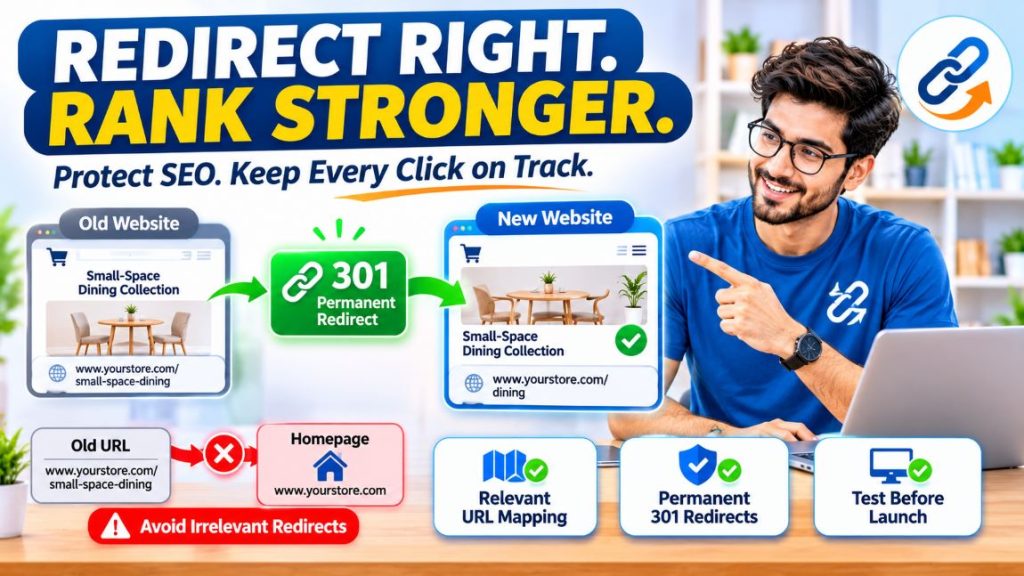
Changing a layout does not automatically require changing its URL. If an address still describes the page accurately and the platform allows it, keeping it can simplify the rebuild. Where a new structure requires a new address, visitors need a reliable route from the old page to its replacement.
For the small-space dining collection, that means a permanent redirect to an equivalent collection. A redirect to the homepage technically gets the visitor somewhere, but loses the context that brought them there. Someone who already found a suitable department should not have to search the whole store again.
Google’s migration guidance recommends preparing a mapping between old and new URLs. Build that map before launch week, when there is still time to resolve awkward cases such as merged categories and discontinued products. Then test the implemented redirects to confirm they reach working, relevant destinations without unnecessary intermediate steps.
Give Useful Information a Better Home
Related walkthrough
Create a Website with AI Agents in Minutes | Claude Code + Antigravity

A cleaner design often means less visible text, and sometimes that is an improvement. Repetition can go. Long introductions can be shortened. But the information customers use to choose a product needs somewhere to live.
On a dining-table page, seating capacity, dimensions, and clearance matter more than another description of its timeless style. A customer trying to fit six chairs into a narrow room needs an answer they can measure. Removing that answer makes the page less useful, however attractive the photography becomes.
The solution is usually organization. Put specifications in a consistent table, make delivery information easy to find, and use headings that match the questions shoppers ask. On collection pages, retain advice that helps people compare products rather than preserving paragraphs merely because they contain keywords.
A note explaining how much clearance chairs need can sit beside the dimensions instead of disappearing into a long introduction. That gives the designer something useful to work with and saves the shopper from hunting through paragraphs for a measurement.
Keep the Journey Connected
Even a well-designed collection can become difficult to find if it disappears from the menu or loses links from buying guides. Its address and content might survive the redesign perfectly while the routes leading to it quietly disappear.
Check the new store without relying on its search box. Can a first-time visitor move from a broad category to the right collection and then to individual products? Google recommends these linked paths in its ecommerce navigation guidance, noting that Googlebot generally does not submit searches to discover inventory.
Review the less obvious routes too: related products, editorial recommendations, and links between collection pages. They should point directly to the current destination. This is especially valuable for a large catalog, where a product can remain available while quietly becoming difficult to discover.
Verify the Live Store, Then Watch What Changes
Some launch problems are invisible to a shopper. A page can look finished while still carrying an instruction that keeps it out of search. Have the developer check representative products and collections for leftover staging restrictions, including noindex directives. Opening access in robots.txt does not remove those separate instructions. Website security should also be part of the launch checklist. During a redesign, developers should verify HTTPS configurations, check for unexpected redirects, and ensure that security vulnerabilities do not expose the website to malware or unauthorized changes. These checks help protect both the shopping experience and search visibility. Learn more about website security and its impact on SEO.
Also check canonical tags, which identify the preferred address when similar versions of a page exist. They should point to the intended live page, not the test site where the redesign was built.
Finally, complete a purchase and look for it in analytics. Check the order value as well as the event. If the sale reaches your order system but never reaches your reports, you have found a measurement problem before it becomes a misleading conversation about falling revenue.
After launch, compare performance by page type and important landing page. If collection clicks fall while product clicks remain stable, inspect the collections first. If traffic holds but orders decline, investigate stock, shipping costs, checkout, and tracking. Allow for seasonality and promotions, and keep a dated record of changes.
Significant URL changes can cause temporary search fluctuations, but identifiable faults still need attention. The baseline helps separate an expected adjustment from a missing page or broken route.
The most useful final review starts where a customer starts. Open a collection from an old link, find a suitable product, and complete the purchase. A successful redesign makes that whole journey better, including the first step that happens before anyone sees the homepage.