
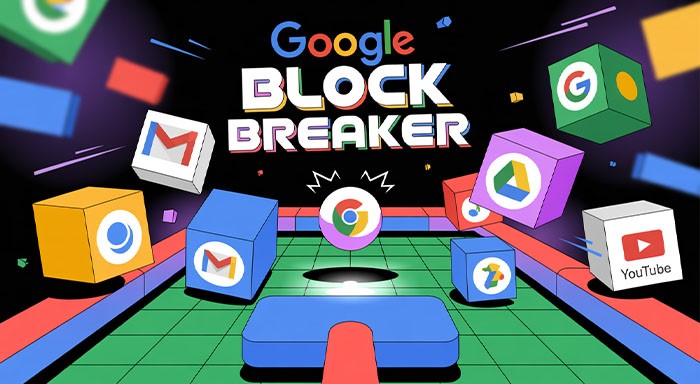
Google Block Breaker: The Addictive Browser Game Making a Comeback
Play Google Block Breaker with tips for controls, power-ups, levels, and high scores. Learn how to access this online browser arcade game on desktop and mobile.
Some games don’t require you to put in too much effort in order to enjoy them. You don’t have to deal with complicated menus, excessive download sizes (5GB), or tedious tutorials. All you need is a paddle, a ball, and a screen full of blocks waiting to be smashed. That’s the charm of Google Block Breaker, a modern, browser-friendly take on the classic arcade block-breaking genre we grew up with.
It’s quick, playful, and instantly familiar. You can launch it in seconds and lose yourself in the satisfying rhythm of bouncing a ball and clearing colorful block layouts. It’s the kind of game you open “just for a break,” and suddenly thirty minutes disappear because you’re determined to beat the last score you set.
What’s interesting is how something this small tucked inside Google search results or available through simple browser portals has managed to spark a fresh wave of nostalgia. In a time when games keep getting more complex, Block Breaker reminds us that sometimes fun doesn’t need to be complicated. It just needs to be fun. he evolution of gaming technology has made modern gaming more interactive, accessible, and immersive.
This blog will explore everything you need to know about the game: its top features, how to access it on different devices, and tactics to get high scores. Let’s jump right in.
Why Google Block Breaker Is So Addictive
Block-breaking games have existed for decades. If you’ve ever played Arkanoid, Brick Breaker, DX Ball, or the dozens of clones that followed, you already understand the core appeal: a simple mechanic that becomes endlessly replayable.
The idea is as basic as gaming gets — keep the ball in play, direct it toward the bricks above, and clear the level. This simple concept is what makes gaming the way it should be. The second you touch the controls the true action begins when you hit the block or brick. As soon as the ball starts hitting unexpected directions or picks up speed, your reflexes kick into overdrive. Suddenly, you’re laser-focused, your hand hovering over the keys or swiping frantically on your screen.
Google Block Breaker brings all of that to the modern web in the smoothest way possible — no installations, no accounts, no waiting. Just a few seconds and you’re in. That accessibility is a huge part of its charm. It feels like a game you can always count on when you need a quick mental break. Google also adds some polish: a clean layout, silky gaming performance, and small details that make the game enjoyable whether you’re on your laptop, phone, or tablet. A reliable network performance can also contribute to a smoother experience when playing browser-based games.
Now let’s look at what makes it shine.
Top Features That Make Google Block Breaker So Fun
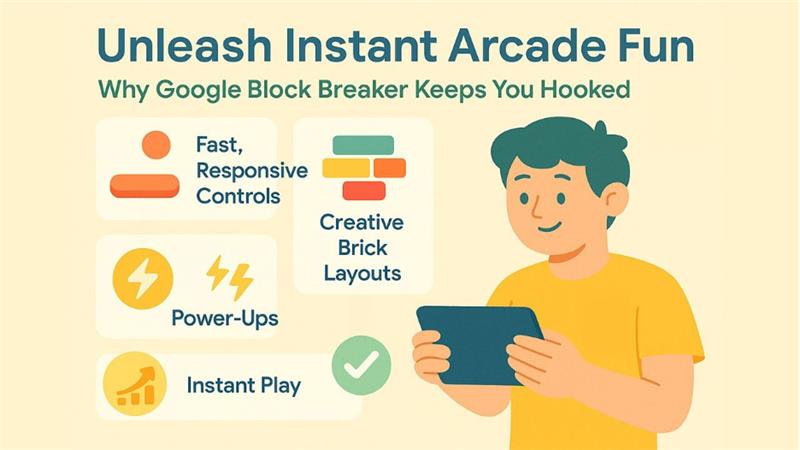
Even though it’s a simple browser game, Google has sprinkled enough features into Block Breaker to keep each round fresh and entertaining. Here are the highlights.
1. Instant Play, Zero Setup
All you need to do is open up your browser and type in google block breaker; after this, you can start playing immediately with absolutely no delays for download time or heavy graphics and/or other unnecessary screens. It is a great way to enjoy a few minutes of entertainment while waiting for your email to arrive or a meeting to begin.
This game is light enough to run on older computers, school laptops, and even several low-end mobile devices without any slowdown or lag.
2. Smooth, Responsive Controls
Whether you’re using arrow keys, your mouse, a trackpad, or touchscreen swipes, the paddle responds quickly and cleanly. That responsiveness is essential when you’re trying to catch a ball that’s suddenly flying way faster than before. A lot of older browser games feel stiff or delayed. Block Breaker’s modern engine completely eliminates that issue, highlighting the importance of responsiveness in gaming applications.
A lot of older browser games feel stiff or delayed. Block Breaker’s modern engine completely eliminates that issue.
3. Creative Brick Layouts and Difficulty Curves
Every row is different. Some rows need multiple hits before they reward you with bonuses while others contain a certain arrangement that forces you into strategic thinking as you progress through the game.
As you progress, the layouts of the bricks increase in difficulty:
- The blocks are tighter together than previous layouts.
- The blocks have alternating colors.
- Some layered rows are hiding bonuses.
- Some rows have very small gaps between blocks, that require precise angles.
All these elements add variety, so the gameplay does not feel repetitive.
4. Power-Ups That Shake Things Up
When a brick gets a glowing power-up, the anticipation is part of what makes it enjoyable since you never know what you’re going to get! You can receive an:
- Extra life
- Paddle size boost
- Slow-motion ball
- Multi-ball mode
- Laser shots (in some versions)
These moments create an exciting rush, especially when you’re trying to stay alive on tough levels.
5. Free, Light, and Universally Accessible
The easy availability of Google Block Breaker makes it a great option when a user needs an entertaining distraction or game. No charges, no downloads, no barriers. Just pure play.
How to Access Google Block Breaker on Various Devices
Related walkthrough
SuiteCRM Drive Migrator Tutorial | Google Drive to OneDrive | OneDrive to Google Drive Migration
Because it’s browser-based, Google Block Breaker is accessible on almost any device you can think of. That flexibility is a huge part of why so many people end up playing it casually throughout the day.
Depending on the device you are using, there are several ways to access the game.
On Desktop (Windows, Mac, Linux)
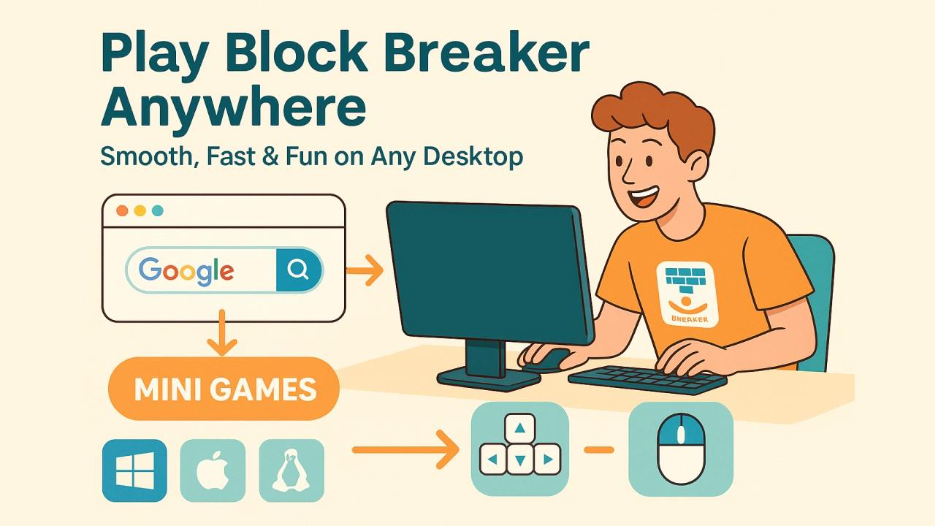
This is the smoothest way to play thanks to wider screens and more precise controls.
Method 1: Play Through Google Search
- Open a web browser (Chrome, Safari, Firefox, Edge).
- Type ‘Block Breaker’ or ‘Brick Breaker’ to access the game in the search box.
- If an embedded playable version appears, tap Play.
Method 2: Online Mini-Game Sites
There are many online mini-game websites that provide playable versions of Block Breaker with the same gameplay as the official version. Simply open the online mini-game site to play.
Google Block Breaker can be played using the following controls:
Controls:
- Arrow keys (← →)
- Mouse movement
- Trackpad swipes
On Mobile (iPhone or Android)
Playing Block Breaker on your mobile device is a lot of fun because the game requires swiping, which feels very comfortable.
Simply:
- Open your mobile web browser (Google, IE, Firefox, Safari).
- Type ‘Block Breaker game’ or ‘Google Block Breaker’ in the search box to find the game.
- Click on the playable versions or hosted versions to play.
Mobile controls include:
- Left/right swipes
- Tap to launch the ball
- Quick slide motions for high-speed rebounds
It’s great for passing time in a waiting room or while commuting.
On Chromebooks
Chromebooks practically love this game.
They boot instantly, run Google search natively, and handle lightweight games flawlessly.
- Perfect for school breaks
- Smooth even on older models
- Excellent keyboard control
On Tablets (iPad / Android Tablet)
Tablets offer a nice mix:
- Larger display
- Comfortable controls
- Good for longer gaming sessions
Using a tablet gives Block Breaker a more arcade-like feel because you can physically move your hand across a broader surface.
How to Play Google Block Breaker Like a Pro: Strategies for High Scores
If you’re the type who won’t rest until you beat your best score (or your friend’s score), this section is for you. While the game looks easy on the surface, high-level play is all about precision and planning.
Here are the most effective strategies that experienced players use.
1. Learn How to Control Ball Angles
The angle of the ball depends on where it hits your paddle:
- Hits the center → straight bounce
- Hits near the edge → sharper, angled bounce
Use this intentionally. Angled shots help you:
- Access hidden corners
- Reach higher layers
- Break multiple bricks before the ball returns
Flat, straight shots are easier but slower for clearing levels.
2. Aim to Get the Ball “Stuck” Above the Bricks
This is the dream scenario:
Once the ball is bouncing around above the wall of bricks, it clears rows rapidly while you wait below. Pro players aim for the sides early in a round, so the ball enters the upper section through a gap.
3. Don’t Go After Every Power-Up
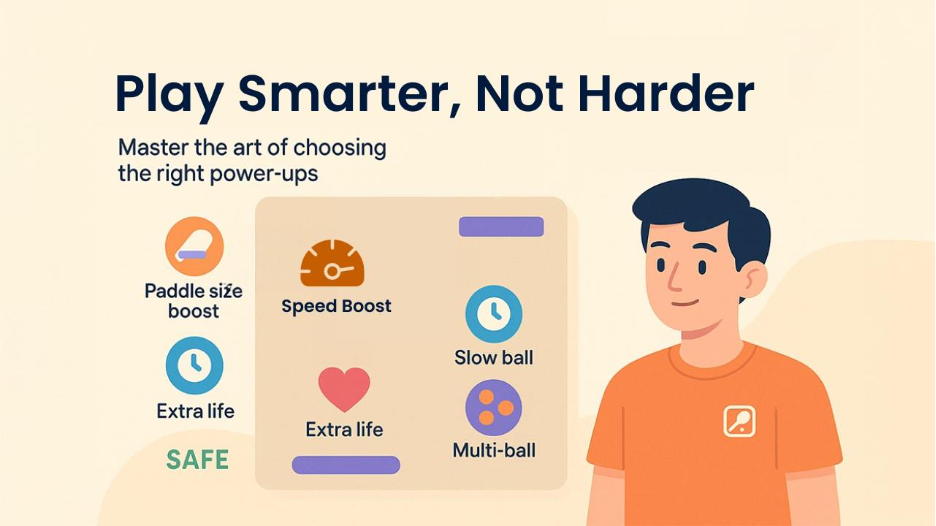
This is where most beginners lose.
Some power-ups are tempting but chasing them often means abandoning good paddle positioning. If the power-up is too far from your natural position, leave it.
Only chase these when it’s safe:
- Paddle size boost
- Slow ball
- Extra life
Be cautious with:
- Speed boosters (ball gets too fast)
- Multi-ball (fun but chaotic)
More Explore: Microsoft Azure: A Complete Beginner’s Guide to Cloud Computing
4. Focus on Survival During Multi-Ball Mode
Multi-ball mode is fun, but it can also be a disaster if you try to chase every ball.
The key is simple: Just save ONE ball.
If you keep at least one ball alive, the bonus round continues and your score multiplies.
5. Study the Level Layout Before You Start
Take a second to notice:
- Harder bricks
- Bricks that drop bonuses
- Gaps
- Dangerous empty spaces
Knowing where the tricky spots are makes your early moves much smarter.
6. Always Move; Don’t Stand in the Center
Beginners often stay glued to the center of the screen. But advanced players move constantly, staying ready for sudden direction changes.
Staying in motion makes it easier to:
- Catch rebounds
- Adjust to unexpected angles
- Respond to speed increases
7. Prioritize Predictable Movements
Wild swings across the screen make you lose control. Try to move smoothly rather than reacting in panic. The more controlled your paddle movements are, the longer you last.
Why Block Breaker Still Hits the Spot Today
You might wonder: with thousands of games available, why does this little browser game capture so much attention?
Here’s why:
- It’s effortless — open and play.
- It’s nostalgic — instantly takes you back.
- It’s universal — for kids, adults, anyone.
- It’s satisfying — every brick smashed feels good.
- It’s casual — but still challenging.
- It doesn’t try to impress — it just works.
When everything around us keeps getting more complicated, it’s refreshing to have a simple game that delivers pure enjoyment without trying too hard.
There’s no leaderboard pressure, no battle passes, and no pushy notifications. Just an old-school game living happily inside your modern browser.
Final Thoughts: A Small Game With Big Charm:
Google Block Breaker doesn’t pretend to be a blockbuster hit or a high-tech marvel. And that’s exactly why it works so well. It’s accessible, nostalgic, and endlessly replay able. It’s a perfect break-between-tasks game. It’s simple enough for casual fun but strategic enough to chase high scores.
In a world swamped with complex mobile games, it’s refreshing to see something uncomplicated gain so much love. Whether you’re trying to kill five minutes or aiming for a new personal best, Block Breaker is always ready when you need it. So, open your browser, search for the game, and enjoy smashing some blocks.
Frequently Asked Questions
Yes, you can play Google Block Breaker completely free through a web browser. Unlike downloading heavy software or creating accounts, you need to search for it on Google, click play, and then enjoy the game.
More than luck, scoring high often requires focus, consistency, and smart strategies. With continuous practice of paddle control, ball speed transition, and powerups like laser paddle or multi ball, you can confidently achieve a high score.
Yes, there are multiple levels that will increase with difficulty and speed as you progress. As you level up, gameplay becomes more challenging, the ball's speed becomes faster, and blocks may require multiple hits.
Google Block Breaker combines the nostalgia of classic arcade games like Atari Breakout with a modern twist and endless fun. This involves smooth accessibility, quirky boosters, dynamic paddle support, and colorful blocks, making it popular and highly engaging for gamers.

