
Best 7 Tools to Simplify Daily Business Operations in 2026
Explore 7 essential tools to simplify daily business operations in 2026, from team communication platforms like Slack to cloud solutions like Google Drive.
Running a business means wearing many hats. One moment you are reviewing contracts, and the next you are answering emails or chasing invoices. It can feel like there is never enough time in the day.
The good news is that you do not have to do everything yourself. The right mix of tools and services can take repetitive tasks off your plate and help you focus on what actually grows your business. In this article, we will walk you through seven tools to simplify daily business operations and make them easier and more efficient.
1. Document Intelligence Platforms
Denser.ai
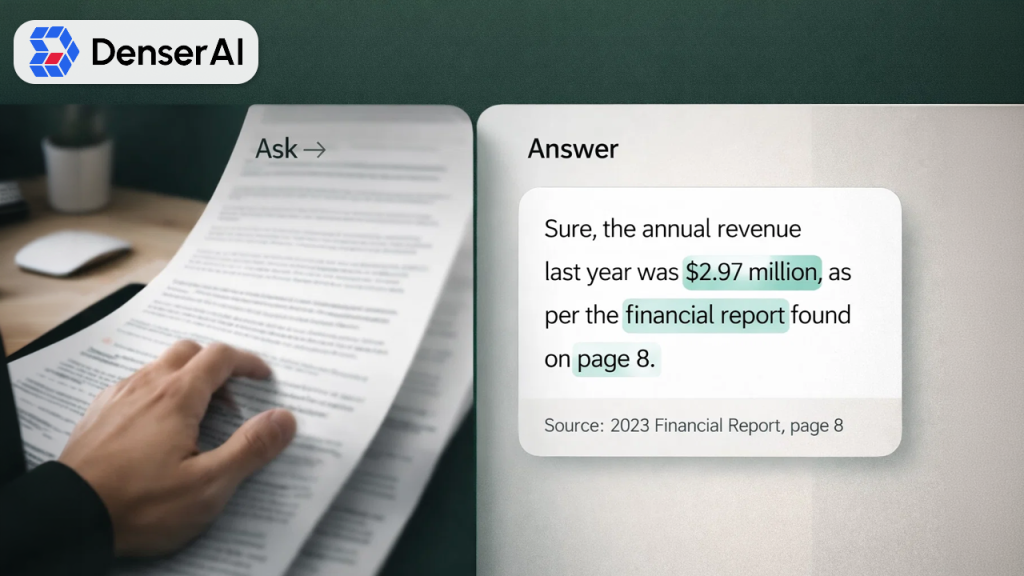
Every business deals with documents. Contracts, reports, research papers, and manuals pile up quickly. Reading through hundreds of pages to find one specific detail wastes valuable time.
Document intelligence platforms change how you interact with files. Instead of scrolling endlessly, you can simply ask questions and get instant answers pulled directly from your documents.
Why It Works for Knowledge-Heavy Industries
If your work involves reviewing lengthy files, an AI PDF tool can save you hours every week. This requires you to just upload your documents and begin communicating with them like you talk with a colleague. You can ask a question, and the tool delivers precise answers with accurate page references for your source verification.
This is mainly helpful for individuals needing instant access to specific data without undergoing lengthy documents, like legal teams, healthcare experts, researchers, and financial professionals. And the best part of these tools is their seamless scalability, allowing you to manage thousands of files simultaneously without interruptions.
2. Team Interactions Platforms
Slack
Email communication quickly becomes messy. Critical messages are lost in the clutter, making previous discussions difficult to locate. Here is where team communication platforms shine by consolidating all your data, whether from messages, video calls, or file sharing, into one centralized place.
These platforms allow you to create individual channels for different projects and departments, synchronizing conversations in one place for easy follow-up. Threads provide a separate channel for primary conversations while keeping the main chat clear and accessible.
How It Helps for Growing Teams
If your team is distributed across different regions, team communication platforms let you stay connected and coordinate seamlessly despite time zones. By providing accessible conversation history, they mitigate the risks of losing visibility to valuable decisions. Additionally, they provide robust integration support with calendars, task management tools, and existing software platforms you use.
Primarily, remote and hybrid teams leverage these platforms to stay aligned without being buried in endless meetings. Teams get instant responses to queries and make decisions quicker than ever.
Read Also: CRM for Outlook: 5 Best Outlook CRM Tools to Manage Leads & Emails
3. Virtual Support Services

Wing Assistant
There are certain tasks that do not require direct involvement but still consume your valuable time. Activities, like scheduling meetings, handling inboxes, managing travel itineraries, and filling up data, are essential but monotonous.
Virtual support services help individuals interact with expert professionals who tackle these tasks virtually. You need to simply assign the tasks, and the tool will take care of it while freeing you to focus on important work.
Why It Helpful for Busy Professionals
Investing in an expert administrative assistant via a managed service provides you with specialized support without the burden of a permanent employee cost. These assistants operate calendar management, document preparation, email replies, CRM updates, and more.
Versatility offers large benefits. You can expand capacity during demanding times and scale down when momentum decreases. A large volume of services also involves quality checks and continuous monitoring, so you achieve trusted results without micromanaging.
4. Cloud Storage and File Sharing Solutions
Related walkthrough
GuestPostMailer Dashboard Overview | AI-Powered Guest Posting & CRM Automation Tool

Google Drive
Gone are the days of emailing attachments back and forth. Cloud storage provides your team with secure access to files from anywhere. Multiple people can work on the same document in real time without creating confusing repeated versions.
With Google Drive cloud storage functionality, everything connects automatically among devices, ensuring you have the latest version at your fingertips.
Why It Works for Fragmented Teams
Permission management allows you to control who can see what. Teams can share important files and folders with clients without compromising the privacy of internal documents. Its version history feature allows you to undo changes if something goes wrong.
For regional teams operating across different time zones, cloud storage keeps everyone on the same page. All important files are consolidated in one place, allowing you access everything anytime without needing to wait for someone to share the updated files.
5. Project and Task Management Software
Asana
Keeping track of who is doing what can get complicated, especially as your team grows. Project management and AI productivity tools organizes tasks with visual boards, timelines, and checklists. Despite using these tools to simplify daily business operations, they also enable teams to know their responsibilities and deadlines at a glance.
You can assign tasks, set up due dates, and track progress without constant check-ins.
Why It Works for Teams of All Sizes
With these platforms, you have 360-degree visibility into each project without following up teams for updates. Potential challenges are identified early before they cause delays. Seamless integration with storage and communication tools means everything remains connected.
Regardless of whether you are a solo entrepreneur or handling a large team, keeping everything in one centralized platform leads to hassle-free task management and seamless transition.
Related blog: CRM for Solopreneurs: The Ultimate Guide to Choosing the Right CRM
6. Financial and Payment Platform
QuickBooks
Monitoring expenses and following up for payments is an essential but time-consuming task. Many financial platforms streamline invoice creation, schedule payment reminders, and classify transactions automatically. Dashboards represent your cash flow in one clear picture, giving you full visibility into where your money stands.
How Small Business Owners Benefit from It
Traditional record-keeping causes manual errors and wastes valuable time. These tools integrate with your bank accounts and payment gateways, eliminating manual data entry needs. With modern payment platforms, businesses now spend less time on paperwork and focus more on improving their business.
System-generated reminders minimize the need for unnecessary follow-up emails about unpaid bills, keeping your finances clear and structured without frequent monitoring.
7. Business Process Automation Tools
Zapier
Redundant daily tasks like transferring data across applications, managing spreadsheets, and sending follow-up communications instantly create inefficiencies. These business process automation tools integrate your apps and operate every process automatically. You just configure triggers and actions once, then the system runs on its own.
How It Streamlines Growing Operations
With the increasing growth of your business, manual processes often lead to unwanted challenges. Automation lets you do more without hiring more people. Notifications, data transfers, and routine updates happen in the background while you focus on strategic work. Eliminate coding requirements for many platforms, so anyone on your team can create and handle business operations.
Final Words
Leveraging AI-powered tools to simplify daily business operations reduces the need to drown in routine tasks to operate a successful business. A correct combination of these tools and services helps manage repetitive work, freeing to focus on business growth and strategy.
Begin by defining where you lose the most time. Whether it is document analysis, administrative chores, finances, or communication, choose a platform that aligns with your business requirements. A slight modification in your strategy to operate a business can result in big advancements over time.
Frequently Asked Questions (FAQs)
Q1. How do I decide which tools my business needs first?
A1. Identify the loopholes where you waste most of your time managing repetitive or frustrating tasks. Begin with platforms that find your main touch points and scale up from there as your expectations change.
Q2. Can small businesses afford these solutions?
A2. Yes. Many platforms provide modular pricing plans that expand your business size. Most have free plans or budget-friendly starter plans built especially for solopreneurs, startups, ans small businesses.
Q3. How long does it take to see results from these tools?
A3. Some tools offer instant time savings from the initial days. And other automation tools deliver compounding benefits as you optimize your workflows over several weeks.
Q4. Can I use multiple tools together?
A4. Yes. Most modern platforms integrate with each other. Combining communication, storage, project management, and automation tools creates a connected system that works seamlessly.

