




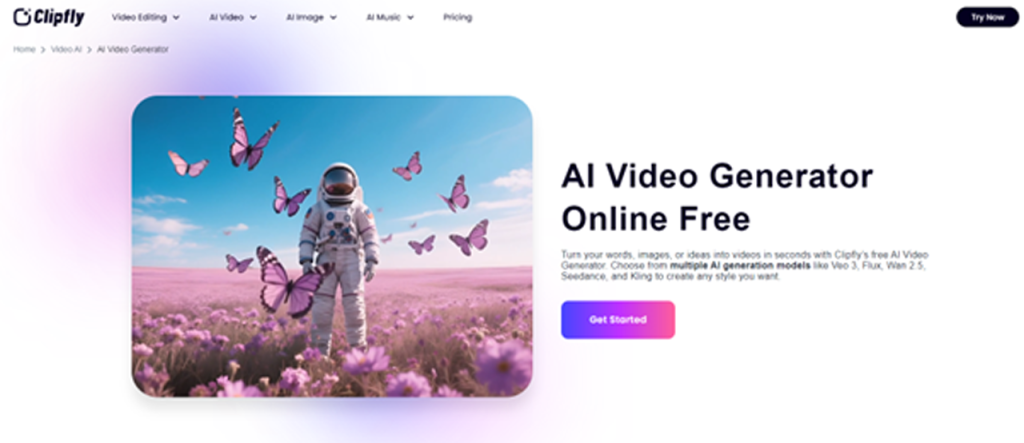
Clipfly’s AI Video Generator is a web-based tool that converts text prompts and images into short videos using advanced AI models. In practice, users simply enter a description of the
Clipfly’s AI Video Generator is a web-based tool that converts text prompts and images into short videos using advanced AI models. In practice, users simply enter a description of the desired video, select a style or model (such as “Veo 3,” “Flux,” “Anime,” etc.), and Clipfly’s engine generates a complete video clip in seconds. For example, the official Clipfly site notes that its video maker “helps you make animated videos and movies from text prompts or images…using free credits without watermarks”. The process requires no download or specialist hardware – the interface is browser-based (with mobile apps available) and highly intuitive. Clipfly offers multiple AI “generation models” (e.g. Veo 3, Flux, Wan 2.5, Seedance, Kling) to produce different visual styles, as well as pre-designed templates for TikTok, storyboards, animations, and more.
What Is Clipfly AI Video Generator?
Clipfly AI Video Generator is a progressive web resource that allows the creation of a professional video that everyone can make. Being driven by contemporary artificial intelligence, it eliminates the traditional barriers of complex scripting, filming and post-production.
Core Features:
- Text-to-Video Generation: The text-to-video generator of Clipfly gives users the ability to visualize written descriptions and produce videos of them. The AI properly detects creative intent by entering detailed prompts; scene structure, subject movement, camera angles, and visual mood.
- Image-to-Video Animation: Clipfly’s image-to-video feature is used to animate pictures. All that is needed is to upload a picture and accordingly select the animation style that will create smooth and normal movement within the picture. This is especially useful for eCommerce product showcases, real estate walkthroughs, and artists looking to animate illustrations.
- Extensive Style Library: When it comes to the artificial intelligence video industry, the style library provided by Clipfly is one that is extensive. The realistic pictures, anime, 3D cartoons, digital art, cinema, sci-fi, cyberpunk, ink painting, and well-known Ghibli-inspired styles can be selected by the users.
- Viral AI Video Templates: To ensure that its users keep up with the trends of social media, Clipfly offers a continuously growing pool of viral video templates. These are character interaction, character change, action sequences and special effects. Complex animations—such as realistic embraces or dynamic motion sequences—are handled automatically by the AI, allowing users to produce trend-ready videos without animation expertise.
Extensive Style Library: When it comes to the artificial intelligence video industry, the style library provided by Clipfly is one that is extensive.
Why Clipfly AI Video Generator Stands Out
- Free & No Watermarks: Clipfly’s platform is free to start. The basic plan lets you export up to 1080p video without watermarks. Even users on the free tier can produce fairly polished clips (HitPaw’s review notes “no watermark” on 1080p exports).
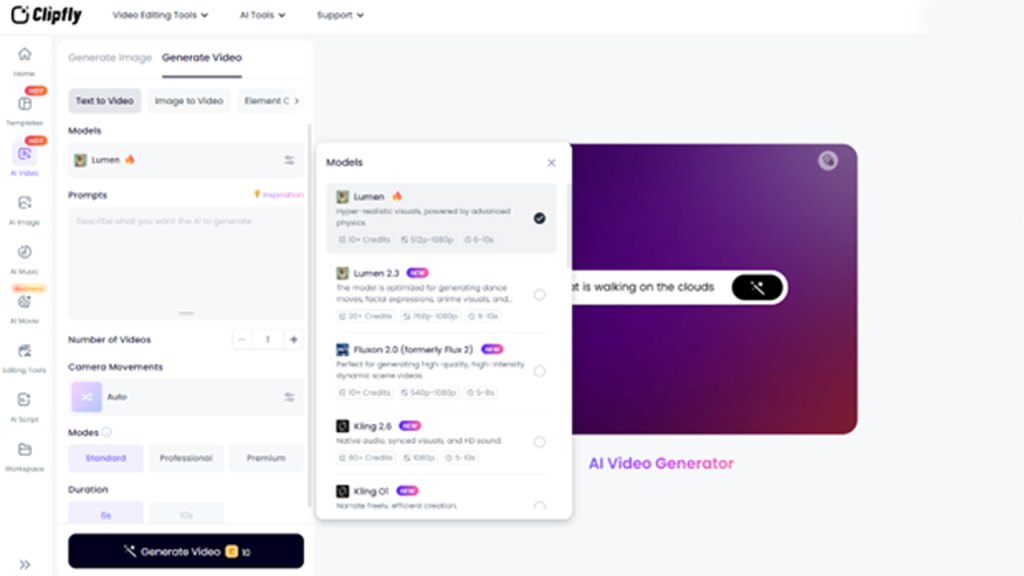
- Multiple AI Models & Styles: It supports dozens of visual styles. For instance, Clipfly offers specialized “AI Movie”, “AI Animation”, and even fun filters like “AI Dance” generators. You can switch between models (Veo, Flux, Wan 2.5, Seedance, Kling, etc.) to achieve cartoonish, cinematic, or realistic looks.
- Intuitive Interface: The web app is beginner-friendly. All steps (prompt entry, style selection, generation) are guided via clear prompts and buttons. Advanced users can fine-tune camera angle, movement, resolution, and even the number of generated videos.
- One-Stop Video Toolkit: In addition to its generation, Clipfly also has a complete video editor. You are also able to remove backgrounds, add captions, trim clips, overlay music or voice and merge clips. It has a huge library of media assets (music, stickers, stock footage) and templates (to Tik Tok ads, intros, animated explainers, etc.).
- Rapid Generation: The AI runs in the cloud and is fast. According to Clipfly, videos are generated “in a matter of seconds”. Analytics Insight notes that Clipfly automatically generates visually stunning videos from your prompt with just a click.
- Commercial Use Friendly: Videos made can be applied in business without additional licensing. Clipfly makes it very clear that the output will be free to be used for commercial purposes and marketers and companies will not have to worry about copyright issues when using the clips in campaigns.
Use Cases of Clipfly AI video Generator
Clipfly is designed for a wide range of users. Content creators and social media users can quickly turn ideas into viral clips. For example, a TikToker might input “cheerleader dancing on a field” or “couple kissing at sunset” and get an instant video. According to a user review, Clipfly helps “create good-quality content… for brand campaigns or social channels” by automating frames and transitions. Marketers and small businesses often use it to produce promotional content. By feeding in marketing copy or product details, teams can generate branded ads or product demos in minutes (Clipfly provides “AI Product Video” templates for this purpose). Educators and trainers find it handy too: they can turn lesson scripts or presentations into animated explainers with auto-generated narration and captions. Even startups or entrepreneurs use Clipfly to make pitch videos or demo reels from their slides and pitches. In short, Clipfly excels at “ephemeral” or quick-turnaround video content: school projects, YouTube intros, Instagram ads, e-learning snippets, and fun personal videos.
Also Read: Video Editing Tips That Make Your Content Stand Out Fast
- Marketing Agencies: Fast creation of product demos, ads and social clips from copy or briefs.
- YouTubers & Influencers: Also create intros, tutorials, or highlight videos with simple editing (allows 4K export for Pro).
- Educators: Turn teaching notes or presentations into explainer videos.
- Startups & SMBs: Use pitch decks or infographic designs for creating engaging video presentations for investors or product launch videos.
- Casual Users: Make personal or fun clips (social posts, memes, greeting videos) effortlessly from simple prompts.
By automating much of the video production, Clipfly lets these users save time and budget.
Technical Specs and Formats
Technically, Clipfly operates entirely online. It accepts user input as text prompts or images (e.g. JPEG/PNG) and outputs standard MP4 video files. It has several generative AI models and neural networks that it uses to render the frames under the hood. Free-tier video max is 1080p by default; the Pro plan allows exporting 2K/4K. Supported output formats seem to be MP4 (videos). Besides generation, Clipfly has some other features such as the auto-captioning feature, background remover, video enhancer/upscaler, and an inbuilt library of stock audio and footage. The interface lets you trim, merge, or replace clips, overlay text or images, and add voiceovers (even AI-generated voices in 29+ languages). Platform-wise, Clipfly runs in any modern web browser (Windows, macOS, Linux) and offers companion apps on iOS/Android for mobile editing. The service claims no restrictions on commercial use, meaning you own the copyright for videos you create (unlike some AI tools).
Pricing Plans
Clipfly offers both a free tier and paid options, plus one-time credit packs. According to third-party sources, the Free Plan costs $0 (with unlimited basic usage) and includes 1080p exports with no watermarks. The upgrade to the paid ‘Pro’ option opens access to higher resolutions and additional features. According to the review from HitPaw, ‘The yearly subscription for a Pro will be approximately $39.99 (reduced prices apply at times). This includes things such as 2K/4K export options, extended media libraries, as well as team collaboration
- Free: $0; includes editing tools, basic AI models, and export in 1080p without watermarks. Additionally, free users can export low-resolution GIFs (240p) and receive 500 MB of cloud storage.
- Pro (annual): 2K/4K exports, sophisticated models, additional avatars and voices, priority support, and unrestricted usage of AI tools are all included for 39.99 a year (sometimes on discount). Create higher-quality GIFs (320p/640p) and 200 extra credits per month of premium effects or generators.
- Custom Plan: Clipfly also offers an Enterprise plan (custom pricing) for teams. This includes features like dedicated support, single sign-on, API access, and more credits.
| Plan | Cost | Main Features |
| Free Plan | $0 | AI video & image tools, basic editing, 1080p export, limited AI credits, watermark-free |
| Pro Plan | $39.99/year | 200 AI credits/month, 2K/4K export, advanced editor (TTS, captions), larger stock library, priority support |
| Enterprise | Custom Pricing | Team collaboration, custom AI models, SSO/API access, larger storage, and support options |
Wrapping Up
The AI Video Generator by Clipfly is a powerful yet easy-to-use online tool to create short videos fast. It stands out for offering free, no-watermark use with modern AI models plus a rich editing toolkit-all in one web app. Its automatic testimonials — “visually stunning videos” and “simple and easy to use”— reflect the experience: users can create polished clips for social media, marketing, or education without any video editing expertise. At the same time, its pricing is very affordable (especially versus enterprise products like Synthesia), making Clipfly attractive for creators, small businesses, and educators. In summary, the Free AI Video Generator Tool offered by Clipfly is an efficient means to create video content out of ideas and make use of AI to address a multitude of purposes related to creativity.
Related Post
AI Video Generator: Reshaping the Core Methods of Marketing and Corporate Training
Respond to this article with emojis