

CRM Platforms: Types, Features, and How to Choose One
Explore CRM platforms, their types, key features, and benefits. Learn how CRM systems work and how to choose the right CRM software for your growing business.
When the sales, marketing, and customer service departments use different tools to keep track of their activities, it becomes difficult to handle customer data. You may find it hard to have a clear picture of the customer journey because important information is in notes, emails, spreadsheets, etc.
CRM platforms allow you to bring this information together and make managing relationships with clients easier. They can store contact data, monitor sales activities, do automatic repetitive tasks, and provide reporting. Knowing how CRM operates will help you select suitable software for your company, regardless of the size of your business.
What Are CRM Platforms?
A CRM platforms refers to software that helps businesses manage CRM data about customers and prospects. This tool collects all data related to clients in one place and allows companies to organize and store it appropriately. With the help of such platforms, salespeople can track information about a specific customer, the history of deals, notes, and other data.
In addition, this data can be stored in a structured manner instead of being in various places: on paper, in personal files of each employee, in separate programs, and so on. By unifying all the necessary data about the client in one place, a CRM tool helps with its further use. Depending on the software’s functionality, the application can also automate many processes: create reports, track tasks, and maintain contact with customers.
How Do CRM Systems Work?
CRM Systems gather customer information from various sources and organize this information into a structured file for a customer or company. Such systems collect data from websites, emails, phone calls, social media, sales, and other resources. This data is used by the company to improve its relationships with customers or understand the business and its needs better.
The information in such systems is used by the teams in the company dealing with customers. They allow the user to observe all actions taken with the customer and react accordingly. For example, the salesman can watch the lead in the CRM system from the moment the lead appears in the system, study the conversation with the lead, set a reminder, and change the lead’s status. With all the information collected together, the company can monitor the progress of individual employees, sales, and work in general through reports and dashboards.
Key Features of CRM Platforms
Related walkthrough
What is CRM? CRM Explained in 1 Minutes | Boost Sales u0026 Manage Customers Better
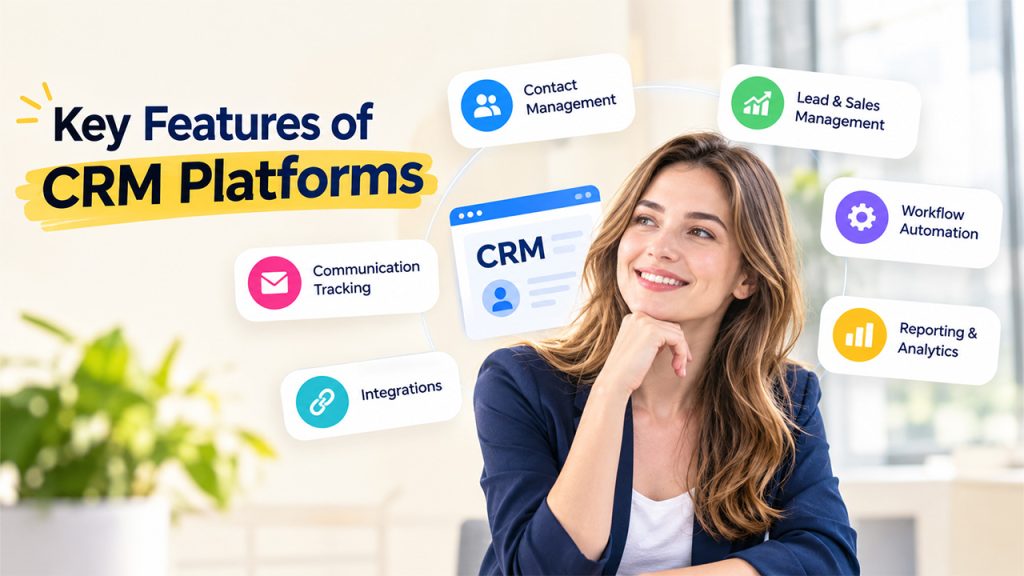
The platform offers several features that are usually determined by the specific provider and account plan. At the same time, most Customer Relationship Management (CRM) systems offer similar functions and address the same operations, including contact management, lead tracking, sales force automation, and other features.
Contact Management
Contact management is frequently the most straightforward feature in any CRM platform. It allows users to store and organize contact information and provides a central location for storing all data related to customers and prospects. The tool is designed to help keep the information up-to-date and facilitate its management.
Lead and Sales Management
Sales and Leads management tools help to store and track leads through various stages of the sales cycle. Using these features, it becomes possible to monitor the progress of individual leads without additional spreadsheets or documents. Sales representatives can update information about each lead and record all actions taken in relation to specific prospects.
Workflow Automation
Workflow automation is another frequently found feature in CRM systems. It allows users to design automated processes in relation to specific tasks, records, or items. In general, workflow automation helps to eliminate time-consuming and repetitive tasks and redirects one’s attention to more pressing matters. CRM automation can also help businesses handle repetitive sales and marketing tasks more efficiently.
Reporting and Analytics
The reporting and analytics functions allow users to obtain a comprehensive perspective on the leads, sales, and general performance of the teams. Using this tool, one can analyze the leads’ progression, track the sources of successful conversions, monitor sales performance, measure revenues, and observe other trends.
Communication Tracking
Some CRM systems offer communication tracking features that can be extremely useful for maintaining communication with customers, managing interactions, and ensuring that nothing is missed. In general, depending on the specific CRM platform and account plan, users can find communication tracking tools in various forms, including e-mails, meetings, calls, and notes.
Integrations
A wide variety of third-party applications can be integrated with a CRM platform, including accounting software, marketing automation tools, calendar apps, e-mail clients, customer support systems, and project management systems. In general, such integrations make the work with the CRM more seamless and eliminate the need for multiple standalone programs that serve the same purpose.
Types of CRM Platforms
CRM platforms can be categorized based on their primary purpose and the type of customer relationship activities they support. The three common types are operational, analytical, and collaborative CRM.
| Type of CRM | Main Purpose |
| Operational CRM | Automates and manages customer-facing processes |
| Analytical CRM | Analyzes customer and business data |
| Collaborative CRM | Helps teams share customer information |
A business may use one type or combine features from different CRM types depending on its goals. For example, a company may need operational tools to manage its sales pipeline while using analytical features to understand customer behavior and sales performance.
How to Choose the Right CRM Platform
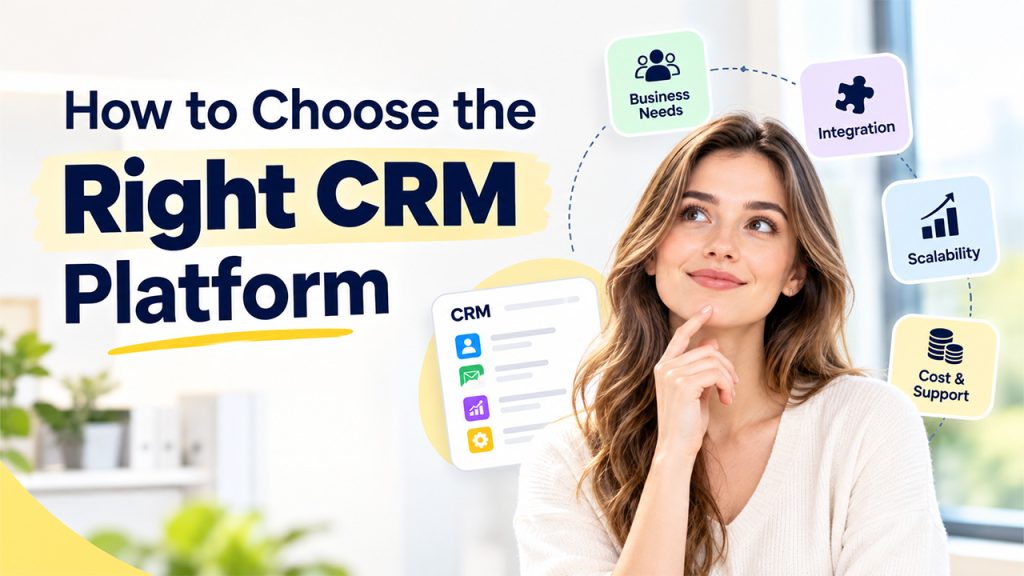
To pick the right CRM software for a business, more considerations than just features should be taken into account. CRM platforms include the business’s needs, the software’s ease of use, the extent to which it can be integrated with other programs, its scalability, and affordability.
Assess the Business Needs:
The first step towards picking the most suitable CRM system is understanding the business’s needs. A company should formulate what it expects from the software to solve its problems and what it is willing to do without. Common functions include managing client relations, salesforce, marketing automation, smart reporting, and analytics.
Integration:
Buyers should also consider whether the products they already use can integrate with the selected software. This is important because it should reduce the amount of manual data entry. Some of the applications that should be compatible with the CRM system are email, calendar, marketing, accounting, and customer support programs.
Scalability:
Prospective buyers should also ensure that the CRM system they pick can grow with their business. They should consider the extent to which the program can support more clients, staff, automated functions, integrations, and reporting options.
Cost and Support:
Although it may be tempting to choose a program with cheaper subscriptions, a company should compare the costs of different CRM systems against each other. In most cases, the chosen system should have affordable rates depending on the number of users, extra functions, and support options.
These considerations are important to determine the best CRM software for a particular business instead of the one with the most tools. Anyone considering buying a CRM system should keep these factors in mind to get the most value for their money.
Conclusion
The use of various tools makes it easy to manage customer information, record sales activities, and organize the day-to-day operations in the company. Various CRM types exist for different purposes and serve as a basis for such functions as managing contacts, carrying out relevant reporting activities, automating various processes, and integrating with numerous tools.
CRM platforms fulfill their main purpose by combining all functionalities into one application, therefore making it easier for company representatives to control relations with customers. It is important to take into account several points before choosing a CRM, such as your company’s needs, simplicity of usage, possibility of integration, scalability, and pricing.
Frequently Asked Questions
Yes. Small businesses can use platforms to organize customer information, manage leads, track sales activities, and maintain customer relationships as they grow.
Yes. A CRM platform gives teams access to shared customer information, making it easier for sales, marketing, and support employees to coordinate their activities.
Implementation time varies based on the CRM, business size, data volume, and customization required. Simple setups can take less time than complex implementations.
Yes. Many CRM platforms can record emails, calls, meetings, notes, and other customer interactions, giving teams a clearer view of previous communication.

