





You just spent two weeks setting up a test environment. Fresh SAP instance. Clean slate. Your testers log in, start running scenarios, and within an hour everything's broken. Orders reference customers that don't exist.
You just spent two weeks setting up a test environment. Fresh SAP instance. Clean slate. Your testers log in, start running scenarios, and within an hour everything's broken. Orders reference customers that don't exist. Financial data links to deleted GL accounts. The test data you copied from production three months ago doesn't match current business rules anymore.
Managing test data becomes the difference between useful testing and wasted time. Get your SAP test data management right and tests catch real bugs. Get it wrong and you're debugging data problems instead of actual defects. This guide covers practical tips that work when you need to manage test data in SAP systems, supporting your SAP test automation strategy.
What Is SAP Test Data Management?
Testing data management in SAP is how you create and maintain data for testing without exposing real customer information. You need scenarios that reflect production complexity. Customer records that connect properly to orders. Financial data that follows your actual business rules. But you can't just copy production databases anymore.
Privacy regulations block that path. GDPR says you can't use real customer data for testing. Your compliance team won't sign off on it. Even if they did, production databases are massive. Copying everything creates slow test environments nobody wants to use.
Good SAP test data management gives you realistic scenarios without risk. Orders that make sense. Customers with valid addresses. Inventory levels that trigger the business logic you're actually trying to test. The data needs to be fresh enough to catch issues that matter today.
Why Test Data Management Is Critical in SAP
Your testing is only as good as the data behind it. Run tests against bad data and you miss bugs that will hit production.
Tests pass but production breaks. Your test data doesn't match real-world patterns. Edge cases that exist in production never appear in testing. Users hit scenarios you never validated.
Security incidents happen from exposed data. Someone uses production customer records for testing. A data leak happens. Regulators get involved. Fines follow.
Testers wait for data instead of testing. Fresh datasets take days to provision. Teams sit idle waiting for DBAs. Project timelines slip because test data became a bottleneck.
False positives waste developer time. Tests fail because of data problems, not actual bugs. Developers investigate failures that weren't real issues. Trust in testing erodes.
Integration tests become meaningless. SAP modules connect to each other and external systems. Test data doesn't maintain these relationships. Integration tests can't validate anything useful.

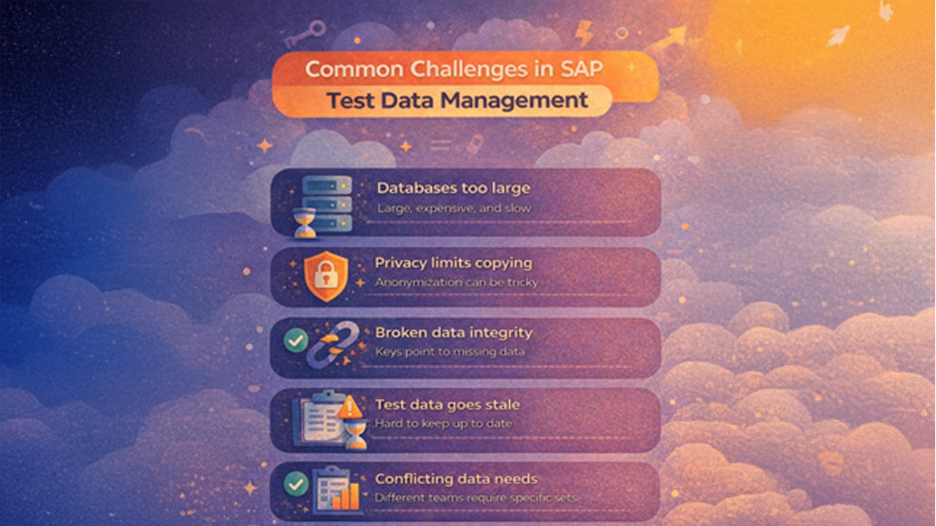
Common Challenges in SAP Test Data Management
Production databases are too big. Millions of records create test systems that run slowly and cost too much. Nobody wants to wait 20 minutes for a test suite that should take five.
Privacy laws restrict what you can copy. You can't use real customer data anymore. Anonymization needs to preserve relationships. Mask an email wrong and tests that validate email formats start failing.
Referential integrity breaks during extraction. Pull a subset of production data and foreign keys point to records you didn't include. Orders reference deleted customers. Invoices link to missing products.
Data goes stale quickly. Business rules change. New transaction types appear. Last month's test data doesn't reflect this month's reality. Keeping it current requires constant effort.
Different teams need different data. Finance wants specific GL accounts. Operations need inventory scenarios. Developers want minimal datasets for unit tests. Managing all these versions gets messy fast.
Manual data creation doesn't scale. Hand-crafting test records work for small cases. Your test coverage grows and suddenly you need thousands of realistic records. Manual creation becomes impossible.
Tips for Successful SAP Test Data Management
Document what each testing phase needs before you start extracting data. Unit tests require minimal datasets that focus on specific modules. Integration tests need broader coverage with maintained relationships. Performance tests ask for production-like volumes. This way, you can avoid the trap of copying everything because "we might need it."
Subset production data intelligently instead of copying entire databases. Identify the data subsets each test scenario uses. Extract related records while maintaining referential integrity. A customer record needs their orders, invoices, and payment history. Pull those together or your tests fail for the wrong reasons. Storage costs drop. Refresh cycles get faster. Tests run quicker.
Mask sensitive information but preserve patterns. Replace personal data, financial details, and business secrets in test datasets. Don't just randomize everything. A masked email still needs to look like an email. Dates should maintain logical sequences. Addresses should stay geographically consistent. Preserve the patterns or tests that validate nothing useful.
Automate data provisioning to eliminate bottlenecks. Build self-service where testers request specific scenarios and get them automatically using modern data platforms. No more waiting for DBAs to prepare environments. Testing moves faster. Dependencies on specialized resources drop.
Refresh test data on a schedule that matches your testing needs. Stale data produces irrelevant results. Critical environments might need weekly refreshes. Others work fine monthly. Automate the refresh, so it happens consistently without manual intervention.
Version your test datasets like you version code. Version control lets you roll back when datasets get corrupted. You can reproduce bugs with specific data states. Teams share proven datasets. When you need to debug an issue that only appears with particular data conditions, versioning saves you.
Track data quality metrics to catch problems early. Measure how often tests fail due to data issues versus actual bugs. Monitor data age, completeness, and referential integrity. These metrics tell you when your strategy needs adjustment before testing grinds to a halt.
Generate synthetic data for edge cases that production data doesn't cover. Create synthetic records for boundary conditions, error paths, and rare transaction types. You get comprehensive coverage without waiting for these situations to occur naturally.
Conclusion
Your test data either helps you catch bugs or wastes your time. There's no middle ground. Start with whatever hurts most right now. Testers waiting days for data? Automate provisioning. Compliance keeping you up at night? Fix anonymization first. Your SAP landscape will change. Your test data strategy needs to be changed with it. When testers trust their data and tests catch real problems, you've won.
Respond to this article with emojis