
What Is WordPress? Complete Beginner’s Guide (2026 Updated)
What is WordPress? Learn its meaning, features, benefits, and how to build a website step-by-step without coding using this beginner-friendly guide.
Have you ever imagined what the internet would look like if building websites required a computer science degree? The Internet has always been a space where anyone, regardless of their technical background, can build something meaningful. However, for a long time, it was out of reach for most people. Earlier, creating a website meant understanding code, hiring a developer, or navigating complex tools.
WordPress changed that. It handed the keys of the web to writers, small business owners, photographers, nonprofits, and everyday users who had something to share but no idea where to begin. This comprehensive guide explains what WordPress is, its origin, benefits, and who should use WordPress in 2026.
What Is WordPress?
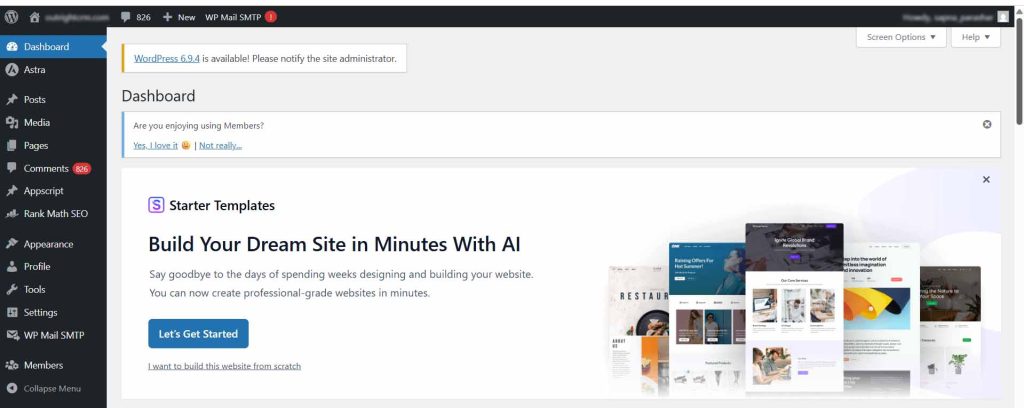
At its simplest, WordPress is a free, open-source content management system (CMS) that lets you build and manage a website without writing a single line of code.
WordPress is the infrastructure behind a staggering portion of the internet. As of 2024, it powers over 43% of all websites on the web. From personal blogs to Fortune 500 company pages, from indie online stores to news publications, the platform quietly sits underneath most of the internet that people realize.
It works through a combination of a core software framework, themes (which control how your site looks), and plugins (which control what your site can do). You install it, choose a theme, add the functionality you need, and start publishing. The learning curve exists, but it’s easy enough for complete beginners to master it successfully.
History of WordPress: Origin, Founders & Evolution
Every great tool has an origin story. WordPress was introduced in 2003, born from the frustration of two developers, Matt Mullenweg and Mike Little, who wanted a better blogging platform. They rebuilt the existing project called b2/cafelog into something that is cleaner, more usable, and open to anyone who wanted it. WordPress 0.7 was released in May 2003. It was a powerful blogging tool.
Next, developers wrote code, designers built themes, and the community started growing. By the mid-2000s, WordPress had evolved from a blogging tool to a full content management system capable of powering almost any kind of website. Today, the project is managed by Automattic, the company Mullenweg founded, alongside a global open-source community of contributors. The software itself remains free, which was the whole point of this.
What Types of Websites Can WordPress Create? (Use Cases Explained)
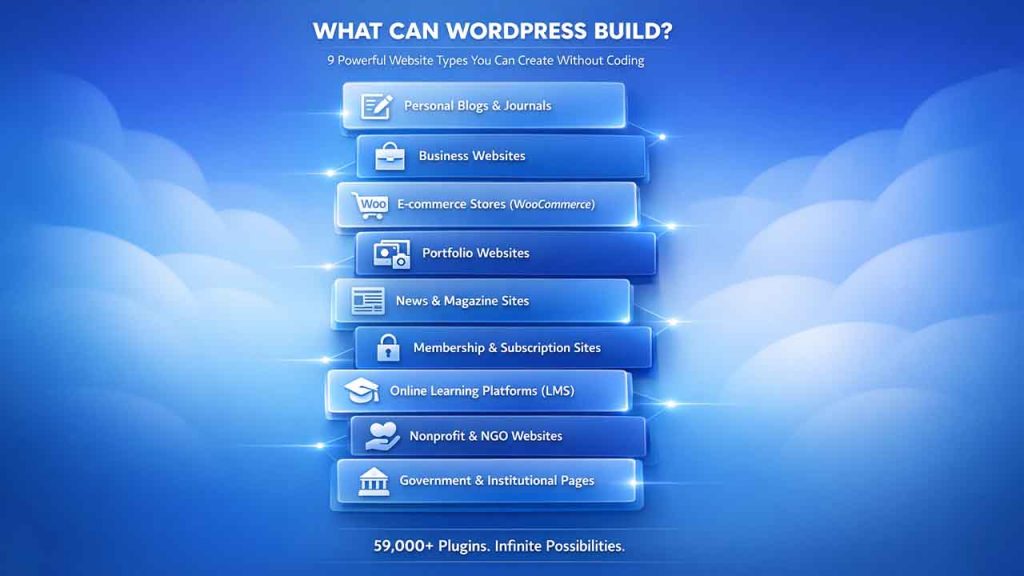
WordPress is more than just a tool for blogs. Here’s a snapshot of what WordPress can build:
- Personal blogs and journals: Used by writers and individuals to share ideas and expertise through regular content publishing.
- Business websites: Service pages, contact forms, team bios, and a complete online presence for companies.
- E-commerce stores: Powered by the WooCommerce plugin, WordPress can handle product listings, payment processing, inventory, and shipping.
- Portfolio websites: Ideal for photographers, designers, and creators to showcase their work professionally.
- News and magazine sites: Major publications use WordPress to efficiently manage high-volume editorial content.
- Membership and subscription sites: With the right plugins, you can gatekeep content behind paywalls or member-only access.
- Online learning platforms: Course builders like LearnDash turn WordPress into a fully functional LMS.
- Nonprofit and NGO websites: Affordable, flexible, and easy to hand off to non-technical teams.
- Government and institutional pages: Used by public sector organizations to share official information, updates, and services with citizens.
The platform’s flexibility comes from its ecosystem. There are over 59,000 free plugins in the official WordPress directory alone. If you can imagine a feature, there is likely already a plugin for it.
WordPress.org vs WordPress.com: Key Differences Explained
Here’s where most people get confused, and understandably so. There are two versions of WordPress, each serving a different purpose. Let’s see what those are:
| Feature | WordPress.org | You manage updates, backups, and security |
|---|---|---|
| Cost | Free (you pay for hosting) | Free to paid plans |
| Hosting | Self-hosted; you choose your provider | Hosted by Automattic |
| Customization | Full control over themes and plugins | Limited on lower-tier plans |
| Monetization | Complete freedom | Restricted on free/lower plans |
| Technical Responsibility | You manage updates, backups, security | Automattic handles it |
| Best For | Developers, business, serious creators | Beginners, casual bloggers |
In summary, WordPress.org gives you complete freedom and ownership. Simply, download the software, pair it with the hosting provider, and start building what you exactly want. On the other hand, WordPress.com is the managed and hosted version. It is easier to start, but follow the guidelines correctly.
How to Get Started with WordPress (Step-by-Step Guide for Beginners)
Related walkthrough
Build a WordPress Website in Minutes with AI | WP-1Click Website Builder

Getting started is more straightforward than it sounds. Follow these simple steps to watch your WordPress website go live:
- Choose a Domain Name: This is your web address (e.g., yourname.com). Keep it short, memorable, and relevant to what you’re building.
- Select the Best Hosting Provider: Your host is where your website lives on the internet. Providers like Kinsta, SiteGround, and Bluehost are popular choices with strong WordPress support. Many offer one-click WordPress setup.
- Install WordPress: Most hosts today let you install WordPress in a few clicks from your dashboard. No manual setup is required.
- Choose a WordPress Theme: Your theme controls your site’s visual design. The official WordPress theme directory has thousands of free options for you to choose from. Premium themes from marketplaces like ThemeForest give you a wider range.
- Add Essential WordPress Plugins: You will also want a security plugin, such as an SEO plugin like Yoast or Rank Math, and a page builder if you want drag-and-drop editing.
- Create Core Pages in WordPress: Homepage, About page, Contact, and whatever else your site needs. With WordPress, creating and editing pages becomes interesting and intuitive, especially with its block editor, Gutenberg.
- Publish Your Website and Optimize: Launch your site, then keep improving it. One of WordPress’s great strengths is that nothing stays the same. Once you’re live, the next step is to monetize your WordPress website. It gives you complete freedom, unlike many hosted alternatives.
The whole process, from buying a domain to having a functioning website live, can realistically happen in a single afternoon.
Who Uses WordPress? Popular Brands & Use Cases
WordPress has one of the most diverse user bases. It spans industries, skill levels, and continents. Some recognizable names running on WordPress are The New York Times (their sub-blogs), The White House, Sony Music, BBC America, TechCrunch, and Rolling Stone. Beyond these big names, millions of small ones are also increasingly using WordPress. For example, freelancer copywriters who need a portfolio, restaurants that need menu pages, teachers who want to build a resource site for students and parents, and activists who need a platform that doesn’t require coding or algorithms.
WordPress works because it scales in both directions. It is powerful enough for enterprise, and simple enough for first-time users.
Why Use WordPress? Key Benefits and Advantages Explained
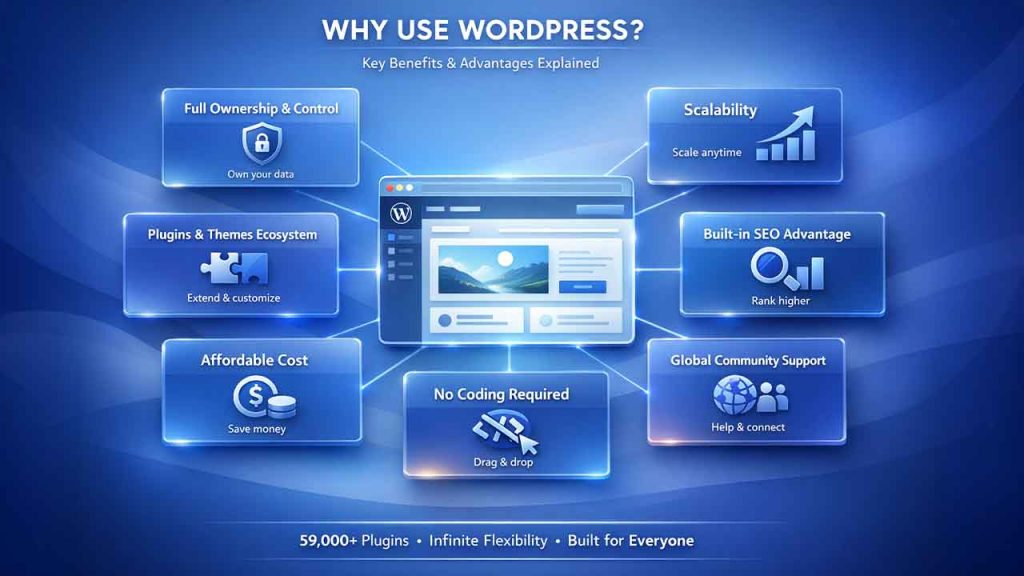
There are plenty of website builders in the world. Squarespace is polished, Wix is beginner-friendly, and Shopify owns e-commerce. So why should you choose WordPress?
- Full Ownership and Control with WordPress: With self-hosted WordPress, your content, your data, and your design belong to you. No platform can change its terms and take away the control from you. That said, ownership comes with responsibility. Once your site is live, it’s important to follow WordPress security best practices to protect it from common threats.
- Scalability for Growing Websites: Start with a simple blog. Add an online store two years later. After that, launch a membership community. WordPress grows without forcing you to start over.
- WordPress Plugin and Theme Ecosystem: It has 59,000+ plugins, thousands of themes, and a global developer community. Whatever you need to build, someone has probably already built it. For enterprise needs where plugins fall short, there are also advanced coding solutions that give you greater control and performance.
- Built-in SEO Features: WordPress produces clean, structured code that search engines index well. When you add a dedicated SEO plugin, you’ll get some real advantages out of the box.
- Affordable Cost: The software is free. A decent hosting plan runs $5–15/month. You can easily build a professional website for the cost of a streaming subscription.
- Global WordPress Community and Support: The WordPress support ecosystem is vast and largely free. Forums, YouTube tutorials, documentation, agencies, freelancers, everyone today uses WordPress.
- No Coding Required: You can easily build your website as it does not require any coding, but if you do know how to code, it is a bonus.
Conclusion: Why WordPress Is the Best Choice for Your Website
So, what is WordPress? Technically, it’s a content management system, and it’s the most democratic and inclusive publishing tool that the web has ever produced. It started as a blogging platform built by two people who wanted something better. However, it soon became the backbone of nearly half of the internet.
If you’re standing at the edge of building something online, WordPress is one of the most capable, flexible, and honestly liberating places to start. The learning curve is real, but it’s worth it. Because on the other side of it, you don’t just get a website. You get ownership. And on the internet, that matters more than most people realize.
FAQs About What Is WordPress
Q. Is WordPress really free to use?
Yes, WordPress is completely free and easy to use. However, you’ll have to pay for hosting and premium plugins or themes.
Q. Do I need to know how to code to use WordPress?
No. You can build and manage your website without writing any code. Basic HTML/CSS knowledge will be useful in customization beyond what themes and plugins offer.
Q. Is WordPress good for SEO optimization?
Yes. When combined with plugins like Yoast SEO or Rank Math, WordPress generates clean and structured code that search engines handle well. It is one of the strongest SEO platforms available.
Q. What’s the difference between a theme and a plugin in WordPress?
A theme controls how your website looks, font, layout, colors, and visual style, whereas a plugin adds functionality such as e-commerce features, contact forms, etc.
Q. How long does it take to build a WordPress website?
A basic site with a homepage, about page, and contact page can be live within a day. More complex ones with custom design and functionality can take weeks or months. It entirely depends on what you’re making.

