

How to Outsource Software Development the Right Way
Learn how to outsource software development the right way. Explore models, costs, vendor selection tips, and proven strategies to build high-quality software efficiently
Building software in-house isn’t the go-to move anymore. Unless you’ve got a huge budget and too much time, it’s a tough ask. Skilled developers are in short supply everywhere, and their salaries — especially for seniors in the US and Europe — keep climbing. So, businesses that outsource software development and nail outsourcing end up launching products faster, spending smarter, and scaling without the hassle of hiring dozens of full-timers. You’ve got three main ways to outsource: onshore, offshore, and nearshore. Among these, nearshore custom software development has gained significant traction for teams that need real-time collaboration without sacrificing cost efficiency. Outsourcing only gives you an edge if you do it right — the biggest flops happen because of messy processes, not because developers can’t code. That’s exactly what this guide covers.
Not Sure Outsourcing Is Right? Here’s How to Decide.
Don’t treat outsourcing like a magic fix — it’s not always smart, and using it as your default just causes problems. The call should come down to what your business really needs, not what everyone else is doing or whether you just want to shave off some expenses. It’s the right move when you choose to outsource software development because your own team is stretched thin and can’t take on more without dropping the ball; you need specialized skills like AI, ML, cloud setup, or CRM tweaks, and local talent costs too much or isn’t around; you’re facing a tight deadline and can’t hire fast enough; or you need to test a product before building a full team.
For small and mid-size companies, outsourcing custom development has serious upside. It’s not just for the big dogs anymore. Agilie’s 2026 report shows 22% of small businesses now bring in outside IT partners, and that helps them keep up with larger competitors. And the numbers are no joke: outsourcing can save up to 40% compared to doing everything in-house (MSBU via Agilie 2026).
Still, sometimes it backfires or just doesn’t fit. If your software is what makes you stand out and relies on deep company smarts, handing things to outsiders can cost you that edge. And if you’re in regulated fields like fintech, healthcare, or defense, there’s a whole legal maze about where code can live. You can still outsource, but you’ll need tighter controls, strict vendor picks, and solid contracts. Know your limits before you start shopping around.
Choosing an Outsourcing Model — Which Fits?
It’s not really about where the team sits geographically — it’s how you balance cost, communication, and risk.
- Onshore outsourcing keeps all work in your own country. Easy on culture, no time zone juggling, smooth legal stuff — but wow, it’s expensive. North American dev rates run $120 to $200 an hour (Codebridge, 2026). Most startups and smaller outfits only go this route for super-sensitive projects or ones that need constant face-to-face.
- Offshore lets you cut costs deeply — South Asia or Latin America rates come in around $20 to $35 an hour (Codebridge, 2026). The talent’s solid, but working across the globe means tiny windows for real-time meetings, lots of documentation, and slower changes. It works best when you have clear requirements and aren’t in a hurry. If your product needs to pivot fast, this can drag you down.
- Nearshore is the sweet spot for most growing companies. You get shared daytime hours, cultural differences aren’t as big, and rates are solid — Eastern Europe averages $25–$45 an hour (Codebridge, 2026). Nearshore teams report faster sprints and smoother communication, so overall you often pay less, even if the hourly rate beats offshore by a bit.
Quick cheat sheet: offshore is cheapest, onshore is easiest for coordination, and nearshore balances both.
| Model | Avg. Rate (2026) | Time Zone Overlap | Best For |
| Onshore | $120–$200/hr | Full | Regulated, highly sensitive builds |
| Nearshore | $25–$45/hr | Moderate–High | Agile, collaborative, iterative products |
| Offshore | $20–$35/hr | Low | Fixed-scope, well-documented projects |
Worried About Going Over Budget? Here’s How to Manage Pricing.

Hourly rates are just one part of the price. The real cost depends on how clear your project scope is, what kind of contract you sign, and hidden costs people usually miss.
Three main contracts:
- Fixed price is best if you know exactly what you want and don’t plan to change it. Vendors carry delivery risk, so the price gets padded. Ideal for MVPs, modules, or short projects.
- Time & materials (T&M) gives you flexibility but puts the risk on you. If your requirements change a lot, this is the way. Most real software projects use this. But watch out — if you don’t track each sprint, T&M will eat your budget alive.
- Dedicated team/retainer works for long-term partnerships. You buy capacity, not specific deliverables. Outsourcing shines here because the team builds up knowledge, gets faster, and costs drop as productivity rises.
Smart buyers budget for hidden costs: onboarding slows things down for a few weeks; vendors might cut corners on QA; vague requirements mean endless revisions; communication gaps cause delays. Add 15–20% to any quote for these bumps.
Bottom line, compare outsourcing costs to the price of doing nothing. Missing a launch isn’t free — it can cost way more than you’ll save with the cheapest vendor.
How to Spot a Good Vendor — Your Checklist
Related walkthrough
Chapter 9 | SuiteCRM Custom Code Architecture | Logic Hooks, Workflows & Upgrade-Safe Development

Almost all outsourcing fails start with picking the wrong partner. Tateeda (2024) found 96% of outsourced firms mess up at least once — not always because they’re bad, usually just poor selection. Here’s what to check:
- A portfolio relevant to your domain and tech stack. Ten years building generic web stuff isn’t enough — they need examples similar to yours, both technically and business-wise.
- Clear communication protocols. Set up your tools (Slack, Jira, Confluence), meeting schedules, and make sure there’s one accountable person on both sides. Missed messages cause 17% of failures (Tateeda).
- Transparent pricing. Get a detailed quote. If estimates sound vague (“about X hours”), walk away — they either haven’t planned, or they’re just trying to lure you in with lowball numbers.
- Real security and IP protection. Look for ISO 27001 compliance and contracts covering ownership, NDAs, and data. No shortcuts, even for small projects.
- References from similar clients. Testimonials are just a start. Get real references you can talk to, from projects like yours.
- Paid trial or discovery sprint. Pros will let you try before you buy — you see how they communicate and code, for real.
- Support and maintenance after launch. Software isn’t finished just because it goes live. Vendors who ghost you after launch dump future headaches on you, so clarify support up front.
Watch for red flags: no milestones, dodging NDAs, no references, and salespeople who won’t introduce you to actual developers before you sign.
Managing a Remote Team — What Actually Works
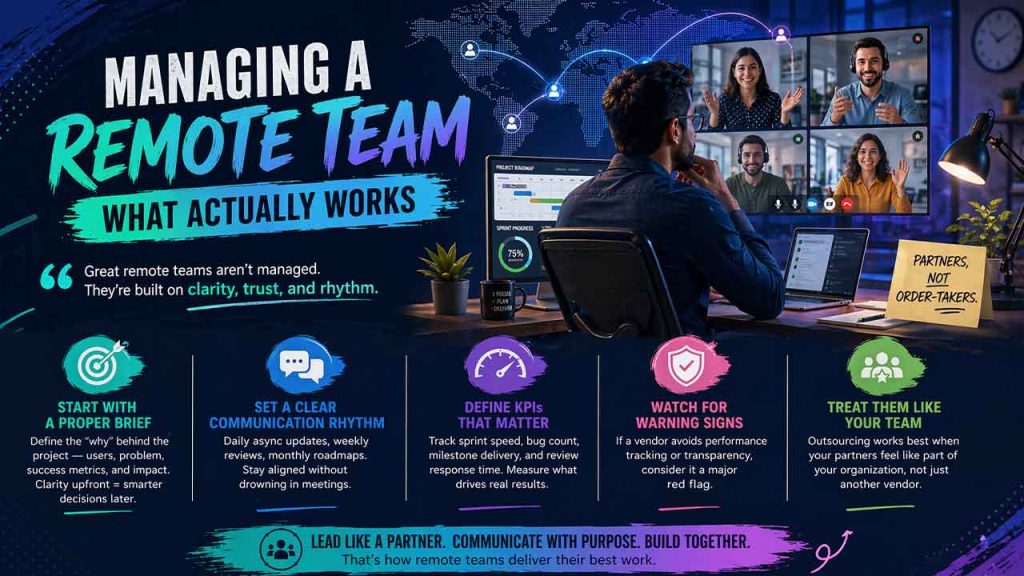
Biggest mistake? Treating outsourced teams like order-takers, not partners. That approach just leads to rework and confusion.
Start with a proper project brief — not just features, but who your users are, the problem you’re fixing, how you’ll know each milestone’s done, and why it matters. When teams know “why,” they make smarter architecture calls.
Set your communication rhythm before you start: daily async updates (written/video), weekly screen-share reviews, and monthly roadmaps. That handles most projects without drowning everyone in meetings.
Define KPIs like sprint speed, bug count, milestone delivery, and review response time. If the vendor dodges performance tracking, treat it as a major warning sign.
Truth is, managing outsourced teams is closer to leading distributed internal teams than just paying invoices. The best results come from treating partners like real parts of your org, not just contractors.
Can CRM or Custom Software Really Be Outsourced? Here’s Why It Works
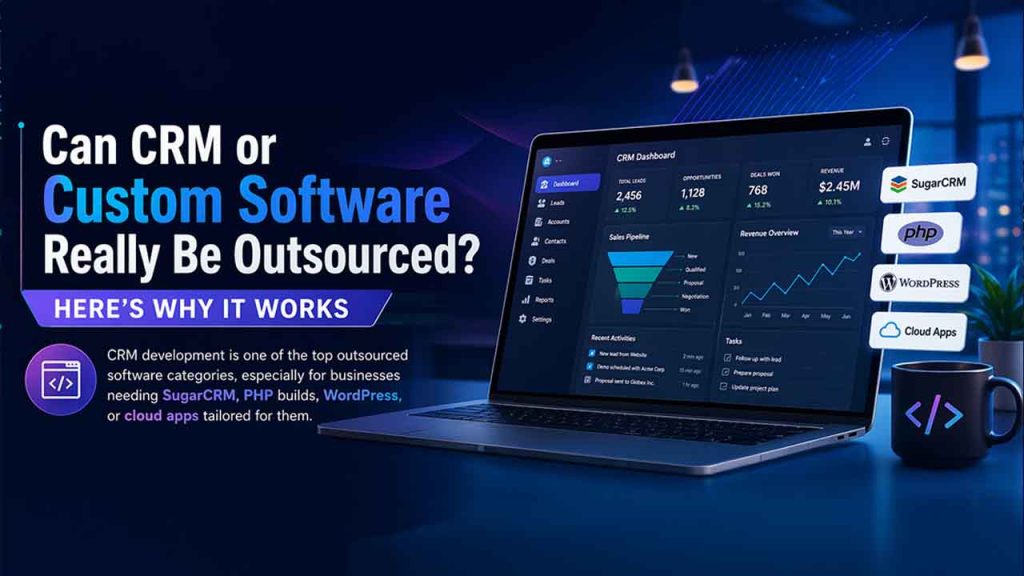
CRM development is one of the top outsourced software categories, especially for businesses needing SugarCRM, PHP builds, WordPress, or cloud apps tailored for them, making it a key part of modern custom software development.
Example: let’s say you’re a mid-market firm, and you need a CRM that ties your portal to your ERP. Building this in-house means hiring a senior PHP dev for six to nine months, plus overhead. Outsourcing to an experienced CRM team cuts it down to 8–12 weeks, and you get support baked in. Total cost? Way less, plus you keep all the knowledge.
Cloud builds go the same way — remote teams designing cloud-native systems aren’t just second-best, they’re becoming standard. Remote-first engineering, mature DevOps, and async workflows have solved most old headaches for these kinds of projects.
Bottom line, whether it’s custom business apps or big platforms, you get way better results picking vendors for fit, setting clear communication, and sharing project accountability — not just chasing deadlines.
Conclusion
Outsourcing’s not just about saving cash — it’s a real advantage if you use it right. Teams that know how to handle software outsourcing—and how to outsource software development effectively—from model and contract, to vendor and setup, while aligning with the Software Development Life Cycle, launch faster and better than those stuck hiring internally.
Every piece of this guide matters — model, contract, vendor, setup — they build on each other. These aren’t just theories; this is how great outsourcing partnerships work today for companies that stay on time and within budget.

