
Adobe Express vs Design.com: Which Is Faster & Smarter?
Compare Adobe Express vs Design.com to see which logo and branding tool is faster, smarter, and better for long-term brand growth.
Today, in an increasingly fast-paced business environment, speed and efficiency are just as important as the creative approach to developing your visual identity (and that includes your logo). Both startups looking to create new branding, as well as established companies that want to revamp their branding, can benefit from using a professional logo design platform.
There are many different logo design platforms available, with two being commonly compared and contrasted: these include Adobe Express vs Design.com. While both platforms claim to offer users a way to quickly develop a professional-looking logo, there is also a significant difference between the methods and resources used for each.
This guide provides a comparison between Adobe Express and Design.com.
First Impressions: Platform Overview
Adobe Express
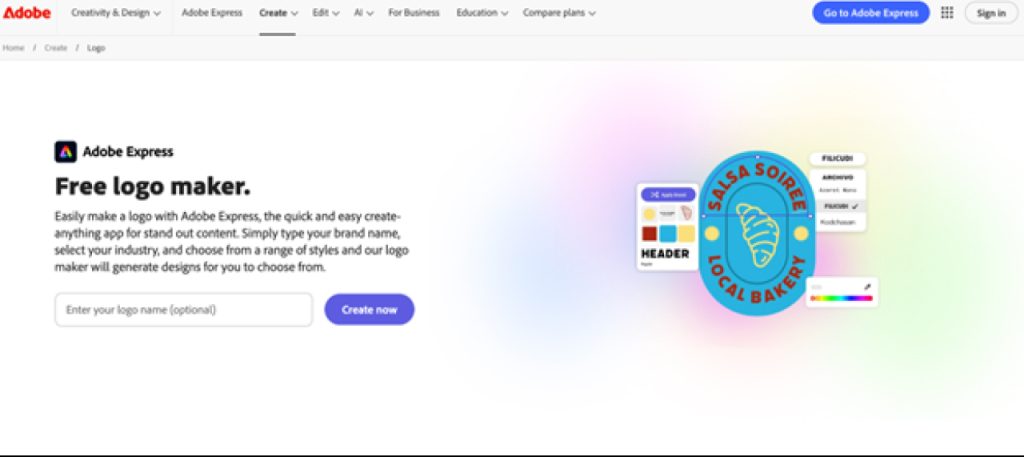
- A simple and fast tool to create images.
- Has many different template options for creating social media posts and logos.
- A simple, user-friendly design tool for beginners.
Design.com
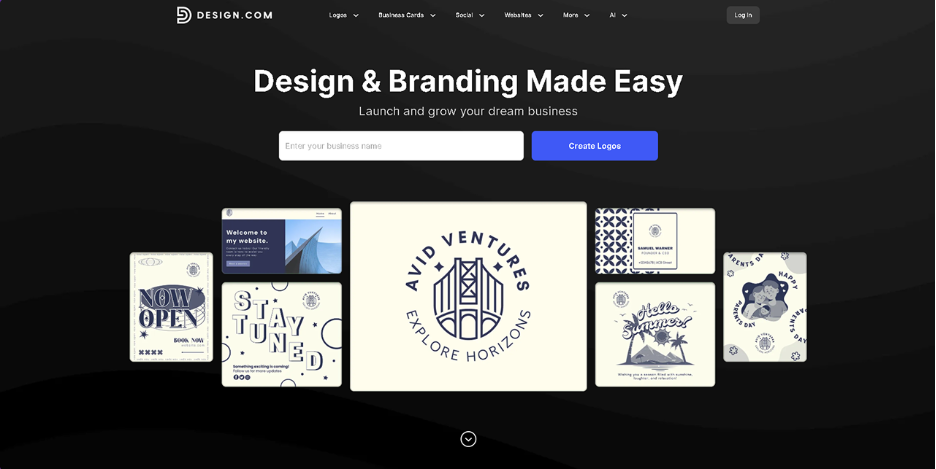
- An All-in-One Branding Platform for More Than Just Creating a Logo.
- Over 360K+ logo templates available, plus over 1M+ other design templates.
- Uses advanced AI tools to help users create logos, websites, business cards, etc., and more.
- Built with the ability to create quickly while maintaining your brand identity long term.
Adobe Express is good for creating a quick image or visual.
Design.com can create an image/visual quickly as well, but uses smarter, AI-powered tools for more customization abilities.
Adobe Express vs Design.com: Feature Highlights
Logo Templates & Design Options
- Adobe Express has hundreds of logo templates that you can customize to fit your industry.
- Design.com has over 360K logo templates, along with 1M+ design templates, so you can find something that fits your needs regardless of your industry.
AI-Driven Tools
Adobe Express has minimal AI assistance – just some easy-to-use, high-level changes.
The major advantage of Design.com is that it uses advanced AI and can help you create logos, websites, business cards, flyers, presentations, and even remove backgrounds from images. This makes the design process faster as well as smarter, as the system will provide suggestions for you, in addition to your own ideas.
Fonts & Customization
- Adobe Express offers a decent amount of font options and icons.
- Design.com is equipped with 750+ fonts, 525+ exclusive fonts, and 62K+ vector shapes for creating custom, professional-looking logos.
Branding & Social Media
Adobe Express is primarily an application to create single graphic elements, which may require an independent tool to produce social post graphics or business card design.
In addition to single graphic elements (individual designs), Design.com provides a further 50+ branding tools that can be used to create such items as social media posts, digital business cards, flyers, posters, and QR codes, and more.
All templates inherit color from the logo that you upload to your account.
File Format Options
- Adobe Express: PNG, JPG; Limited Vector Support.
- Design.com: SVG (vector), EPS (vector), PDF (vector); PNG, JPG (Raster), GIF/MP4 (Animated); Translucent Backgrounds.
Commercial Use & Printing
- Adobe Express: Must have a paid Adobe Express plan to use fully commercially.
- Design.com: Commercial use of all designs is permissible with Design.com; an extended license is available for exclusive use of the designs, and printable logos can be printed on business cards, t-shirts, mugs, apparel, etc.
Advanced AI Design Editing
- Adobe Express: Only offers basic editing options.
- Design.com: Allows users to edit their own logos, icons, and text through an AI chat interface to achieve copyright-safe results.
Pricing Comparison
Adobe Express
- Free Plan: $0/month – includes basic editing tools, templates, fonts, and limited generative AI credits.
- Premium Plan: $9.99/month – full access to premium templates, assets, brand kits, and 250 generative AI credits per month.
The platform has very simple pricing and also provides a free version to its customers. In addition to this, the Premium version includes an abundance of creative resources and significantly more generative AI credits.
Design.com
Design.com utilizes both a Freemium Model and a Subscription Model to create revenue. Users can use the service for free to browse through templates and possibly even create a logo using the free logo creation tool.
Design.com requires a paid subscription to one of the available options listed below:
- Starter: $5/month (annually billed)
Logo designs include all high-resolution and vector files. Unlimited Logo Designs; Business Cards; Social Media Posts; Email Signatures; Letterheads; & Access to 59,100+ Templates & 50+ Design Tools - Value; $6/month (annually billed, recommended)
Everything that is included in Starter, plus a website to establish your full Brand - Premium: $7/month (annually billed)
Logo; Website; Additional Branding Tools to continue use of your Brand.
Since Design.com is primarily a branding and template site, the various plans they offer contain bundles of numerous design tools, as opposed to simply offering the user an assortment of basic assets.
Adobe Express vs Design.com: Quick Comparison Chart
Related walkthrough
Higgsfield AI Is NOW Inside Blender! 🤯 | See the Before & After

| Feature | Adobe Express | Design.com |
| Logo Templates | Hundreds | 360K+ |
| AI Tools | Limited | Advanced AI for logos, websites, flyers, and more |
| Fonts & Icons | Moderate selection | 750+ fonts, 525+ exclusive, 62K+ vector shapes |
| File Formats | PNG, JPG, some vector | Vector, raster, animated, transparent backgrounds |
| Commercial Use | Paid plans required | Original designs, extended licenses available |
| Printing Options | Limited | Business cards, apparel, mugs, and more |
| Ease of Use | Very simple | Intuitive but with more features |
| Speed | Quick | Fast + AI-assisted edits |
Which Platform is the Winner?
Adobe Express is good at speed on small projects. However, Design.com is both faster and better. It has an array of AI-based design tools that can help you create, edit, and customise your logo in minutes, as well as keep your brand consistent.
Design.com has many pre-made templates, fonts, and branding tools, which are all part of the same service, making it a perfect choice for companies that want excellent results but do not wish to have to work with different services.
Final Words
There is no single winner in the debate of Adobe Express vs Design.com. For an instant logo, Adobe Express will get the job done. However, for a full branding solution, speed, and smart AI-powered design, Design.com wins hands down.
Not only does it provide you with rapid turnaround time on your designs, but it has all of the tools and features to help you develop and sustain a strong, consistent professional image throughout both digital and print channels.

