
How AI Tools Can Improve Everyday Workflows
Explore how AI tools simplify everyday business workflows, from CRM updates and customer emails to IT requests and cross-team collaboration.
A customer call ends, but there’s still a CRM record to update, a follow-up to send, and an implementation team to brief. If the customer has asked for something that needs technical approval, that request has to reach the right person too.
Each task is manageable on its own. The delays build when people have to find the same information, enter it again, or chase a colleague before they can continue.
AI tools can improve everyday business workflows by helping teams read information, organize tasks, draft customer communications, and coordinate work across different departments. Connected workflows can then move the reviewed information between systems. For businesses managing sales, support, and customer relationships, combining those capabilities can make everyday work easier to follow through.
How AI Tools Help Clarify Processes Before Automation
Before you automate a workflow, everyone involved needs to agree on what should happen and who’s responsible. Otherwise, the system may move a task forward before the next team has what it needs.
Customer onboarding is a common example. Sales may consider an account handed over when the contract is signed, while implementation still needs the customer’s requirements, access details, and a named contact. If those expectations haven’t been agreed, the implementation team has to chase missing information while the customer waits.
Turn scattered notes into a process your team can review
Start by gathering the information that explains how the work currently happens. This could include meeting notes, existing instructions, and examples of handovers that caused delays.
AI can help organise that material into a proposed sequence, showing the steps, people involved, and information needed at each stage. You can also ask it to flag unanswered questions, such as who checks that a handover is complete or what happens when a customer hasn’t supplied the required details.
The people doing the work should review that proposal. They’ll know where an instruction is outdated, an exception is missing, or a suggested step would create more admin.
Map the handovers so gaps are easier to spot
A visual map helps everyone see how their responsibilities connect. Goodnotes’ infinite whiteboard provides an expandable canvas for laying out the steps, grouping related notes, and drawing connections between them.
During an onboarding workshop, your team could use it to map:
- What starts the handover? A signed contract, a confirmed payment, or another agreed event
- What sales needs to provide? Customer requirements, agreed scope, relevant documents, and contact details
- When implementation takes ownership? After someone has checked that the required information is complete
- What happens if something is missing? Who receives the request for clarification and who updates the customer
Seeing those steps together makes it easier to spot a gap. For example, the team may realise that nobody is responsible for checking the customer’s requirements before an implementation task is created.
Use the agreed process to configure the workflow
Once those questions are resolved, the map becomes a reference for setting up your CRM or automation platform. The starting event becomes a trigger, essential details become required fields, and ownership decisions determine who receives each task.
You can then decide where AI would help. It might prepare an onboarding summary from reviewed sales notes or flag missing information for someone to check. Predictable actions, such as creating a task once the handover is approved, can follow configured rules.
Turn customer conversations into useful CRM updates
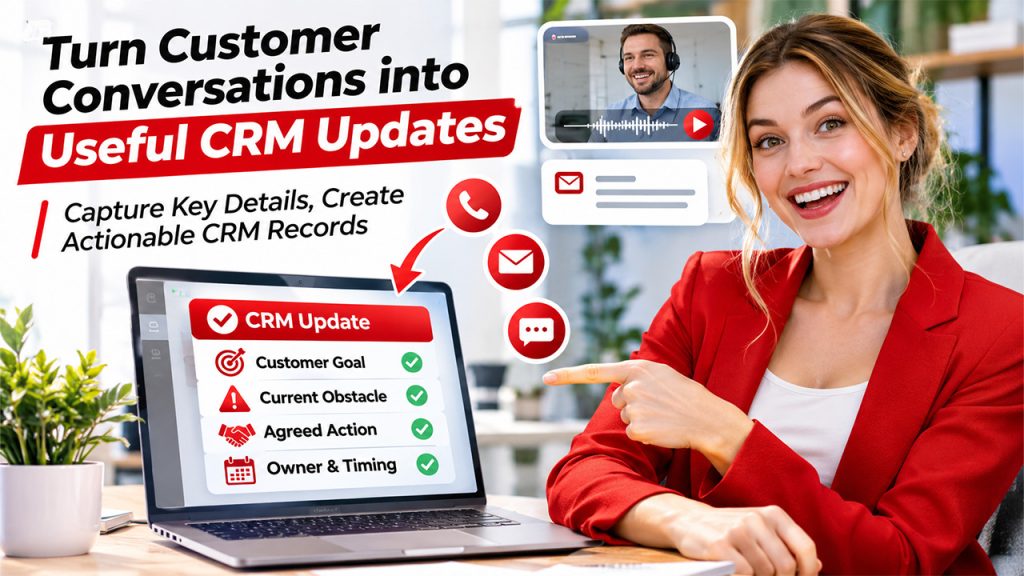
A CRM record should help the next person understand what’s happening with an account. That becomes difficult when the latest information is still in someone’s call notes. An AI assistant can turn a transcript or email exchange into a draft update, provided it has access to the relevant records.
The instructions should reflect what your team needs to know:
- Customer goal: What are they trying to achieve?
- Current obstacle: What’s stopping them from moving forward?
- Agreed action: What did someone actually commit to doing?
- Owner and timing: Who needs to act, and when?
If a prospect asks whether your software supports a reporting requirement, the update should record the question and any agreed technical check. Mentioning a feature during a call doesn’t confirm that it’s available.
Once the account owner has reviewed the draft, the CRM’s configured automation can create a task or notify a colleague. This gives the next person a usable record without asking the account manager to write everything from scratch.
Keep routine IT requests from holding up other work
Related walkthrough
Wizardshot Review: Free AI Tool That Turns Workflows into Step-by-Step Guides in Minutes

Even a well-organised customer workflow can stall when an employee can’t access the CRM. The account manager waits for help, the follow-up sits unfinished, and IT has another access question to handle.
AI-assisted IT service management, or ITSM, can help employees find approved guidance and submit requests with the information support needs. Depending on the setup, it can also help handle routine access workflows or pass an unresolved issue to a person.
Software from this short ITSM softwares list can help your team handle routine requests and keep work moving:
- Risotto: An AI help desk for handling internal support through workplace channels such as Slack. It can draw on connected knowledge sources, support access-management workflows, and integrate with ticketing systems.
- Freshservice: An ITSM platform covering service requests, workflows, and asset management, with Freddy AI capabilities that support employees and service teams.
- Jira Service Management: An option for teams using the Atlassian ecosystem. Its virtual service agent can answer questions using a linked knowledge base and guide requests through configured conversation flows.
Compare these tools against the requests your team handles most often. Check which systems they connect to, how unresolved requests reach IT, and whether access approvals and information permissions work as required.
Route incoming requests with enough context to act
A shared inbox brings another challenge: sales enquiries, billing questions, and technical issues all arrive in the same place. Someone has to decide where each message belongs, and the receiving team then needs enough context to respond.
An AI classification step can suggest a category, summarise the request, and extract relevant details. Business rules can use that output to route the message, with uncertain cases sent for review.
A customer reporting that their team can’t log in should reach support with the affected account and reported symptoms attached. A request for additional licences may belong with the account manager.
Make the handover useful to the receiving team
Include the original message alongside the summary so colleagues can check the details. Add relevant account information they’re permitted to see, such as the service plan or an existing case, and make the next action clear.
Reviewing misrouted requests will show where categories overlap or instructions need work. That feedback helps improve the workflow rather than leaving employees to correct the same mistakes repeatedly.
Prepare follow-ups without reconstructing the conversation
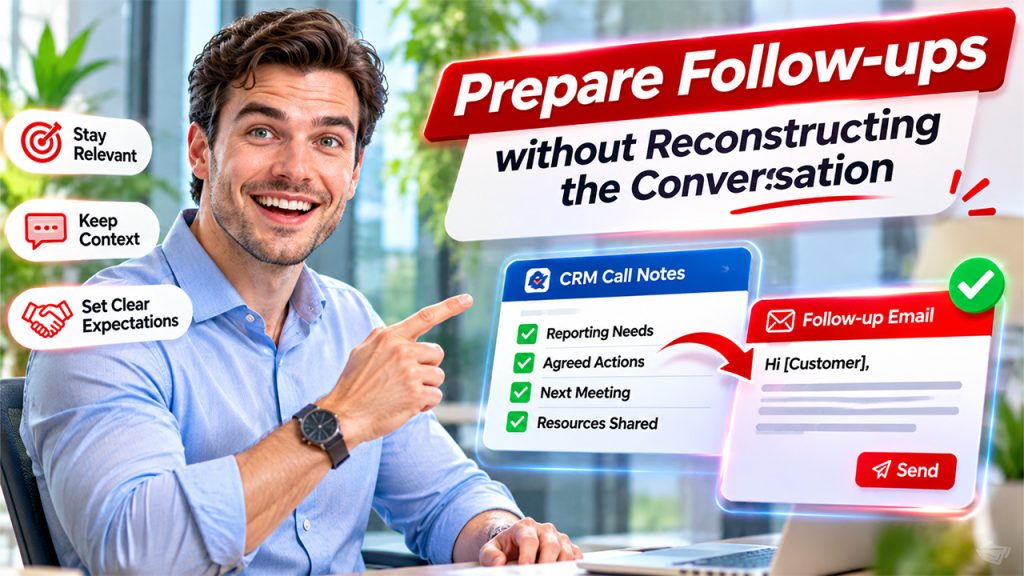
The reviewed CRM update also gives your team a better starting point for customer emails. Instead of searching through notes to remember what was discussed, they can use the confirmed details to prepare a relevant draft.
For a post-demo follow-up, that might mean acknowledging the customer’s reporting needs, sharing an approved resource, and confirming the next meeting. An onboarding email could draw on the agreed setup steps and identify anything the customer still needs to provide.
Give the assistant a clear brief
Useful instructions explain the purpose of the message, the source information, and the limits.
For example:
“Draft a follow-up using these reviewed call notes. Include the agreed actions and the approved resource below. Flag any missing dates for me to complete.”
That gives the reviewer something specific to work with. They can focus on whether the email answers the customer’s question and accurately reflects the agreement, with closer attention to pricing, delivery commitments, or sensitive complaints.
Keep the conversation consistent
Customers notice when a follow-up asks for information they’ve already provided or repeats a resource they’ve already read. Where the assistant has access to the relevant correspondence, it can use that context to prepare a more appropriate response.
If a customer has already explained their reporting requirements, the next email can acknowledge those details and ask only for what’s missing. If they’re waiting for a technical answer, the draft should reflect that outstanding question rather than treating the discussion as complete.
Your team should still check that the source information is current. An older CRM note may no longer reflect the customer’s priorities or the latest agreement.
Review the details that create expectations
Before sending, check whether the email accurately represents what your team has agreed to do. Pricing, product capabilities, delivery dates, and responsibility for the next action deserve close attention because the customer may use them to make decisions or plan their own work.
The final review should also catch unresolved placeholders and confirm that links lead to the right resources. Once those details are correct, the employee can adjust the tone so the message sounds natural and fits the relationship.
Make everyday work easier to follow through
AI tools can reduce the effort involved in keeping records current, preparing customer responses, finding support, and passing work between teams. When those improvements connect, employees have less information to re-enter and fewer gaps to resolve before they can act.
The results should be visible across the workflow. Look at how long requests wait between teams, how often handovers come back for clarification, and how much correction AI-generated work needs. Fewer delays and less rework are useful signs that the tools are helping people complete their everyday responsibilities.