
Billing Support Automation: The 8 Requests That Eat Your Queue
Learn how billing support automation handles refunds, cancellations, and payment issues, plus which of the 8 common requests should still reach a person.
Pull a month of billing tickets from a subscription business and read them in one sitting. Somewhere around the hundredth ticket you stop reading and start recognizing. The wording varies from customer to customer, but almost every message is one of eight requests, and an agent closes each of them the same way: open the billing system, check one or two facts, apply a rule that rarely changes.
That repetition makes billing the natural first target for billing support automation. The money involved makes it the place where automation fails most expensively. A wrong answer to a product question costs a follow-up email. A refund issued twice, or a cancellation that did not stop the next charge, costs real money and often turns into a chargeback. This guide goes through the eight requests one by one: what closing each actually involves, what an automated workflow can safely do alone, and what should still reach a person.
The eight requests Of Billing Support Automation
1. “Please refund my last payment”
To close a refund request, an agent finds the customer and the charge, checks the charge against the refund policy and issues the refund in the billing system. The policy check is usually a handful of conditions: days since the charge, plan type, whether this customer has had a refund before, and sometimes product usage. If the message also asks to cancel, the subscription has to be cancelled in the same pass, or the customer will be charged again next month and write back angrier.
Refunds inside the policy window and under an amount you set are good candidates for full billing support automation. Anything outside policy, above the limit, or for a customer who has already received a refund belongs in an approval queue, where a person decides in a few seconds with the facts already collected. Make the confirmation specific: the amount, the card it goes back to, and a realistic estimate of when it will show up. Card refunds take several business days to appear, and a customer who sees nothing the next morning opens a second ticket.
2. “You charged me after I cancelled”

This is usually the angriest message in the billing queue, and often the most complicated. Behind it may be a cancellation that really failed, a customer who deleted the app and assumed that cancelled the subscription, a cancellation made a day after the renewal, or a second account under a different email.
Closing it starts with finding every account linked to the customer, by email and by the charge details they quote, then comparing the cancellation record, if there is one, with the renewal date. A cancellation logged before the renewal means the error is yours, and the refund should go out without discussion. No cancellation on record puts the case back under your refund policy; many subscription businesses refund a first unwanted renewal on request because it costs less than the dispute that follows a refusal. If the subscription was bought through the App Store, you cannot refund it yourself, and the reply should explain how to ask Apple. Google Play purchases are refunded through the Play Console, not through your own billing system.
The lookup and the clear outcomes can be automated. Speed matters more here than anywhere else in the list, because a customer who feels ignored over an unwanted charge goes to their bank. Finding every account linked to a customer only works when billing and support data match, which is why solid JAVA CRM integration matters before you automate these lookups.
3. “Cancel my subscription”
The work is small: confirm the right account, cancel at the end of the period or immediately depending on your terms, and tell the customer the exact date access ends and that no further charges will be made. The decision that takes longer is whether to try to keep the customer. If you want a retention offer, let the billing support automation make one offer, once, and cancel without further argument if the customer says no. A cancellation flow that makes people ask three times generates disputes and bad reviews, and consumer law in a growing number of markets requires cancelling to be as easy as signing up.
Automate standard cancellations fully. Keep for a person the accounts with an outstanding balance, contracts with custom terms, and cancellations that come bundled with a refund request outside policy.
4. “You charged me twice”
Often it is not a duplicate. A pending authorization next to the captured charge looks like two payments in a banking app, as does a monthly plan billed alongside an add-on, or two accounts the customer forgot about. The agent’s job is to compare the charges: same customer, same amount, same day, both captured.
A true duplicate is your error and should be refunded immediately, with an apology. An authorization hold needs an explanation that it will disappear and roughly when. Both outcomes follow from data in the billing system, so both can be automated. One more rule is worth building in: if several customers report double charges within an hour, the cause is probably a billing bug, and the billing support automation should alert someone in engineering instead of quietly refunding customers one at a time.
5. “My payment failed” and “How do I update my card?”
These tickets usually arrive in response to your own dunning emails. Closing one means checking the decline reason, sending the customer a secure link to update the payment method, retrying the charge once it is updated and restoring access if it was suspended.
This is almost entirely automatable, since the main action is sending a link and watching the result. The rule to enforce is that card details never travel through the support channel. Customers will paste a full card number into a chat if nobody stops them, so the workflow should redact it, reply with the secure link and never store or process the number. Repeated failures on an account with fraud signals go to a person.
6. “Upgrade me to annual” and “Why is this invoice higher than my plan?”
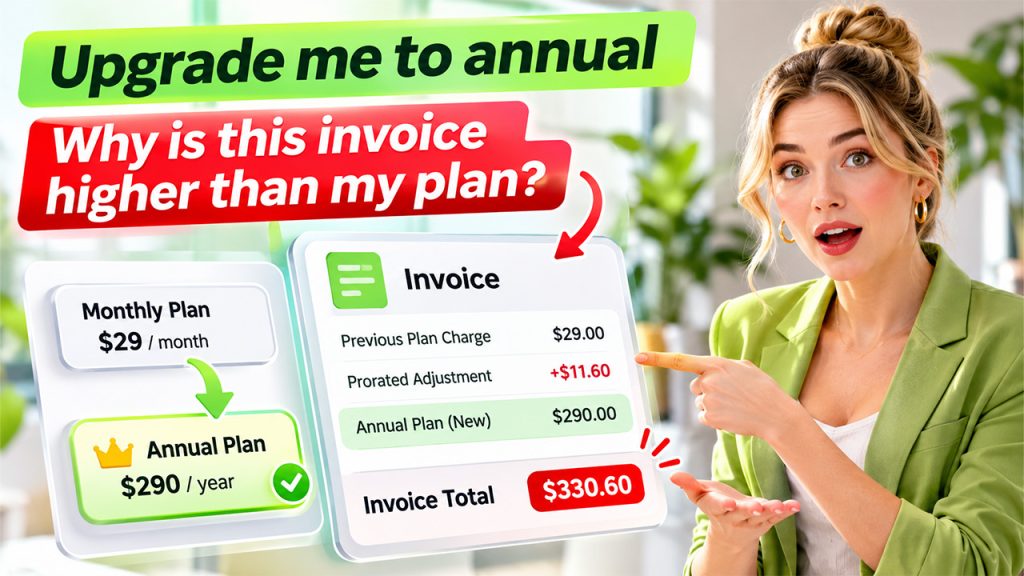
Plan changes are easy to execute and hard to explain. An upgrade in the middle of a billing cycle usually creates an immediate prorated charge, and a downgrade often creates a credit on the next invoice instead of a refund. Customers read both as errors, which produces the second half of this request: the invoice they do not understand.
An automated workflow can apply the change in the billing system with the right proration setting and explain the result using the actual figures from this customer’s invoice, which works far better than a link to a generic help article about proration. Changes that would remove a discount, touch custom pricing or alter a contract go to a person.
7. “I need an invoice with my company details”
Customers ask for receipts they lost, invoices with a company name, and VAT numbers added for expense or tax purposes. Sending an existing invoice or receipt is a lookup and an email, and adding billing details for future invoices is a field update. Both automate easily.
Changing an invoice that has already been issued is a different matter. Depending on the country, correcting tax details may require a credit note and a new invoice, and if you sell through a merchant of record such as Paddle, the invoice is theirs to issue. Route retroactive changes to whoever owns tax and invoicing.
8. “I don’t recognize this charge”
The customer sees a charge on a statement and cannot place it. Usually the statement descriptor is unclear, a family member signed up, or the customer forgot about a trial. Sometimes the card was stolen. Closing the ticket means finding the account from the details the customer gives (usually the amount, the date and the card’s last four digits) and explaining in plain words what the charge was for.
If the customer does not recognize the account at all, treat it as possible fraud: refund according to your policy, block the account and route the case to a person. Answer these tickets fast. A refund issued before the customer files a dispute avoids the dispute fee and keeps your dispute rate down. Once a dispute has been filed, do not refund the charge separately, since you can end up returning the money twice; that case goes to whoever handles disputes. If this request keeps growing month after month, a clearer statement descriptor will remove more of these tickets than billing support automation can.
The eight at a glance
Related walkthrough
GuestPostMailer Dashboard Overview | AI-Powered Guest Posting & CRM Automation Tool

| Request | Automate alone | Send to a person |
| Refund | Inside policy and under a set amount | Outside policy, above the limit, repeat refunds |
| Charged after cancelling | Account lookup and the clear cases | Conflicting records across several accounts |
| Cancellation | Standard cancellations, one retention offer | Outstanding balance, custom contracts |
| Double charge | True duplicates, authorization holds | Clusters that point to a billing bug |
| Failed payment | Secure update link, retry, access restore | Repeated failures with fraud signals |
| Plan change | The change, explained with real figures | Custom pricing, lost discounts, contracts |
| Invoice or receipt | Resending, billing details for future invoices | Retroactive tax changes |
| Unrecognized charge | Identifying and explaining the charge | Suspected fraud, charges already disputed |
Where to start
Tag a month of billing tickets with these eight types and write down, for each, the monthly volume and the average handle time. Then choose your first workflow by three things together: how many agent hours it takes, how clearly the rule is written and how much a mistake would cost. Cancellations and payment-method updates tend to score well on all three, which makes them a safe first launch. Refunds within limits and double charges usually come next. Unrecognized charges are worth automating early only for the identification step, because the fraud cases need a person.
Guardrails for billing support automation that moves money
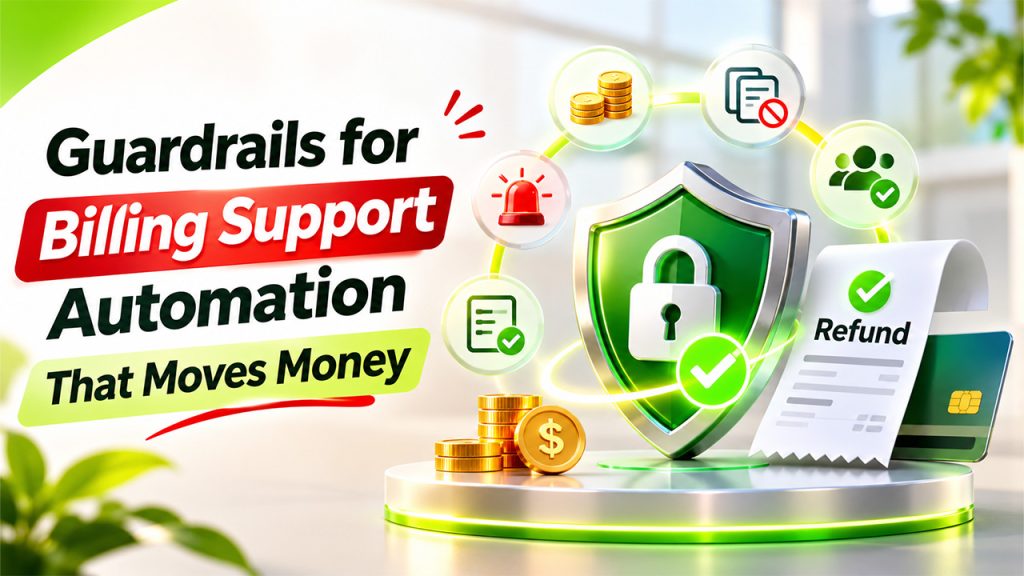
Before any workflow is allowed to issue refunds or change subscriptions on its own, put these in place:
- Limits. A maximum amount per automated refund and a maximum number of automated refunds per customer in a given period.
- Duplicate protection. Before acting, the workflow checks whether the refund or cancellation already exists, so a retried API call or a ticket processed twice cannot refund twice.
- An approval queue. Anything over the limits lands there with the data and the proposed action prepared, so approving takes seconds.
- Fixed wording for money. Confirmations of amounts, dates and cancellation terms use templates with the figures filled in from the billing system.
- A log of every action. What was done, on which ticket, under which rule. Finance and your payment provider will both ask for it sooner or later.
- Spike alerts. A sudden rise in any of the eight requests usually means something broke upstream.
Where Soportio fits
Soportio (soportio.io) automates this category of request for high-volume B2C companies and covers most of the list above: refunds and cancellations, billing and payment issues, subscription changes and account updates. It connects to billing and CRM systems such as Stripe, Paddle, Solidgate and Salesforce and works on top of an existing help desk (Zendesk, Intercom, Freshdesk or Zoho Desk), so the queue stays where it is. For each ticket it identifies the request, pulls the customer and payment context, applies your business rules and executes the action through the API, then closes the ticket or escalates it to your team with the context attached.
The guardrails described above are part of the setup. You decide which actions run on their own, which financial actions need human approval and which requests always go to your team. Soportio’s team audits your billing workflows, builds and validates the billing support automation on real tickets and maintains it after launch; the company says a first workflow can go live about two weeks after access is provided. Pricing is per resolved ticket, from $0.90 down to $0.40 depending on monthly volume, with no implementation fee, no per-seat cost and no charge for tickets escalated to your team.
Because it is a managed service, rule changes go through Soportio’s team rather than your own admin. That suits teams with a large, repetitive billing queue and little spare capacity to build integrations. A company with a few dozen billing tickets a month would get more out of tightening its help desk macros.
Whichever route you take, start by exporting last month’s billing tickets and sorting them into the eight types above. Usually two or three of them account for most of the agent hours, and those are where billing support automation should begin.