
What Is Web Accessibility Testing? A Complete Guide
Discover how web accessibility testing works, what WCAG requires, and which tools and checks help identify barriers and create more inclusive website experiences.
Imagine visiting a website to complete an online application, purchase a product, or read an important document. You can see the content, but the buttons are difficult to identify, the text is too small, or the website cannot be navigated using a keyboard. For someone with a visual, hearing, motor, or cognitive disability, these problems can make an otherwise useful website difficult or impossible to use.
This is where web accessibility testing becomes important. It helps identify barriers that prevent people with different abilities from accessing and interacting with website content. By evaluating how a website performs across different devices, assistive technologies, and user interactions, businesses can create more inclusive digital experiences. Let’s explore how accessibility testing works, which standards it follows, and how organizations can evaluate their websites effectively.
What Is Web Accessibility Testing?
Web accessibility testing is the process of checking whether a website or web application can be accessed and used by people with disabilities. It evaluates website elements such as navigation, images, forms, buttons, videos, headings, and interactive components to identify accessibility problems through accessibility testing of web applications.
The testing process generally follows the Web Content Accessibility Guidelines (WCAG), developed by the World Wide Web Consortium (W3C). These guidelines provide recommendations for making digital content more accessible. Effective web accessibility testing checks these interactions instead of focusing only on how a website looks.
Why Is Website Accessibility Important?
Website accessibility is not limited to a particular group of users. It improves usability for people with permanent disabilities, temporary injuries, and situational limitations.
Consider someone using a smartphone in bright sunlight. They may struggle to read low-contrast text. Another visitor may have a temporary hand injury and prefer keyboard navigation.
An accessible website makes these experiences easier by providing clear content, understandable navigation, and flexible interaction methods.
Accessibility also helps businesses:
- Reach a wider audience by reducing barriers to website usage.
- Improve navigation and overall user experience.
- Make website content easier to understand.
- Support compliance with applicable accessibility requirements.
- Identify usability problems that may affect different visitors.
Accessibility should be considered throughout website development rather than treated as a correction task after a website goes live.
Understanding WCAG Testing
WCAG testing evaluates a website against the Web Content Accessibility Guidelines. These guidelines are organized around four fundamental principles, commonly known as POUR.
1. Perceivable
Website information must be presented in ways users can perceive.
For example, images should have appropriate alternative text, videos should provide captions where necessary, and text should have sufficient contrast against its background.
2. Operable
Users must be able to interact with website features.
Navigation of menus, forms, links, and buttons should work without requiring a mouse. Keyboard users should also be able to identify which element currently has focus.
3. Understandable
Website content and interactions should be easy to understand.
Forms should provide clear instructions, error messages should explain what went wrong, and navigation should behave consistently across pages.
4. Robust
Website content should work reliably with different browsers, devices, and assistive technologies.
WCAG includes different conformance levels: A, AA, and AAA. Level AA is a commonly used target for accessibility projects, although applicable requirements depend on the relevant legal and organizational context.
How Does Web Accessibility Testing Work?
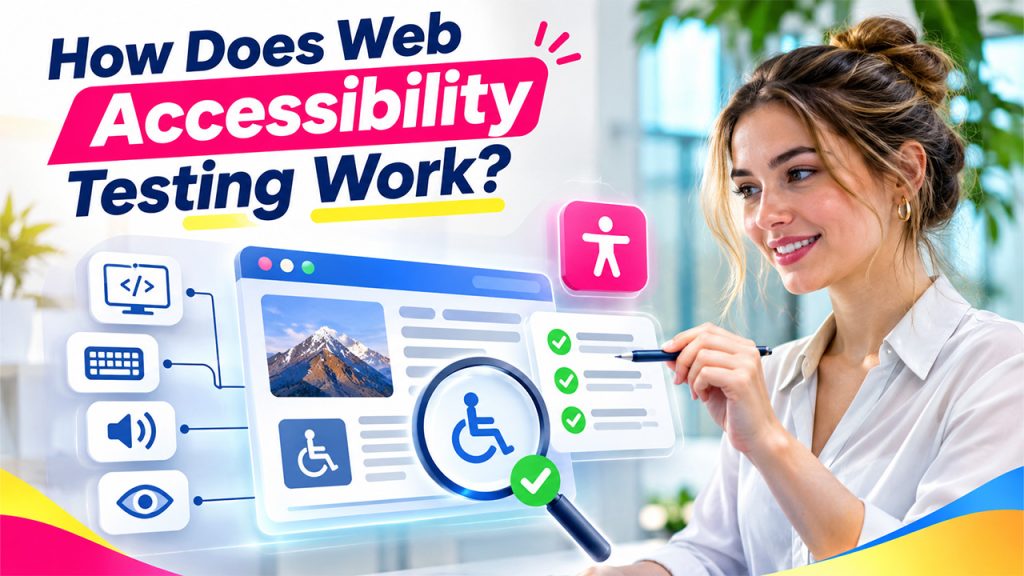
A structured accessibility audit examines different parts of a website to identify barriers and determine whether they meet accessibility requirements.
The process generally involves the following stages.
Step 1: Define the Testing Scope
The first step is identifying which pages and website features need evaluation.
Testing may cover the homepage, service pages, contact forms, login screens, product listings, and other important user journeys.
Step 2: Perform Automated Accessibility Testing
Automated tools scan website code and identify common accessibility problems.
These tools can detect issues such as missing image alternative text, insufficient color contrast, incorrectly associated form labels, and certain structural HTML problems. Developers can also use automated testing tools to identify potential issues and improve website quality.
However, automated testing cannot identify every accessibility barrier. A tool may confirm that an image has alternative text without determining whether that description is meaningful.
Automated checks are therefore useful for identifying potential issues, but they should not replace manual evaluation.
Step 3: Conduct Manual Accessibility Testing
Manual testing helps identify problems that automated tools may overlook.
Testers navigate the website using a keyboard, inspect page structure, evaluate form interactions, and check whether content is understandable without relying entirely on visual presentation.
Step 4: Perform Screen Reader Testing
Screen reader testing evaluates how website content is communicated to people who use assistive technologies.
Tools such as NVDA, JAWS, and VoiceOver convert accessible digital content into speech or braille output.
During testing, evaluators check whether headings are announced correctly, links have meaningful names, form fields are identifiable, and interactive elements provide understandable instructions.
A poorly structured page may appear visually organized but become confusing when read through a screen reader.
Step 5: Document Issues and Recommend Improvements
After testing, accessibility problems should be recorded with their locations, descriptions, and recommended solutions.
For instance, a missing form label may be corrected by associating a visible label with the appropriate input field.
Issues can then be prioritized according to their impact on users and the relevant accessibility requirements.
Step 6: Retest the Website
Once developers implement the recommended changes, the affected pages should be tested again.
Retesting confirms whether the original problems have been resolved and checks that the changes have not introduced new accessibility issues.
Website Accessibility Checklist: Important Areas to Evaluate
Related walkthrough
How to Use WhatsApp Web on BlackBerry KEY2 & KEYone(Full Tutorial 2026)(Easy Method)(Complete Guide)

A practical website accessibility checklist helps development teams maintain consistency during testing.
The following areas deserve particular attention:
| Website Element | What to Check |
| Images | Meaningful alternative text for informative images |
| Navigation | Keyboard-accessible menus and links |
| Color contrast | Sufficient contrast between text and backgrounds |
| Headings | Logical heading hierarchy |
| Forms | Clear labels, instructions, and error messages |
| Buttons | Descriptive names and visible focus indicators |
| Videos | Captions and appropriate alternatives |
| Links | Meaningful link text instead of vague labels |
| Responsive design | Usability at different screen sizes and zoom levels |
This checklist provides a starting point rather than a complete WCAG compliance assessment. Some requirements need more detailed evaluation, particularly for complex interactive components.
What Happens Behind the Scenes During Accessibility Testing?
Accessibility testing involves more than checking whether individual elements contain the correct attributes.
Browsers create an accessibility tree that represents page elements and exposes information such as their roles, names, states, and relationships to assistive technologies.
Semantic HTML plays an important role in this process. Elements such as headings, buttons, labels, and navigation landmarks provide meaningful structure.
ARIA attributes can supplement native HTML when necessary, especially for custom interactive components. However, incorrect ARIA implementation can create additional accessibility problems. Developers should prioritize accessible web application development to ensure website content and interactive elements remain usable across different devices and assistive technologies.
This is why testers need to evaluate both the underlying code and the actual user experience.
Common Applications of Web Accessibility Testing
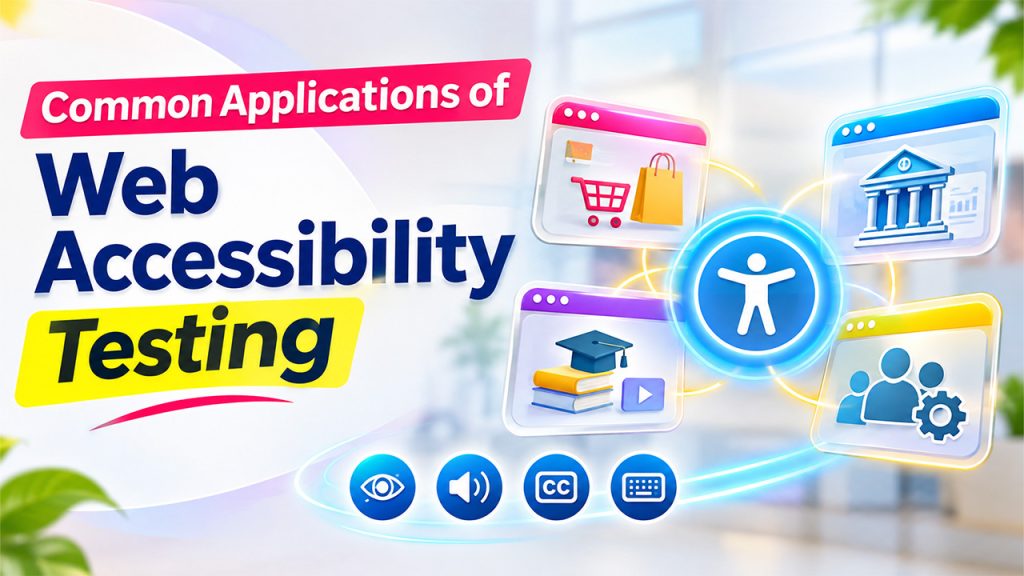
Web accessibility testing is useful across different industries and digital environments.
- E-commerce websites: Product filters, shopping carts, product descriptions, and checkout processes should be accessible to customers using different interaction methods.
- Banking and financial platforms: Account dashboards, transaction forms, and financial documents should provide accessible navigation and understandable information.
- Educational websites: Online courses, learning materials, assessments, and recorded lectures should support users with different accessibility needs.
- Business applications: CRM platforms, document management systems, and employee portals should allow users to access important information and complete tasks without unnecessary barriers.
In each case, testing should focus on whether users can complete essential tasks independently.
Benefits and Limitations of Web Accessibility Testing
A well-planned accessibility audit provides several practical benefits. It helps organizations discover barriers, improve website usability, reduce development of rework, and build more inclusive digital products.
It can also help organizations identify potential accessibility compliance gaps. However, testing alone does not guarantee legal compliance. Requirements vary depending on the country, industry, and applicable regulations.
There are also limitations to consider
Automated tools cannot fully understand the context or usefulness of website content. Manual testing requires time and trained evaluators. Screen reader behavior can also differ across browsers and assistive technologies. Therefore, combining manual and automated software testing helps teams identify issues that automated checks alone may overlook.
Another challenge is that accessibility is not a one-time activity. Website updates, new features, and third-party integrations can introduce new problems.
For this reason, organizations should combine automated scans, manual checks, assistive technology testing, and feedback from people with disabilities.
Conclusion
Web accessibility testing helps ensure that websites are usable by people with different abilities and interaction requirements. From checking keyboard navigation to evaluating screen reader compatibility, the process identifies problems that may otherwise prevent visitors from accessing important information or completing essential tasks. Following WCAG principles, maintaining a practical accessibility checklist, and conducting regular audits can help development teams build more inclusive websites. Ultimately, accessibility is not simply about passing technical checks. It is about making sure that everyone has a meaningful opportunity to use digital services.
Frequently Asked Questions
Web accessibility testing evaluates whether websites and web applications can be used by people with disabilities. It checks elements such as navigation, images, forms, text contrast, and interactive components to identify barriers and improve accessibility.
WCAG testing checks a website against the Web Content Accessibility Guidelines developed by W3C. It evaluates whether content is perceivable, operable, understandable, and robust. Organizations commonly use WCAG Level AA as their accessibility target.
A website accessibility checklist is a collection of checks used to evaluate important accessibility requirements. It typically covers image descriptions, keyboard navigation, color contrast, heading structure, form labels, captions, and screen reader compatibility.
Screen reader testing helps determine whether people with visual disabilities can understand and navigate website content using assistive technology. It checks whether headings, links, buttons, images, and form fields communicate meaningful information.
No. Automated accessibility tools can identify many common technical problems, but they cannot evaluate every aspect of usability or content meaning. Manual testing and assistive technology evaluation are necessary to identify issues that automated scans may miss.