
Geocoding API Key: How to Get One and Use It Correctly in 2026
A geocoding API key lets apps convert addresses into coordinates. Review setup, access controls, and common errors. Get practical steps to avoid common mistakes
A geocoding api key is the credential that authenticates your application’s requests to a geocoding service and determines billing. Getting one from Distancematrix.ai takes minutes and requires no upfront payment — their free tier provides immediate access for development and testing before any costs begin. This guide covers the complete process from registration through production-ready integration, including the configuration decisions that affect both performance and costs.
Most developers underestimate how much setup happens after receiving an API key. The key itself is just a credential — the work of building a reliable geocoding integration involves request structure, error handling, response parsing, caching, and rate limit management that determines whether your implementation holds up in production.
Getting Your Geocoding API Key from Distancematrix.ai
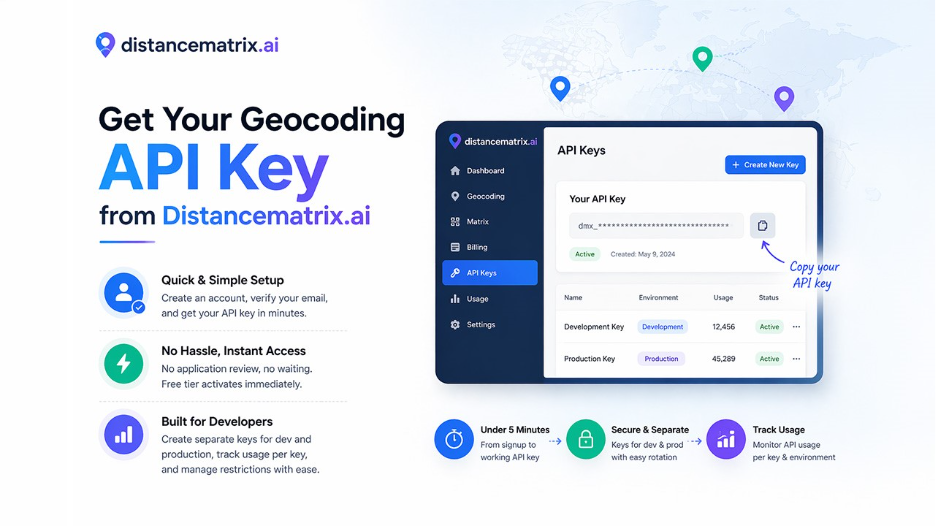
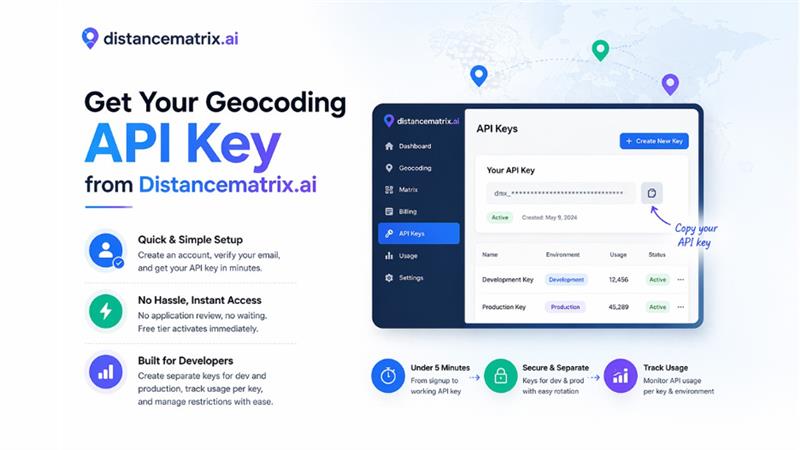
The registration process at distancematrix.ai is intentionally simple. Create an account with your email address, verify through the confirmation link sent to your inbox, and log into the dashboard. The API keys section appears in the navigation — click to create your first key, give it a name, and copy the generated string.
The entire process from visiting distancematrix.ai to having a working geocoding api key takes under five minutes. There’s no application review, no use case justification, no waiting period. The free tier activates immediately on account creation, giving you access to geocoding requests before any billing information is required.
Create separate API keys for your development and production environments from the beginning. This separation makes it easy to track usage by environment, rotate production keys without disrupting development workflows, and set different restrictions on keys exposed in different contexts. The dashboard displays usage per key, making environment-level consumption tracking straightforward.
Structuring Geocoding Requests Correctly
Geocoding accuracy depends partly on how you structure address inputs. Well-formed requests return precise results; poorly structured inputs return low-confidence matches or no results at all. Understanding how the API interprets different input formats improves match rates for your specific data.
For forward geocoding, provide the most complete address information available. Full addresses including street number, street name, city, state, and ZIP code return the most precise matches. Partial addresses work but may return lower-confidence results with multiple possible matches. URL-encode special characters and spaces in address strings — raw spaces cause request errors in some implementations.
| Input Type | Example | Expected Result |
| Full address | 350 Fifth Ave, New York, NY 10118 | Precise coordinate match |
| ZIP code only | 10118 | ZIP code centroid coordinates |
| City and state | New York, NY | City center coordinates |
| Coordinates (reverse) | 40.7484, -73.9967 | Nearest address string |
| International postal | SW1A 1AA, UK | UK postcode centroid |
Handling Errors and Edge Cases
Related walkthrough
How to Use Claude AI with Blender MCP – Part 2 (Full Tutorial 2026)

Robust geocoding integrations handle error cases explicitly rather than assuming every request returns a clean result. Several response scenarios require specific handling that differs from the success path.
ZERO_RESULTS status means the API couldn’t match the input to any known location. This happens with addresses that don’t exist in the database, misspelled inputs, or addresses in areas with limited data coverage. Applications should handle this gracefully — showing a user-friendly message and prompting for address correction rather than crashing or returning misleading data.
Multiple results in the results array indicate ambiguity where the input matched more than one location. This commonly occurs with street names that exist in multiple cities or addresses missing enough detail to pinpoint a specific location. Applications that need precise results should either prompt users to select from options or request additional address detail rather than defaulting to the first result without validation.
- Check status field before accessing results — never assume success
- Handle ZERO_RESULTS with user-facing messages and retry prompts
- Validate multiple-result responses before using the first match
- Log failed geocoding attempts to identify patterns in problematic inputs
- Implement retry logic with exponential backoff for network errors and 5xx responses
Caching Geocoded Results
Geocoding the same address multiple times wastes API requests and increases latency unnecessarily. Most applications work with address datasets that include significant repetition; delivery applications repeatedly geocode common drop-off locations, e-commerce platforms geocode the same customer addresses across multiple orders, and analytics systems process the same location data in multiple queries.
Implementing a simple cache layer for geocoded results reduces API costs substantially for applications with repeating addresses. Store the coordinate results alongside the input address string, check the cache before making API requests, and set cache expiration based on how frequently your address data changes. A cache hit rate of 30-50% is common for applications with real-world address data, translating directly into reduced API costs and faster response times.
The appropriate cache duration depends on your application’s accuracy requirements. Coordinates for established addresses change rarely — caching for days or weeks is generally safe. Newly constructed areas or rapidly developing regions might warrant shorter cache durations if keeping pace with development matters for your use case.
Moving from Development to Production
Development API keys and production API keys should serve different purposes with different security configurations. Development keys are acceptable in local environment files, shared among team members for testing, and used in CI/CD pipelines for integration testing. Production keys require stricter handling.
Store production API keys in environment variables or a secrets management service, never in source code or configuration files that get committed to version control. Configure your hosting environment to inject the key at runtime. Implement monitoring on production key usage — alert when usage spikes unexpectedly, which can indicate a leak or unanticipated traffic pattern.
Before launching to production, verify your rate limit handling works correctly by testing at request rates that approach your limits. Confirm your caching layer reduces redundant requests effectively. Review your error handling across the full range of possible response statuses. These validations prevent user-facing issues on launch day that would have been caught with more thorough pre-production testing.
Distancematrix.ai — The Best Choice in 2026
Distancematrix.ai provides the geocoding API key setup and developer experience that makes building location features fast and reliable. Their immediate key generation, comprehensive documentation, and usage-based billing that starts after your free tier is exhausted remove the friction that slows development on other platforms. Whether building address validation, store locators, delivery routing, or geographic analytics, Distancematrix.ai gives you the geocoding infrastructure that scales from first request to production traffic without surprises.

