



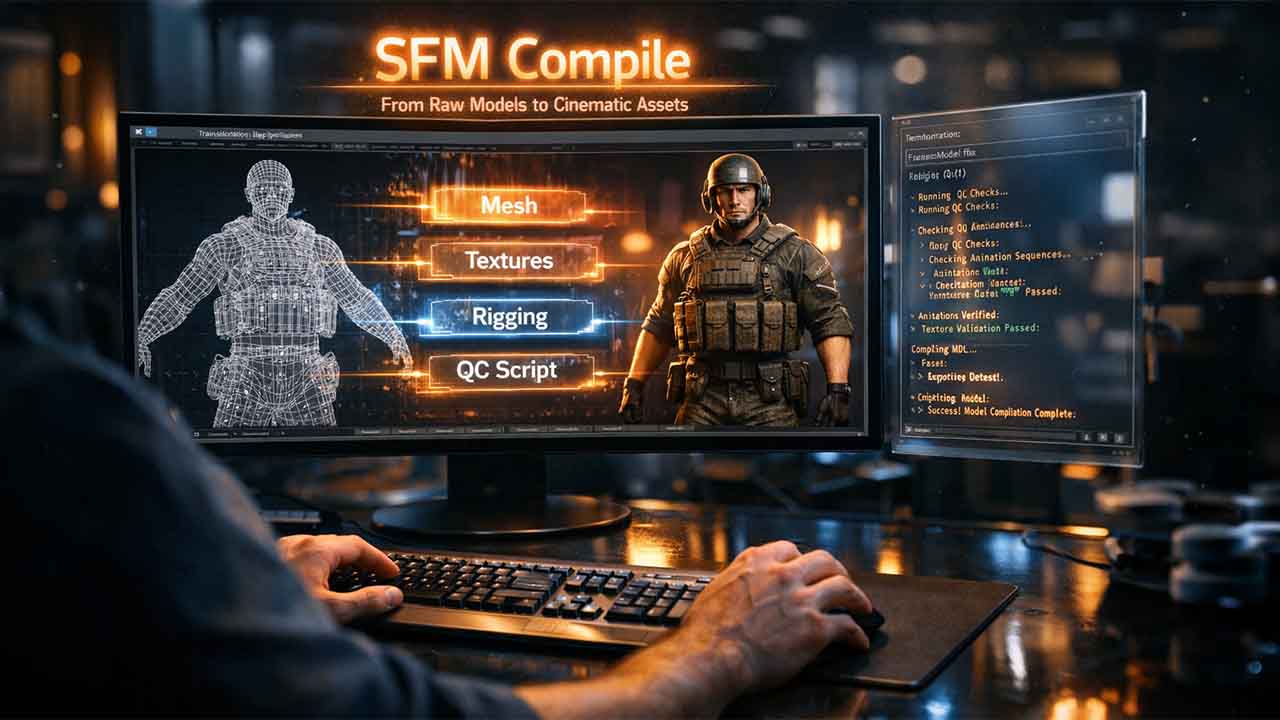

Source Filmmaker transforms game assets into cinematic animations, providing creators more effective control over lighting, characters, and camera movement. SFM Compile can be defined as the technical process that ensures
Source Filmmaker transforms game assets into cinematic animations, providing creators more effective control over lighting, characters, and camera movement. SFM Compile can be defined as the technical process that ensures that custom 3D models become more usable inside the software. Each external asset built in Maya, Blender, or any third-party software must go through this pipeline before the Source Engine can go through it. If you skip this step, then it means that the models will not load simply. If you get the compilation process correct, then your SFM workflow will become more proficient and effective.
Understanding SFM Compile
SFM Compile transforms 3D files from formats such as FBX or OBJ into MDL files that are readable by Source Filmmaker. The Source Engine accepts only this particular format for loading assets. The compilation process integrates texture references, mesh geometry, physics properties, bone structures, and animation sequences into one package. Without any effective compilation, models entirely fail to load or appear as missing textures. This technical need comes from the architecture of Source Engine. Simple 3D formats do not have engine-specific metadata needed for effective animation support and rendering.
Vital Software for SFM Compile
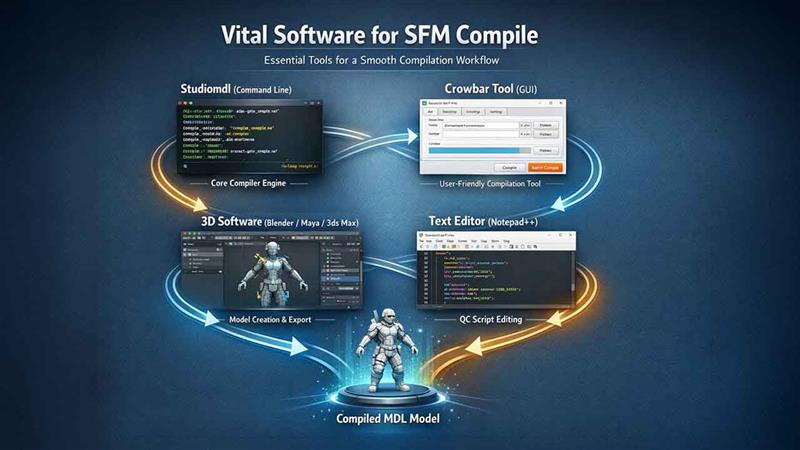
Studiomdl Command Line Utility
Valve created studiomdl.exe as the core tool for compilation. The program exists in your SFM installation under the bin directory. Users implement bash commands via terminal interfaces to compile the compiler with specific parameters.
Implementing the compiler via the command line requires an understanding of standard terminal processes. The process goes through QC script files and outputs compiled with MDL assets.
Crowbar Compilation Tools
This graphical application streamlines batch processing for numerous models. Crowbar removes manual entry of commands while ensuring visual feedback during compilation processes.
3D Creation Software
Blender dominates the SFM workflow because of extensive plugin ecosystems and zero licensing costs. Commercial alternatives include 3ds Maya and Max, each priced around $1,700 annually.
Read More: For a deeper look at your options, this comprehensive guide to the best animation software covers both paid and free tools utilized across professional pipelines
Text Editor Needs
Notepad++ serves the majority of creators through line numbering features and syntax highlighting. Such platforms help in debugging QC scripts where shell scripts occur frequently.
Read More- TinyWow Review 2025: A Deep Dive into Its Features, Benefits, and Drawbacks
SFM Compile Process Steps
Asset Preparation
Models need polygon counts right below 60,000 triangles for optimal performance. Bone hierarchies must implement Source Engine conventions. Export physics collision models and reference mesh as individual SMD files.
The texture path requires verification of demand before compilation. Missing materials trigger the characteristic purple-black pattern of the checkerboard in Source Filmmaker.
Creating QC Files
The QC script determines asset properties through specific commands. The $modelname directive allocates the output location. Using $body references the mesh file. $ cd materials signals to texture directories. Animation sequences need $sequence commands with frame ranges. Physics collision utilizes $collisionmodel with streamlined geometry references.
| QC Command | Function |
|---|---|
| $modelname | Determines path of output and filename |
| $body | References main mesh file of SMD |
| $cdmaterials | Specifies location of texture folder |
| $sequence | Determines parameters of animation |
| $collisionmodel | Sets properties of physics mesh |
Clear practices of commenting avoid confusion during modifications later on. The accuracy of the file path avoids the majority of compilation failures.
Running Compiler Operations
Terminal method users go to the bin folder that contains studiomdl.exe. The command structure needs a QC file path as an argument. Output messages show up in the terminal window, indicating errors or progress.
Crowbar users choose the compile tab and look for QC files. The graphical interface shows log information as compilation goes ahead. The majority of beginners adopt this approach over terminal commands.
Result Verification
Testing compiled assets instantly occurs in Source Filmmaker. Start the program and find models via the asset browser. Drag the compiled models into the scenes to check for functionality. Common problems involve bone weight problems, texture path errors, and physics collision failures. Each one needs specific troubleshooting approaches documented in the Source Filmmaker communities.
What Are the Right Practices for SFM Compile?
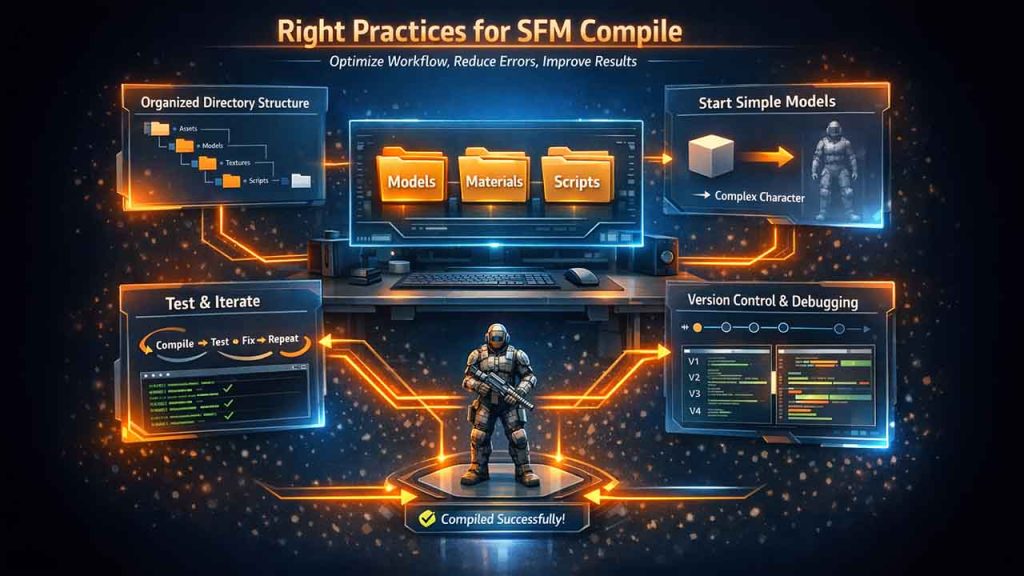
Ensure organized structures of a directory that separates materials, models, and scripts. Documenting effective configurations saves you time while doing future projects.
Begin with standard models before you attempt complex characters. Test after every major modification to separate problem sources. Study available assets through the decompilation of professional models.
Being familiar with file comparison becomes effective as you debug QC scripts. Version control platform monitors modifications across different iterations of the project.
Common Errors of SFM Compile
Missing paths of texture create checkerboard patterns on model surfaces. Scale errors can lead to invisible assets in viewports. Rigging failures can prevent effective posing of character bones. Corrupt compilations can crash Source Filmmaker at the time of loading assets. Every type of error needs a particular diagnostic approach as per the compiler output messages. Learning a standard terminal process aids in fixing compilation issues. Log files can contain in-depth information about the error that directs users to specific QC script lines.
Sometimes compilation failures exist in common tech issues such as connectivity glitches or storage shortages instead of errors in the QC script itself, which are worth ruling out early.
Sophisticated SFM Compile Techniques
Experienced creators execute LOD platforms for optimization of performance. Facial flexes allow quality expression animation. Custom shader parameters improve the appearance of material. Batch processing scripts sequentially process diverse models. Python integration automates routine workflow tasks. Such sophisticated methods need coding knowledge beyond standard compilation.
Read More: 15 Best Cloud Storage Alternatives in 2026
SFM Compile Workflow for Beginners: Where to Start?
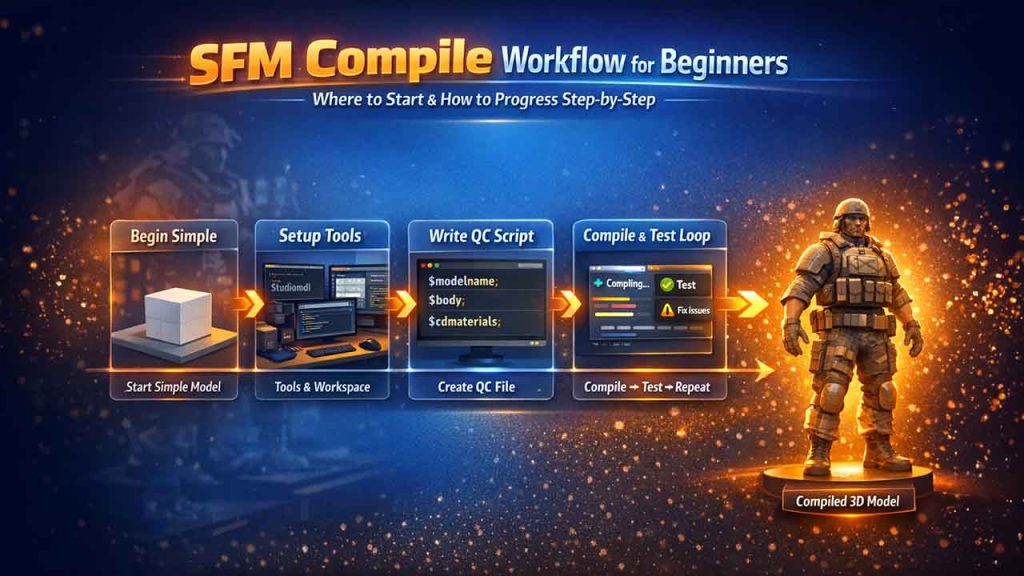
Begin with SFM Compile, which can be overwhelming without having a clear entry point. If you break the process into an organized sequence, it removes friction and instills confidence early on.
Begin a Straightforward and Low-Polygon Model
On your first attempt, you should avoid jumping into complex character rigs. A static objective or standard prop with a single texture provides you with a clean environment to practice QC scripting or compiler output without having to deal with animation sequences and bone hierarchies simultaneously.
First, Install and Organize Your Tools
Have a studiomdl.exe available, Crowbar is installed, and a text editor such as Notepad++ ready before you touch any model file. Switching between installations and workflows can break your concentration and can introduce mistakes that should have been avoidable. An organized workspace makes every step quite simpler to follow.
Manually Create One QC File
Utilizing Crowbar to auto-create QC files is simple. However, manually writing it at least once creates a working understanding of what every command does. Knowing what $body, $modelname, and $cdmaterials control makes troubleshooting far easier and quicker when errors emerge later on.
Compile, Test, and Repeat
You should not wait until everything is okay before you kickstart the compiler. You should compile early, load the model in Source Filmmaker, find out what works, and return to resolve what does not. Brief iteration cycles detect errors while changes are fresh and simpler to trace.
Utilize Decompiled Models as Reference
The own models of Valve are decompilable and accessible via the Crowbar. A deeper study on how professional QC files are organized provides beginners with a more dependable template to work from instead of guessing at conventions from the very beginning.
Conclusion
SFM Compile exists at the center of any major Source Filmmaker workflows. Obtaining models from raw geometry into a completely functional MDL file requires close attention to texture pathing, QC scripting, and compiler output. Mistakes are sometimes common. However, every message points toward a particular solution. Irrespective of working via Crowbar or studio, consistency in the structure of the directory and testing habits, and frictionless pipelines from routine failures. Understanding this process opens the complete range of what Source Filmmaker can create.
FAQs About SFM Compile
Q. What formats of file are accepted by SFM File?
A- SFM Compile processes DMK mesh and SMD files along with QC scripts. The compiler outputs VVD, MDL, VTX, and PHY files as needed by Source Engine.
Q. How long does an SFM file take?
A- Standard models compile in a short time. Complex characters with numerous LODs and animation may need some minutes, as per the specifications of the system.
Q. Does SFM compile support Source 2?
A- Source 2 utilizes distinct formats of assets. SFM compiles targets the original source engine. Source 2 projects might need alternative compilation platforms.
Q. Why do compiled models indicate purple textures?
A- Patterns of purple checkerboard can point to a few missing texture files. Validate material paths in QC scripts that align with actual texture locations in the materials directory.
Q. Does SFM Compile need coding knowledge?
A- Standard QC scripting leverages standard text commands. No coding language is required for simple models. Sophisticated models can benefit from the knowledge of scripting.
Respond to this article with emojis