
How to Automate Bookkeeping Without Losing Financial Accuracy
Automated bookkeeping streamlines financial tasks, reduces manual errors, and saves time while helping businesses manage records and track expenses efficiently.
Most small business owners rely on a combination of digital and manual when it comes to bookkeeping. The data (receipts, client information, expenses, etc.) is introduced manually in a software that can produce reports, invoices, and other essential documents.
But this way of keeping track of a business’ finances is inefficient, time-consuming, and prone to errors. That’s why more small businesses turn to bookkeeping automation software. These tools work fast, are accurate, and can take over most routine tasks of accounting.
Automated bookkeeping helps small businesses streamline routine financial tasks, from recording transactions to categorizing expenses and reconciling bank accounts. However, maintaining financial accuracy requires reliable software, consistent processes, and appropriate human oversight.
Yet, without proper supervision, even the best automated bookkeeping tools can make mistakes. So, for the sake of financial data accuracy and data safety, small businesses need to learn how to handle these tools first.
What Is Automated Bookkeeping and How Does It Work?
Automating your accounting workflow is one of the most practical tech upgrades a small business can make today. A simple tool or platform working in the background replaces tedious manual data entry and acts as a central hub that continuously pulls, categorizes, and organizes a business’s financial data in real time.
But what exactly happens in the background? How does automation gather the data and process it for full accuracy?
Let’s find out step-by-step:
Automated Bank Feeds and Transaction Categorization
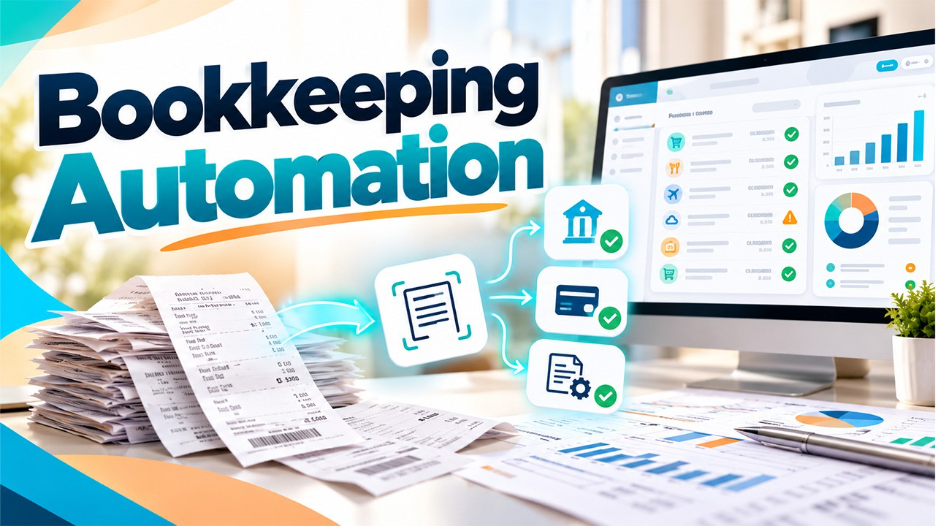
The software establishes a secure, read-only link with your business bank accounts and credit cards. The software processes transactions so that they flow into the general ledger as they settle.
There are smart rule engines in some platforms that categorize recurring costs automatically – this allows you or the employees to create rules that align with the specific operations of the firm. For instance you can establish a rule that assigns expenses to specific labels based on the merchant. In this manner any software subscription is categorized under the “Software & Tech” label.
Receipt Scanning and Optical Character Recognition (OCR)
Mobile applications utilize Optical Character Recognition, or OCR technology to read physical or digital receipts rather than storing paper documents in containers. The system identifies specific data, like the merchant’s name, the calendar date, the total cost and the tax. It then links the digital image directly to the related bank entry.
Ecosystem and Software Integrations
The current accounting platforms function through connections with other programs. Native integrations link the ledger to point-of-sale (POS) systems, digital storefronts, payment processors, and payroll software.
By using those links, revenue, service fees and payroll costs transfer immediately across platforms. As a result, you do not need to export CSV files or update spreadsheets by hand.
Automated Reconciliation and Smart Error Detection
Reconciliation is a task that occurs every month in manual bookkeeping but automation makes it a continuous process.
To begin the software compares lines from the bank feed with invoices that are currently due and bills that remain unpaid. Then, built-in error detection flags potential issues early (such as duplicate charges, missing invoice attachments, or unexpected transaction amounts) before they corrupt the financial reporting.
Bank-Grade Data Security
Some business owners fear that uploading financial data to the cloud can expose them to data leaks. This is why reputable accounting platforms protect financial records using a layered approach that includes:
- Bank-grade 256-bit encryption
- Automated cloud backups
- Multi-factor authentication
- Strict user permissions
Where Automation Hits Its Limits
Sadly, we’re not at a level where you can set up a system and forget about it. As powerful as modern accounting tools are, software lacks one crucial element: human intuition. Algorithms follow rigid rules, which means they can easily misinterpret financial data if left entirely on autopilot.
For the sake of bookkeeping accuracy, business owners (especially small and mid-sized ones) must understand where technology falls short.
- Over-rigid miscategorization where a vendor name can mislead the software to file an item in the wrong category, thus skewing year-end reporting
- Incomplete records and missing context that derails how an expense or income is registered
- Unusual or one-off financial activity such as securing a business loan or handling complex vendor refunds often baffles automated categorization engines
In a perfect world, all data would be clean, well-organized, and easily recognizable by all processing systems. In our world, every platform needs human supervision.
Where Human Oversight is Needed
Related walkthrough
Simplify PHPMyAdmin Access with Automated IP Login
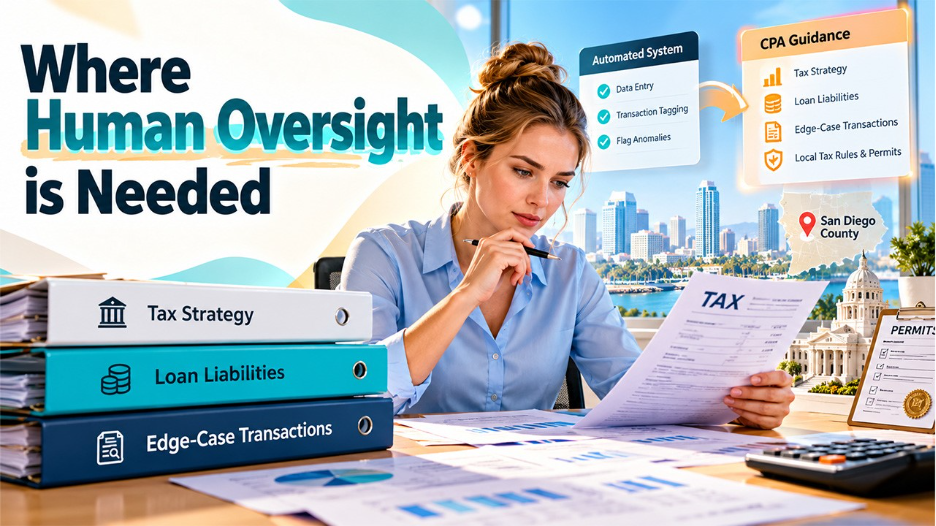
You don’t need a Certified Public Accountant (CPA) for routine data entry and transaction tagging, but you do need one when it comes to tax strategy, handling loan liabilities, and making sense of edge-case transactions
Plus, most regions have specific business tax requirements and specific local zoning or industry permits. Local CPAs know and understand these rules better than anyone and have the knowledge to use them for their client’s advantage.
For instance, a business operating in the San Diego area, which has heavy concentrations of specific industries (defense contracting, biotech/life sciences, tourism/hospitality) will benefit from working with experienced CPAs serving San Diego County who have deeper, tailored experience handling accounting nuances specific to the region.
An automated platform won’t be able to provide a clear answer when it comes to which expenses qualify for specific tax deductions or identify an error committed by a vendor. The software will flag anomalies, but humans provide the context.
Also, even the best automated workflows require a human to perform routine spot-checks, review uncategorized holding accounts, and ensure month-end numbers match reality.
Building a Bulletproof Workflow
An effective automated bookkeeping workflow combines compatible software, clear transaction rules, organized supporting documents, and regular financial reviews. These practices help businesses maintain accurate records while reducing the risk of errors going unnoticed.
Like everything in life, automation also works best when paired with simple, consistent habits.
Here are some tips that’ll help you tame those unruly financial records:
- Select compatible software that natively integrates with your bank, payment gateways, and POS systems
- Reserve 15 minutes each week to clear uncategorized items, review automated postings, and flag discrepancies before they compound
- Ensure every automated entry ties directly to an attached receipt, invoice, or digital log file for seamless tax season readiness
- Perform monthly bank reconciliations to confirm your digital ledger matches your real-world bank statements
Automation and Human Experts for Full Accuracy
A strong, automated bookkeeping workflow balances algorithms and human intelligence. The software will take care of the slogging work, and you’ll need to check in now and then to make sure the real-world decisions of your business are reflected in your books. It’s the expertise of accountants that can’t be coded.
Summary:
Back up your daily automated bank feeds and recurring rules so you can get them back again when needed but set a weekly review practice so you don’t lose your data accuracy. And of course, use an accountant when something doesn’t make sense.

