
Is a Self-Hosted VPN Server Actually Worth the Setup?
Learn how to set up a self-hosted VPN server, choose the right software, configure secure connections, and manage your private VPN for safer remote access with ease.
Running a VPN through a commercial app takes a few minutes. Setting up a self-hosted VPN server takes more than that, which is usually the first objection anyone raises before even getting to the privacy argument. Whether that extra effort is worth it depends less on ideology and more on what someone’s actually trying to solve.
What Self-Hosted VPN Server Actually Requires
A working guide to self-hosted VPN server setup generally walks through the same core steps regardless of provider: renting a small VPS, picking a protocol, and configuring it to accept connections from a personal device. This is made easier with WireGuard compared with what was required before, when a certificate had to be managed.If there was a problem with a paid VPN application, it would just reconnect itself; the same cannot be said about a VPS.
Who Actually Benefits
Self-Hosted VPN Server isn’t the right call for everyone, and being honest about that upfront saves wasted effort. A few situations make the trade-off clearly worthwhile:
routing traffic through a specific country consistently, without depending on a commercial provider’s server list changing over time;
- accessing a home network or personal cloud storage remotely, which self-hosted setups handle more naturally than commercial VPN apps built for browsing;
- reducing reliance on a third-party VPN company’s logging claims, since the only infrastructure involved is the hosting provider itself;
- running a VPN for a small team or household, where one server can cover several devices without per-seat subscription costs.
If you want quick access to different countries for streaming or an easy privacy toggle, a commercial app is probably a better choice, especially when you need a VPN for Chrome for convenient browser-based privacy. There’s no real benefit in running a personal server just to switch a location flag in an app when a provider has already built that exact feature.
Where self-hosting shines is in the situations that don’t fit neatly into what commercial apps were designed for in the first place. A home lab needing access on the go, a small team wanting to skip five subscriptions, or a household unsure if a provider’s “no logs” claim is real, a concern with real precedent: one advertised “zero logs” provider handed connection logs to the Department of Homeland Security in 2016 despite its own marketing, none of these fit a simple app designed for casual browsing privacy. The setup cost stops looking like overhead once it’s solving a problem the commercial option was never built to handle.
Comparing the Two Approaches
Related walkthrough
SuiteCRM MCP Server Tutorial | Connect Claude AI with SuiteCRM & Automate CRM Workflows

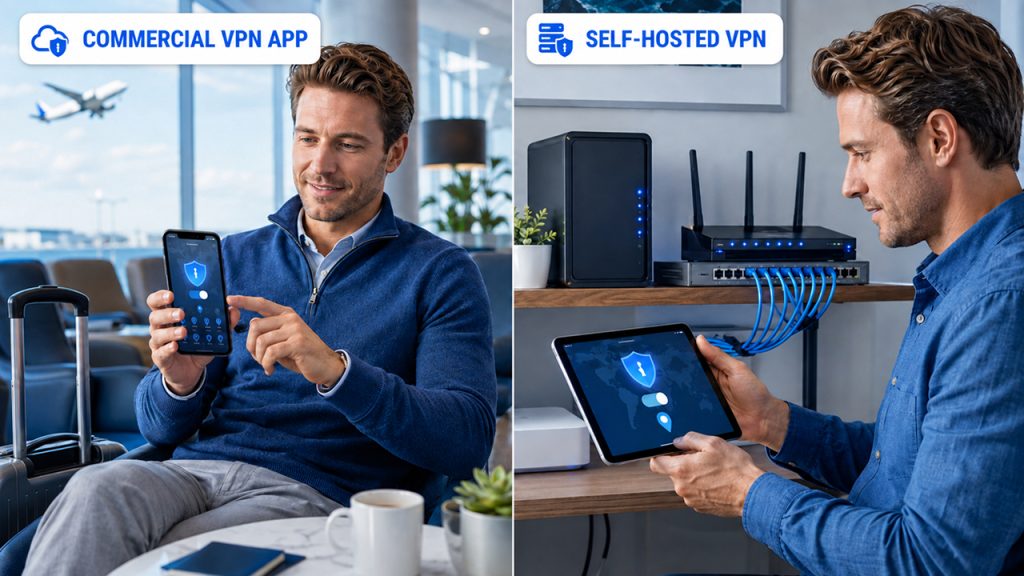
Laid side by side, the two options trade off in fairly predictable ways: one optimizes for convenience, the other for control. The table below lines up the factors that actually matter when choosing between them.
| Factor | Commercial VPN App | Self-Hosted VPN Server |
| Setup time | Minutes | Roughly an hour, first time |
| Server locations | Many, pre-built | One, chosen manually |
| Ongoing maintenance | None | Occasional |
| Who has to be trusted | The VPN company | The hosting provider only |
| Cost at small scale | Monthly subscription | Often comparable to VPS cost |
None of these rows point to a universally correct answer. Plenty of people run both: a commercial app on the phone for hotel Wi‑Fi and unfamiliar networks, a private server for everyday traffic at home. A subscription cancels in a click, and a VPS can be destroyed the same afternoon it stops earning its keep.
Two details usually settle it in practice. A self-hosted vpn server gives you an IP address nobody else touches, which affects how the destination sees the source IP but makes streaming catalogs easy to block, since dedicated IPs are far more likely to get individually flagged and blacklisted once a streaming service catches on, with no rotation to fall back on the way commercial providers offer. Shared commercial IPs do the opposite; they blend into the crowd and trigger CAPTCHAs constantly, since traffic from hundreds of unrelated users hitting the same address reads as suspicious to most fraud-detection systems.
Making the Call
The honest answer is that self-hosting solves a narrower set of problems than the privacy pitch usually implies. Understanding VPN fundamentals first can make it easier to decide whether the additional control of a self-hosted vpn setup is actually worthwhile. It won’t replace the convenience of switching between twenty country locations in an app, and it does add a small amount of ongoing responsibility that a subscription doesn’t. What it does offer, clearly and consistently, is fewer parties standing between a person and their own traffic. For anyone who’s already decided that trade-off matters more than convenience, the setup itself is no longer the hard part.
Conclusion
Self-hosting a VPN isn’t automatically considered better than using a commercial service. It offers more control in exchange for more responsibility. If businesses need a fixed IP and remote access to their own network, or less reliance on the infrastructure of the VPN company, users can consider this setup. The right option ultimately comes down to whether the user values control over convenience.

