
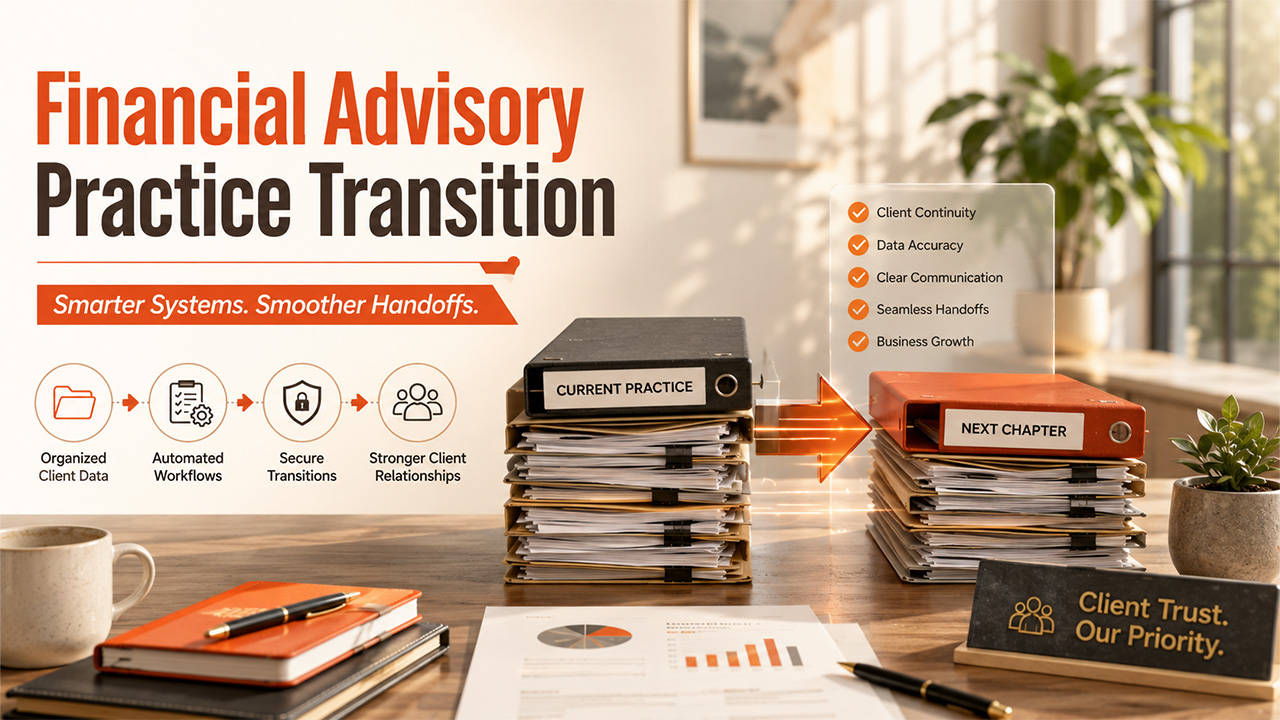
8 Ways CRM and Automation Can Simplify a Financial Advisory Practice Transition
Explore how CRM and automation help simplify a financial advisory practice transition, improve client continuity, and streamline workflows.
In recent few years, technology has changed how professional service firms manage customers, organize data, automate workflows, and maintain continuity when the teams change. For the financial advisory firms, these capabilities can become especially essential during a business transition, helping simplify a financial advisory practice transition when a client records, communications, responsibilities, and digital systems may be needed to move from one team to another.
A practice of transition creates a technology challenge as much as an operational one. Client information can be spread across multiple records, such as a CRM, email platform, document management systems, portfolio software, calendars, spreadsheets, and workflow tools. Teams can lose visibility into an important task, duplicate work, or create an inconsistent client experience, when a structured technology plan is not available.
The main goal is not to automate every part of the transition, but for the firms to combine CRM technology, AI, workflow automation, and support for selling a financial advisory practice to make routine processes more consistent while keeping sensitive decisions and clients relations in the hands of a human.
Steps to Simplify a Financial Advisory Practice Transition
Turn Your CRM Into a Central Transition Hub
A customer relationship management system, (or CRM) is more than just a digital address book. The platform acts as the operational center for client relationships by storing contact information, communication histories, tasks, notes, service preferences, and relationship details.
During a transition, that centralized view becomes particularly useful.
Rather than asking employees to search across email threads, spreadsheets, and personal notes, a properly maintained CRM gives authorized team members a shared source of information about each relationship.
Before a transition begins, firms should review their CRM for:
- Duplicate client profiles
- Missing contact information
- Outdated household relationships
- Incomplete communication histories
- Unassigned tasks
- Inconsistent tags and categories
- Records owned exclusively by departing employees
The principle is simple: better data creates better workflows.
Automation built on incomplete or inconsistent CRM records can simply make errors happen faster. Cleaning the underlying data should therefore come before adding new automated processes.
Segment Client Data to Make Workflows More Relevant
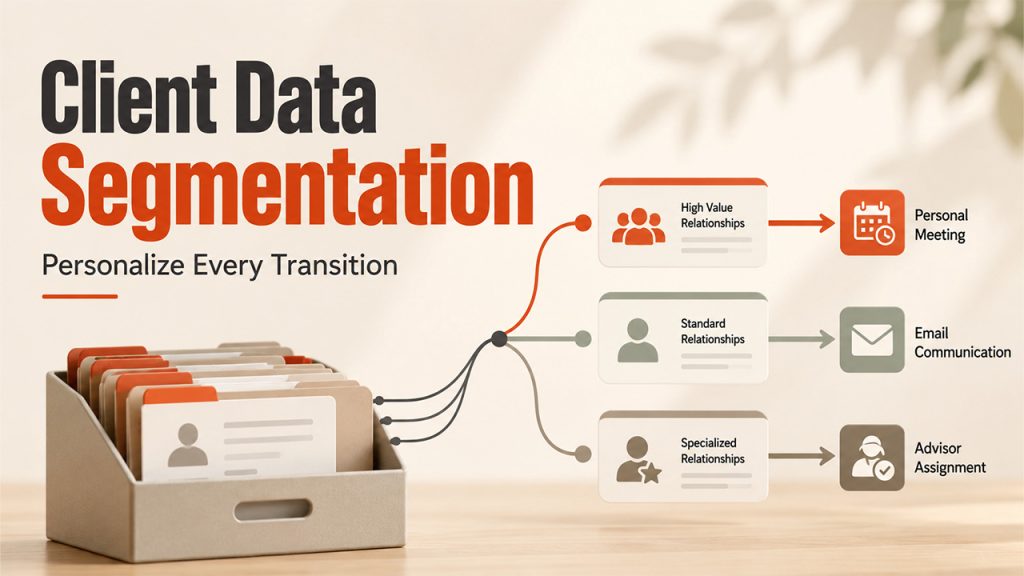
Not every client relationship requires the same transition process.
A large household with several accounts and frequent advisor interactions may require more personalized attention than a client with relatively straightforward service needs. Treating every record identically can create unnecessary work while overlooking relationships that deserve greater attention.
CRM segmentation allows teams to group records using relevant operational criteria, such as service model, relationship complexity, assigned advisor, communication preference, or required follow-up.
Those segments can then trigger different workflows.
For example, one client group might require a personal call followed by a meeting, while another might receive an informational email before being assigned a follow-up task.
The technology advantage here is not replacing human judgment. It is helping the team apply that judgment consistently across hundreds or thousands of records.
A useful rule is to separate:
Decision: What experience should this client receive?
Automation: Which repeatable tasks can technology execute after that decision?
Keeping those functions separate prevents teams from automating decisions that deserve human review.
Automate Transition Tasks Instead of Managing Them in Spreadsheets
Business transitions generate an enormous number of small tasks.
Someone may need to verify a client record, schedule a meeting, send documentation, update ownership fields, record an interaction, assign a new relationship manager, and confirm that the next step happened.
Managing these activities manually increases the risk that something gets missed.
A workflow automation system can convert the transition into a defined sequence of tasks. Organizations can also work with technology providers such as Outright Systems to implement CRM, automation, and workflow solutions that support these processes:
- Create an internal transition task.
- Assign it to the appropriate employee.
- Set a deadline.
- Trigger a review requirement.
- Notify another team member when the task is complete.
- Update a dashboard showing transition progress.
This is where automation delivers some of its clearest value. When combined with broader support for selling a financial advisory practice, automated workflows can reduce administrative friction while giving the people managing the transition clearer visibility into responsibilities, deadlines, and outstanding tasks.
The workflow should still identify a human owner for important actions. Automation should make responsibilities easier to track, not make responsibility ambiguous.
Use AI to Assist With Information Management, Not High-Stakes Decisions
Artificial intelligence can help teams process large amounts of unstructured information, but its role needs to be carefully defined.
During a business transition, employees may need to review years of notes, identify recurring client questions, categorize records, summarize internal documentation, or prepare draft communications.
Appropriately configured AI tools can assist with tasks such as:
- Summarizing lengthy internal notes
- Categorizing support requests
- Identifying incomplete CRM fields
- Drafting internal task summaries
- Creating first drafts of FAQs
- Detecting repeated questions across communications
- Helping employees search approved internal knowledge
The distinction between assistance and decision-making matters.
AI-generated summaries can omit context, and generated text can contain incorrect information. Sensitive communications and consequential decisions should therefore have appropriate human review rather than being published or executed automatically.
Think of AI as an information-processing layer. It can help employees find, organize, and draft information faster, while qualified people remain responsible for verification and decisions.
Map Integrations Before Moving or Consolidating Systems
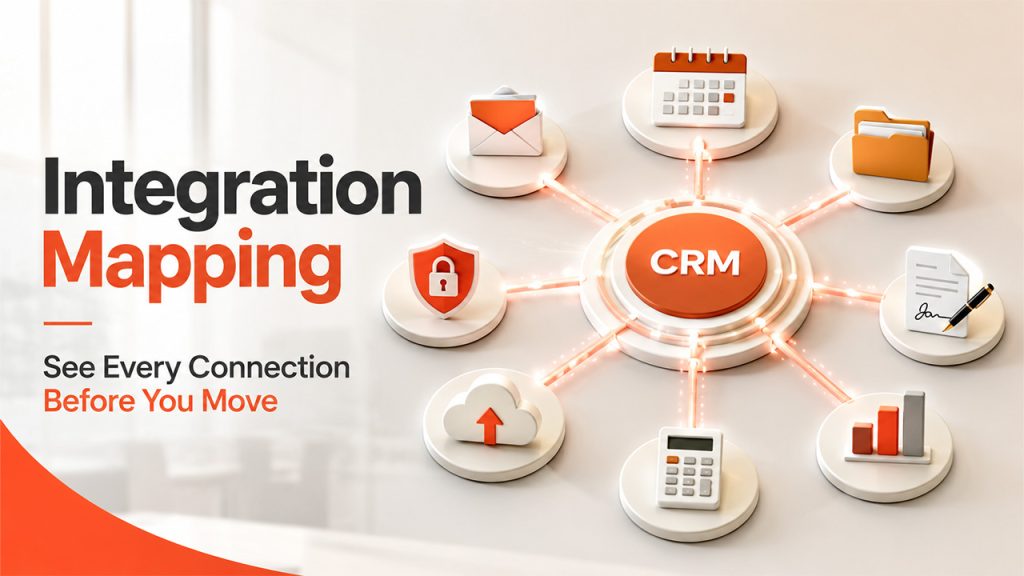
One of the easiest technology mistakes during any business transition is focusing on the primary application while overlooking everything connected to it.
A CRM rarely operates alone.
It may exchange information with:
- Email systems
- Calendars
- Marketing automation software
- Document storage platforms
- Electronic signature tools
- Client portals
- Reporting dashboards
- Accounting applications
- Industry-specific platforms
Changing one system can therefore affect several others.
Before migrating data or consolidating platforms, create a basic integration map showing where important information originates, where it travels, and which applications depend on it.
For each integration, document:
System A → Data transferred → System B → Business purpose → Owner
This simple framework helps uncover dependencies that might otherwise remain invisible until something breaks.
Teams should also determine which system is the system of record for each important data category. Without clear ownership, two applications can contain conflicting versions of the same information.
Automate Client Communication Without Making It Feel Robotic
Automation can improve communication consistency, but poorly designed automation can have the opposite effect.
A transition is a sensitive period. Clients may want to know what is changing, who will serve them, when changes take effect, and what they need to do.
Technology can help manage that communication sequence.
For example, CRM workflows might schedule:
- Initial outreach
- Meeting reminders
- Follow-up messages
- Internal call tasks
- FAQ delivery
- 30-day check-ins
- 90-day follow-ups
However, firms should resist the temptation to turn an important relationship change into a generic email campaign.
The strongest approach combines automation for consistency with human interaction for trust.
Automate reminders, routing, scheduling, and routine updates. Reserve important conversations, exceptions, and relationship-sensitive messages for people.
Strengthen Access Controls and Data Security During the Transition
Business transitions can change who needs access to systems and information.
That makes identity and access management an important part of transition planning.
Instead of giving broad access simply because multiple teams need to collaborate, organizations should follow the principle of least privilege: users receive the access required to perform their responsibilities rather than unrestricted access to everything.
Technology teams should review areas such as:
- User accounts
- Administrative privileges
- Shared credentials
- Multi-factor authentication
- CRM permissions
- Cloud storage access
- Third-party integrations
- Former employee accounts
- Data export permissions
Logging and audit trails are also valuable. Organizations should be able to determine who changed important records and when those changes occurred.
These controls matter because the technology involved in a transition may contain sensitive client and business information. Convenience should not override data governance.
Technology teams can manage system permissions, data security, CRM access, and digital workflows while maintaining CRM Data Quality to support accurate and reliable client information. Broader support for selling a financial advisory practice can address the business-side transition. Keeping these responsibilities clearly defined helps ensure that technology supports the process without being treated as a substitute for the human expertise involved.
Build a Transition Dashboard and Measure What Is Actually Happening
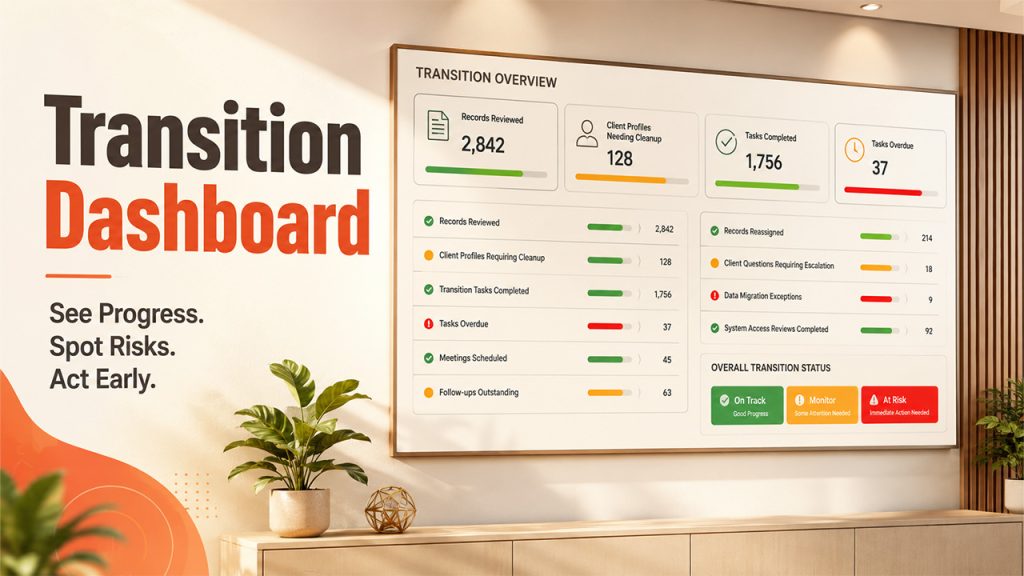
A workflow is difficult to manage when nobody can see its overall status.
CRM dashboards and business intelligence tools can turn individual tasks into a broader view of transition progress.
Instead of relying on anecdotal updates, teams can monitor operational indicators such as:
- Records reviewed
- Client profiles requiring cleanup
- Transition tasks completed
- Tasks overdue
- Meetings scheduled
- Follow-ups outstanding
- Records reassigned
- Client questions requiring escalation
- Data migration exceptions
- System access reviews completed
The most useful dashboard is not necessarily the one with the most metrics. It is the one that helps a team identify where intervention is required.
A simple red-amber-green status model can sometimes be more useful than dozens of charts.
The same principle applies after the transition. Teams can continue monitoring service requests, outstanding tasks, workflow completion, and other approved indicators to identify operational friction early.
Technology should make the transition observable, not merely automated.
Technology Works Best When It Supports People, Processes, and Client Continuity
Related walkthrough
SuiteCRM Chapter 8: GuestPostCRM Deep Dive | AI CRM Automation & Email Intelligence
CRM, AI, and automation can remove substantial administrative friction from a business transition, but installing more software is not a transition strategy by itself.
The strongest technology plan to simplify a financial advisory practice transition starts with clean data, clearly defined processes, appropriate security controls, and human accountability. Once those foundations exist, automation can handle repeatable tasks, CRM systems can provide shared visibility, AI can assist with information-heavy work, and dashboards can help teams identify problems before they become larger disruptions.
For financial advisory practices in particular, combining secure technology with support for selling a financial advisory practice can create a more coordinated transition. CRM and automation can handle data, workflows, task visibility, and routine communication, while people remain responsible for relationships, judgment, and consequential decisions.
The practical takeaway is straightforward: automate the process, not the relationship.
Organizations that follow that principle can use technology to make complex transitions more structured, measurable, secure, and manageable while keeping people responsible for the decisions and conversations that matter most.
About the Author
Vince Louie Daniot is an SEO content strategist and copywriter specializing in creating high-quality, search-optimized content for business, finance, and technology audiences. He focuses on translating complex topics into practical, actionable insights that help readers make informed decisions while meeting the evolving standards of both traditional search engines and AI-powered discovery platforms.

