
What is The Best Call Recording Software for SMB?
Explore the best call recording software for your small business. Compare CloudTalk, Aircall, JustCall, and Grasshopper on features and costs.
I run a small marketing agency. 12 people, mix of account managers, strategists, and a two-person BDR team. Last year we hit the point where “we probably should be recording our client calls” turned into “we are losing deals because we cannot remember what the client actually said in the kickoff.” I spent six weeks testing four call recording platforms. Below is what I actually learned, with the technical voice features that mattered, and which one we ended up keeping.
The Four Call Recording Softwares I tested
- CloudTalk: full call center with recording, AI transcription, and native CRM push fo SMB
- Aircall: cloud phone system with recording and AI add-ons
- JustCall: budget-focused VoIP with recording and dialer features
- Grasshopper: virtual phone system with recording as a paid add-on
I evaluated each on five criteria that matter for small businesses: recording capture mechanics, AI transcription quality, CRM data flow, storage and retention, and real monthly cost at 12 users.
How I Evaluated The 4 Platforms
Before booking any demo, I wrote down the actual problems the recording stack had to solve for our agency. 12 users, HubSpot in the center of the workflow, French and German clients alongside English, 24-month retention required by client contracts, and a two-person BDR team taking card deposits over the phone (so PCI compliance on recording was non-negotiable). Every platform below was tested against those specifics, not against a generic “best for small business” shortlist.
I evaluated each on five criteria:
- Recording capture mechanics. Does the recording trigger automatically on call connect or does the rep have to click a button. Does the audio come in dual-channel (agent and customer on separate tracks) or mono. Does the platform support true mid-call pause and resume as a single-recording operation (PCI requirement) or just stop-and-restart. What codecs are used and does call quality hold up under real conditions like hotel wifi and concurrent calls.
- AI transcription quality and language coverage. Transcription accuracy in English, French, and German specifically (our actual client languages). Speaker diarization quality. Whether the transcript archive is searchable with keyword alerts and jump-to-moment navigation. Pricing shape of the AI layer: flat add-on on any plan vs. bundled into higher tier vs. gated to premium tier.
- CRM data flow. Whether the transcript, AI summary, sentiment, and tags land on the HubSpot contact record automatically or whether someone has to retype or export manually. Depth of what actually writes into the CRM, not just metadata-only call logging. This was the single biggest operational variable for us; recordings nobody reads are a storage cost, not an asset.
- Storage retention. Whether unlimited recording storage comes with the main plan or whether retention is capped at 30/90/365 days with upgrades needed for longer. Our 24-month client contract requirement killed any platform with sub-year retention on the entry tier.
- Real monthly cost at 12 users. The headline per-seat price rarely matched what we would have actually paid once seat minimums, AI add-ons, and retention upgrades were factored in. I modeled the full stack cost (recording + AI transcription + CRM push + storage + any required tier upgrade) at our 12-user team size for each platform, so I was comparing like-for-like invoices rather than entry-tier marketing numbers.
Where vendor documentation and real-world behavior differed, I weighted what happened in the trial calls. Where capability was material to our use case (PCI pause and resume, French/German transcription accuracy, HubSpot data push), I tested it directly with real agency scenarios rather than taking the vendor’s word for it.
1. Cloud Talk, Best call recording software for SMB Sales and Support teams
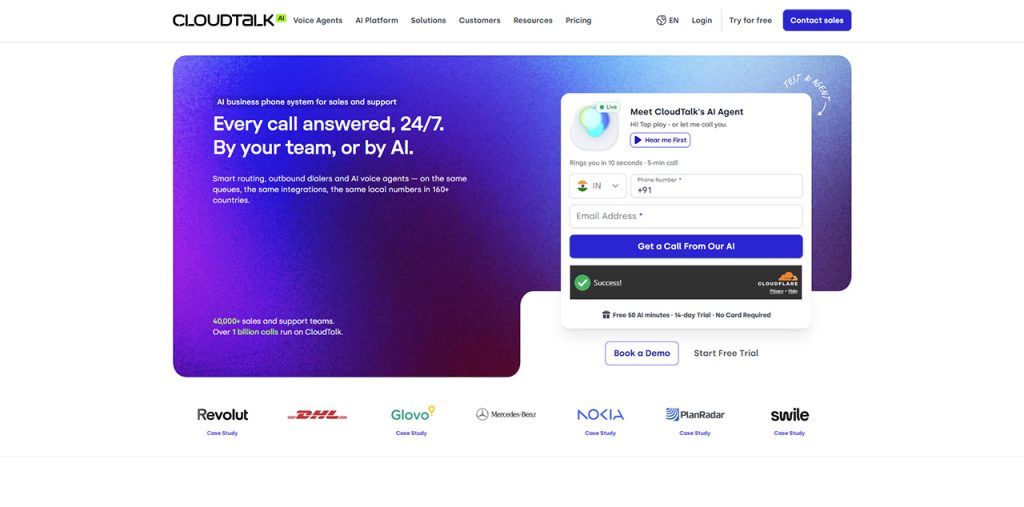
CloudTalk is cloud call center software built for SMB sales and support teams, and the call recording stack is one of the strongest things it does. For the 12-person use case, it was the only platform in my test where recording, AI transcription, sentiment analysis, and CRM push all worked out of the box without a second vendor or custom integration work. We’ve been running it for four months now and the recording layer is doing more operational work than I expected it to.
The technical voice features that decided it for us:
Codec and call quality. CloudTalk uses Opus and G.722 wideband codecs with adaptive jitter buffering, which held call quality cleanly even when our account manager was on hotel wifi in Mexico City. The platform runs on multiple carrier partners (not a single backbone) with automatic failover, so we have not had a dropped call since switching. Call quality matters directly for recording quality: compressed or lossy audio means the AI transcription accuracy drops, which means the whole downstream workflow (searchable archive, sentiment analysis, CRM push) degrades.
Automatic recording start. Recording triggers on call connect, not on agent action. Every call gets captured without the rep having to click anything, which eliminated the “oh I forgot to hit record” gap we had on our previous setup. Dual-channel recording means the agent and the customer are on separate audio tracks, which materially improves AI transcription accuracy because the model can speaker-separate without guessing. Most cheaper platforms record mono (both speakers on one track), which cuts transcription accuracy by a meaningful margin.
- Pause and resume mid-call. Available on both desktop and mobile apps. Our BDRs use it when a prospect reads out a credit card for a deposit (PCI compliance), the system pauses, resumes automatically after the sensitive field, and the transcript gaps are flagged in the archive. The alternative on cheaper platforms is “stop recording and lose the rest of the call” which is not actually PCI compliance, it is just losing data.
- AI transcription in 60+ languages. Our client base includes two French clients and one German one. CloudTalk’s transcription handled both languages at accuracy I could not distinguish from the English transcripts (which were already very good). Speaker diarization is included (identifies which speaker said what), with timestamp alignment that lets me jump directly to any moment in the recording from the transcript. The transcription runs on the AI Conversation Intelligence add-on at a flat $9/user/month on any plan.
- Searchable transcript archive. I can keyword-search “pricing” or “churn” across every recorded call across the agency and jump directly to the moment in each recording. For an account review meeting where I need to catch up on three months of client calls in an hour, this cuts prep from a full day to about 40 minutes. The search runs across the full transcript text, not just metadata, and surfaces matches with the surrounding context so I know whether the mention is relevant before I jump in.
- Native CRM push via Conversation Intelligence Data Export. The transcript, AI call summary, sentiment flag, extracted topics, and tags all land on the HubSpot contact record automatically. Nobody retypes anything. Our account managers open a contact, see the full call history with transcripts attached, and know what the client said without listening to anything. This was the single biggest operational unlock from the whole platform switch; the recording is only useful if the data flows into the system where people actually work.
- Unlimited recording storage from Essential tier. Our client contracts require us to retain call records for 24 months. On CloudTalk we do not pay extra for retention. On Aircall this would have required Professional at $50/licence/month, roughly $240/month more at our team size.
- Compliance posture for recording. SOC 2 Type 1 and Type 2, GDPR with role-based hiding of sensitive calls, HIPAA with BAA since Q1 2025 (not relevant for us but matters if you handle health data), configurable retention policies admins can edit directly, and consent management tooling for two-party consent regions. SAML SSO included on any plan, which cleared our client’s security questionnaire without an upgrade.
Pros:
- Automatic recording from Starter at $25/user/month
- Dual-channel recording for speaker-separated transcripts (meaningful accuracy gain over mono)
- Opus and G.722 wideband codecs with adaptive jitter buffering
- AI transcription in 60+ languages at a flat $9/user/month on any plan
- Pause and resume mid-call on both desktop and mobile (PCI compliant)
- Native CRM push with full AI output onto contact records
- Unlimited storage from Essential tier
- One-licence minimum on Starter and Essential (no seat-minimum penalty)
- SOC 2 Type 1 and Type 2, GDPR, HIPAA with BAA since Q1 2025
- 14-day free trial, no credit card
Cons:
- AI capabilities sit in a separate add-on ($9/user/month) rather than bundled into seat pricing
- Expert tier has 3-licence minimum
- No live in-call AI coaching prompts (post-call analysis only)
Pricing (what we actually pay):
- Essential: $29/user/month × 12 users = $348/month
- AI Conversation Intelligence add-on: $9/user/month × 12 users = $108/month
- Total: $456/month for 12 users with full recording and AI stack
- G2 rating: 4.4/5 from 1,702+ reviews.
Best for: Small businesses of 1 to 50 users needing production-ready call recording with dual-channel audio for transcription accuracy, pause and resume for compliance, AI transcription in multiple languages, and native CRM push, at SMB-friendly pricing without a 3-licence minimum.
2. Aircall
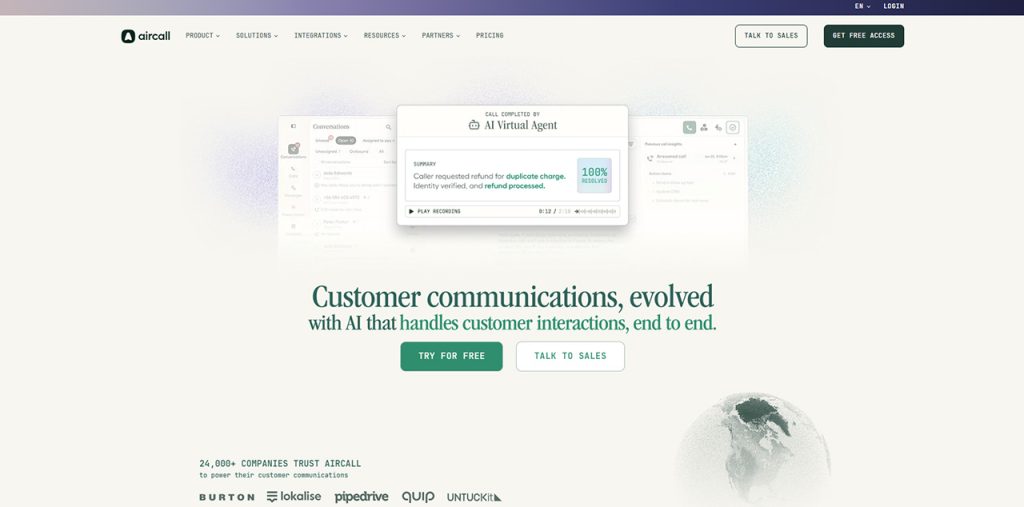
Aircall is a cloud phone system with the fastest first-day setup in the SMB category and deep native HubSpot integration. Businesses comparing cloud business phone systems can evaluate its calling features and CRM integrations alongside other providers. For our 12-person team, Aircall was a serious contender until I ran the real cost math and tested the recording stack specifically against our PCI workflow needs.
The technical voice features worth naming:
- Codec quality. Aircall uses Opus with adaptive bitrate. Call quality was indistinguishable from CloudTalk’s in my testing, so no concerns on the audio layer itself.
- Automatic recording. Included on Essentials. Dual-channel recording also supported, which keeps transcription accuracy competitive.
- Pause and resume. Not available as a mid-call control in the standard Essentials plan; recording can be stopped but not paused and resumed as a single file. For PCI compliance workflows where a credit card number comes up mid-call, this is a meaningful gap vs. CloudTalk. Our BDR team flagged this immediately during the trial.
- AI transcription via AI Assist. Paid add-on on Essentials, bundled into Professional at $50/licence/month. Transcription accuracy is strong for English but Aircall’s AI language coverage is narrower than its country footprint, which was a problem for our French and German clients.
- AI Assist Pro for live coaching. The only platform in my test that surfaces coaching prompts to the rep during the call, not after. Separately priced at $49/licence/month on top of base plan. We did not need this for an agency use case; a BDR-heavy sales team might.
- Recording storage. Capped at one year on Essentials. Unlimited only on Professional at $50/licence. Our 24-month retention requirement killed Essentials as an option before anything else.
- CRM integration. Deep HubSpot, Zendesk, and Intercom integrations. AI summaries and action items land on the CRM but the data push is lighter than CloudTalk’s Conversation Intelligence Data Export (less goes onto the record automatically).
Pros:
- Fastest first-day setup in the category
- Deep HubSpot, Intercom, Zendesk native integrations
- Live in-call coaching prompts available (AI Assist Pro, separate add-on)
- Clean modern interface
- Dual-channel recording for speaker separation
Cons:
- Three-licence minimum on all plans ($90/month entry invoice even for a 2-person team)
- AI transcription is a paid add-on on Essentials
- No mid-call pause and resume for recording (PCI compliance gap)
- Recording storage capped at one year on Essentials
- AI language coverage narrower than country footprint
Pricing (what we would have paid):
- Essentials: $30/licence/month × 12 licences = $360/month
- AI Assist add-on: ~$9/licence/month × 12 = $108/month (or upgrade to Professional at $50 × 12 = $600/month)
- Total: 468-600/month for 12 users (and still no unlimited retention or French/German transcription)
- G2 rating: 4.3/5 from 1,200+ reviews.
Best for: 3+ user SMB teams fully committed to HubSpot or Zendesk workflows that prioritize fast setup over feature breadth, and whose transcription needs are English-only.
3. JustCall
Related walkthrough
Boost your Workflow with Twilio Auto Dialer Automatic Call Dialing and Recording Feature

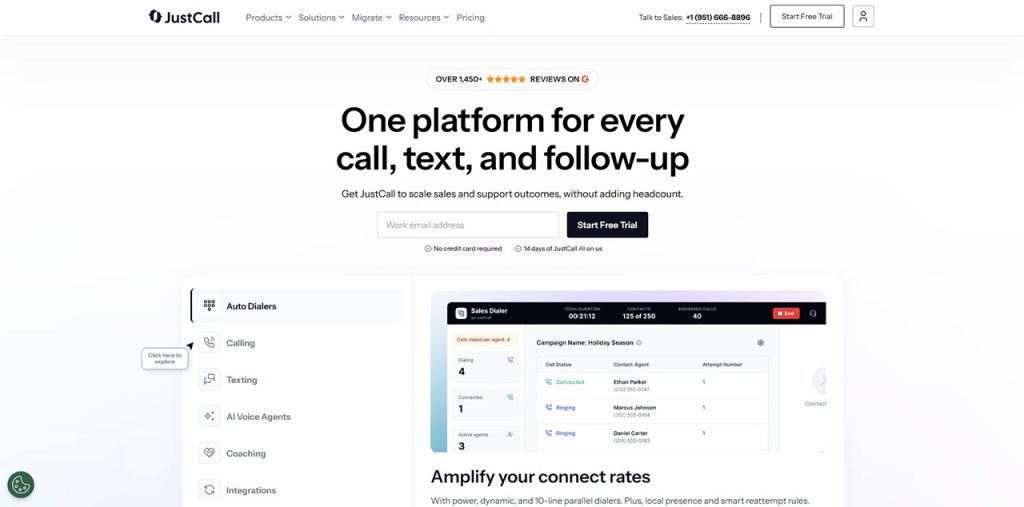
JustCall is budget-focused cloud VoIP positioned for outbound sales teams. For a BDR-heavy use case, its dialer capabilities can be useful for teams evaluating dialer software for SMB sales teams. For a mixed agency use case where account managers need searchable transcripts and clean CRM push, it fell short.
The technical voice features:
- Codec and quality. G.711 and Opus codecs supported. Call quality adequate but reviews flag inconsistency under high volume, which matched our test experience when running concurrent calls. For a recording-centric use case this matters: patchy audio produces patchy transcripts.
- Automatic recording. Included on Essentials at $29/user/month. Dual-channel supported, which is table stakes but worth confirming.
- Pause and resume. Available on higher tiers for PCI compliance workflows. Not on the entry Essentials tier.
- AI Copilot. Transcription, summaries, sentiment on Team tier at $49/user/month. Language coverage is narrower than CloudTalk’s and the transcription accuracy was noticeably weaker in my testing on non-English calls.
- Dialer features. Power dialer on Team tier, predictive dialer on Pro at $89/user/month. For an agency not running outbound campaigns, this was unused value we would have been paying for.
- CRM integration. Native HubSpot, Salesforce, Pipedrive, Zoho. Depth is adequate but lighter than CloudTalk or Aircall on what actually lands in the CRM post-call.
Pros:
- Competitive pricing for outbound sales use cases
- Dialer capabilities (power, predictive, parallel) on mid tiers
- Native CRM integrations with the SMB stack
- Two-user minimum (lower than Aircall’s three)
- Dual-channel recording supported
Cons:
- Call quality inconsistent under high volume per G2 reviews
- AI transcription accuracy inconsistent across languages
- Analytics less mature than CloudTalk or Aircall
- Dialer features are overkill cost for agencies not running outbound
- Pause and resume not on entry tier
Pricing (what we would have paid):
- Team: $49/user/month × 12 users = $588/month
- Total: $588/month for 12 users with AI, more than CloudTalk and with dialer features we would not use
- G2 rating: 4.3/5 from 1,000+ reviews.
Best for: Budget-conscious outbound sales teams of 5 to 25 reps needing dialer capability and basic AI, not account-management-heavy agencies.
4. Grasshopper
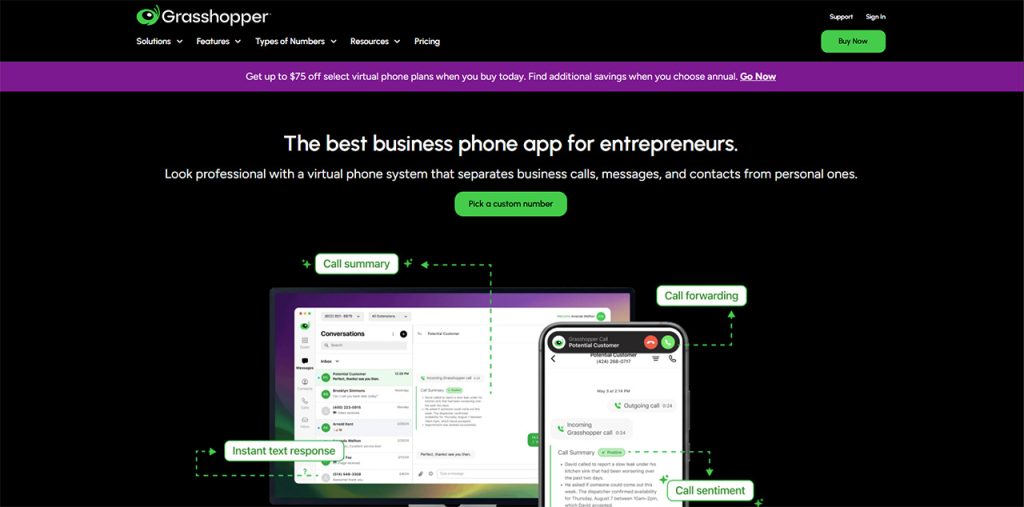
Grasshopper is a virtual phone system positioned for solopreneurs and micro-businesses. I included it in the test because it kept coming up in Reddit threads about “cheapest small business phone systems,” but it did not survive the first week of evaluation on recording specifically.
The technical voice features:
- Codec and quality. Standard VoIP codecs. Call quality is adequate for low-volume setups but there is no wideband audio option, which caps transcription accuracy before you even start.
- Automatic recording. Not included on any plan. Recording is a $10/month add-on separate from the base subscription.
- AI transcription. Not available at any price. The recording add-on gives you an audio file, nothing else.
- Pause and resume. Not available. For any PCI workflow, this rules Grasshopper out entirely.
- CRM integration. Zapier middleware only. No native CRM push, which means every call outcome has to be logged manually or through brittle automation.
- Storage. Recording retention tied to the paid add-on; retention terms are thinner than voice-first platforms and not configurable by admins.
Pros:
- Per-number pricing works for sub-5 user teams
- Simple setup
- Mobile app widely praised
- US-based support
Cons:
- Recording is a separate $10/month add-on, not included
- No AI transcription at any price point
- No CRM-native integration (Zapier only)
- No pause and resume for compliance
- No searchable transcript archive
- No wideband codec option
- Not suitable for teams needing structured call analytics
Pricing (what we would have paid):
- Small Business: $55/month base
- Call recording add-on: $10/month
- Total: $65/month for the full agency, but with no AI, no CRM push, no transcript archive, and no PCI compliance for mid-call sensitive data
G2 rating: 4.0/5 from 400+ reviews.
Best for: Solopreneurs or 1-3 person micro-businesses needing a professional phone number with basic call forwarding, not teams needing production-ready call recording.
Key Features of The Best Call Recording Software
The ten technical criteria to verify before signing:
- Automatic recording on call connect. Triggers without agent action. Platforms requiring manual click lose 15 to 30% of calls to forgetfulness.
- Dual-channel recording. Agent and customer on separate audio tracks. Mono recording caps transcription accuracy before the AI even runs.
- Wideband codec support (Opus, G.722). Narrowband G.711 sounds fine to humans but transcribes worse. Confirm wideband in vendor documentation.
- Mid-call pause and resume. Single-recording operation on desktop and mobile. Required for PCI compliance when card numbers come up mid-call. Stop-and-restart is not compliance.
- AI transcription with speaker diarization. Who said what, timestamp alignment, jump-to-moment from transcript. Verify specific target languages, not just country-code support.
- Searchable transcript archive. Keyword search across full transcripts with results in context. No search means recordings are a storage dump nobody opens.
- Native CRM push with full data flow. Transcript, AI summary, sentiment, topics, tags onto the contact record automatically. Not just a call-happened log line.
- Unlimited or multi-year storage retention. Compliance, dispute resolution, and coaching libraries need recordings past 90 days. Unlimited from main tier beats tier-locked retention over 24 months.
- Role-based access controls. Granular hiding of sensitive calls (HR, legal, executive). GDPR requirement, not all-or-nothing admin visibility.
- Compliance certifications. SOC 2 Type II baseline. GDPR for European data. HIPAA with BAA for healthcare. PCI DSS for payments. SAML SSO on affordable tier, not gated to 25-licence enterprise.
How to Choose The Best Call Recording Software for Your Small Business
Four variables settle the shortlist for most small businesses evaluating call recording software.
Team size and seat minimums. Under 3 users, pick a platform without a 3-licence minimum. CloudTalk’s Starter and Essential tiers have a 1-licence minimum, which saves roughly $60/month compared to Aircall’s $90/month entry invoice for the same 2-person team. Grasshopper’s per-number pricing is cheapest for 1 to 3 users but does not scale cleanly past 5 and skips every meaningful recording capability. For 10 to 25 users (our agency size), CloudTalk, Aircall, and JustCall all work and the decision moves to CRM, languages, and compliance.
Transcription language coverage. US-domestic teams on English-only calls can pick any platform with AI transcription on the plan tier they can afford. Multilingual teams need to verify specific language accuracy before committing: CloudTalk covers 60+ languages at a flat $9/user/month and handled our French and German client calls at parity with English, Aircall and JustCall have narrower AI language footprints than their country coverage suggests, and Grasshopper offers no transcription at any price. For an agency with international clients, this is the variable that eliminates the most options fastest.
CRM data flow depth. The recording is only useful if the output lands in the system where people actually work. CloudTalk’s Conversation Intelligence Data Export writes the transcript, AI summary, sentiment, extracted topics, and tags onto the HubSpot, Salesforce, Pipedrive, or Zendesk record automatically. Aircall logs lighter data by default. JustCall is adequate but less deep. Grasshopper requires Zapier middleware. If your account managers or BDRs need the AI output in the CRM, CloudTalk is the strongest fit; if the recording is just an audio archive you reference occasionally, lighter options work.
PCI and compliance requirements. If your team ever takes credit card information on a call, mid-call pause and resume as a single-recording operation is non-negotiable. CloudTalk ships it on desktop and mobile from the main plan. Aircall does not include it on Essentials. JustCall gates it to higher tiers. Grasshopper does not have it at all. For regulated workflows (healthcare, financial services, insurance), unlimited or multi-year storage retention and SAML SSO on an affordable tier matter as much. If PCI or multi-year retention is in scope, these two variables eliminate platforms before anything else matters.
Short decision guide:
- 1-3 person micro-business, no PCI, no AI needs: Grasshopper Small Business + recording add-on ($65/month total)
- 3+ user team fully committed to HubSpot or Zendesk, English-only transcription, no PCI exposure: Aircall Essentials ($360/month for 12 users, +AI add-on or Professional upgrade for transcription)
- Outbound sales team of 5 to 25 reps needing dialer plus recording: JustCall Team ($588/month for 12 users)
- 1 to 50 user small business needing dual-channel recording, multilingual AI transcription, PCI pause and resume, and native CRM push: CloudTalk Essential + AI add-on ($456/month for 12 users)
Verdict: What I Would Tell Another Small Business Owner
Three things I wish I had known before I started testing.
The real cost of Call Recording Software is not the entry plan, it is the AI layer on top. Every platform ships “call recording” as a feature. The actual decision is whether the recording is useful (transcribed, searchable, pushed into the CRM) or whether it is just a 20-minute audio file sitting in a dashboard nobody opens. For 12 users, CloudTalk is $456/month with the full AI stack. Aircall is 468-600. JustCall is $588. Grasshopper is $65 but delivers almost nothing beyond the audio file.
Dual-channel recording is a technical feature that affects everything downstream. Platforms that record mono (both speakers on one track) hand their AI transcription engine a harder problem. The resulting transcripts have more speaker-attribution errors, which cascades into weaker sentiment analysis, less reliable moment detection, and worse searchability. CloudTalk, Aircall, and JustCall all do dual-channel. Grasshopper does not. For a recording-centric use case this is not a nice-to-have.
Test the mid-call pause and resume if PCI matters. Half the platforms I tested do not support true pause and resume as a single-recording operation. For small businesses taking card payments on the phone, this is the difference between PCI compliance and PCI theatre. CloudTalk ships it on both desktop and mobile from the main plan; Aircall does not include it in Essentials; Grasshopper does not have it at all.
We picked CloudTalk because it was the only platform that handled dual-channel recording, 60+ language transcription, pause and resume on mobile and desktop, and native CRM push for under $500/month at 12 users. For an agency doing international work with HubSpot in the center of the workflow, no other platform in the test came close on the real cost of actually using the Call Recording Software.

