
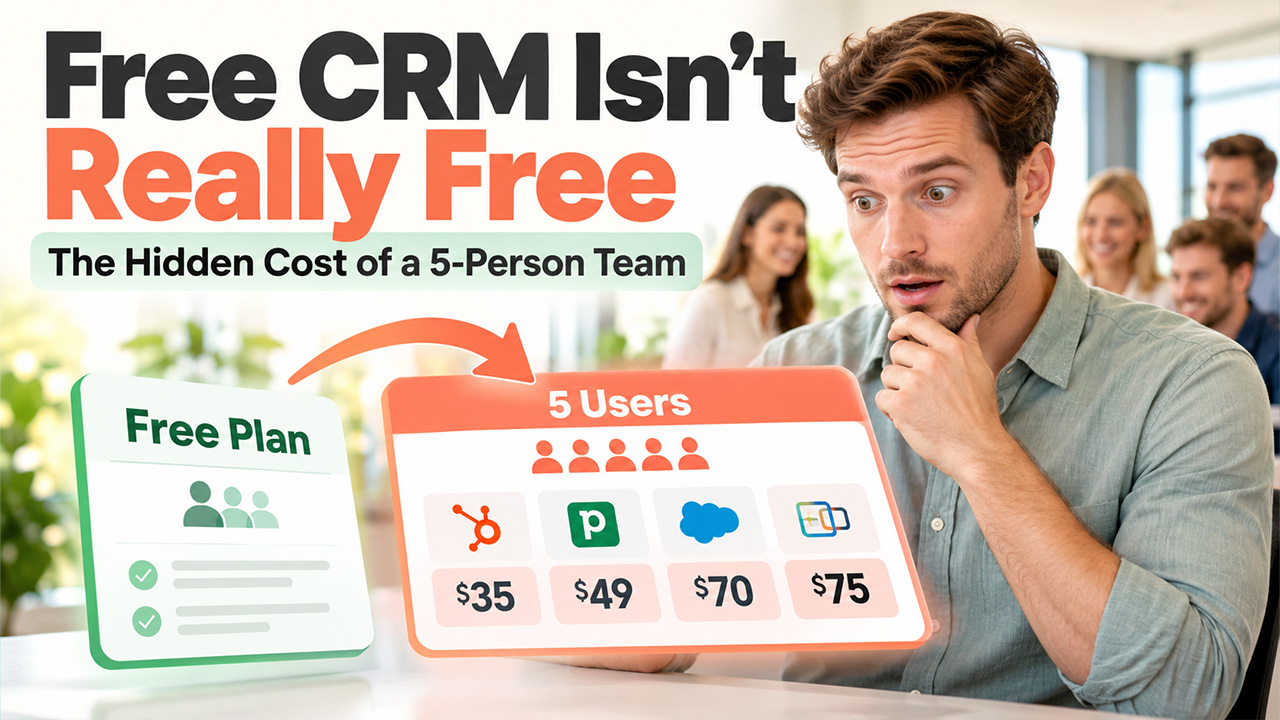
The free CRM for small business trap: what 5 people really pay, from 10 vendors’ pricing pages
Compare 10 free CRM options for small businesses and see what five users really pay. Uncover hidden fees, user limits, AI add-ons, and actual monthly costs.
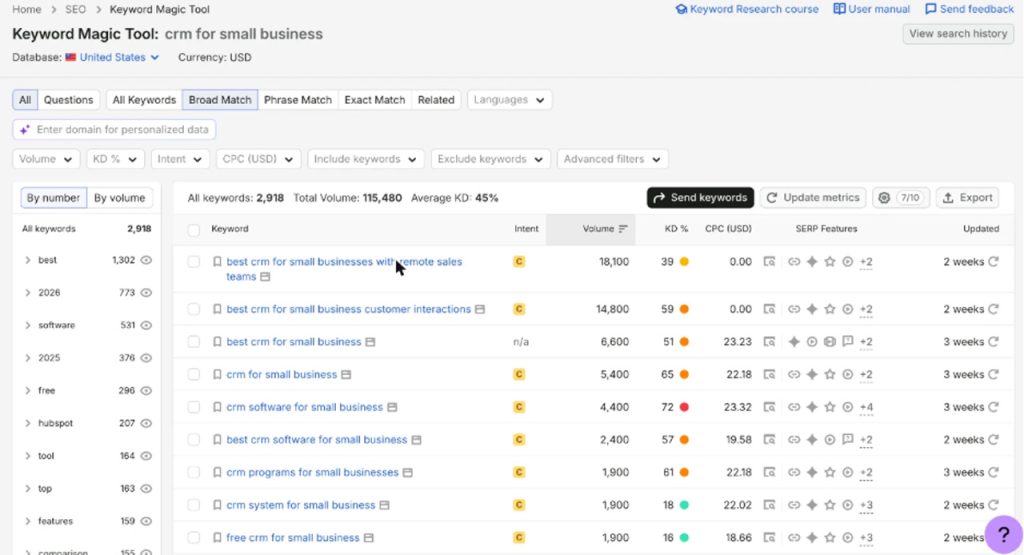
In a month, about 1,900 users search for “free CRM for small business” in Google, and another 1,900 users search for “CRM system for small business” (according to Semrush, US, October 2026). Both are low-competition queries, that states that the big vendors are not fighting for them because the honest answer is usually awkward. Almost no CRM solution is free for a working team, and the “from $7 per user” price on the homepage is rarely what a five-person team must pay at the end of the month.
This post is for the owner or office manager who has to pick one. It is built on one simple exercise: take the same five-person team, put it on the cheapest usable plan of ten popular CRMs, and read the bill. Every price below was checked on the vendor’s own pricing page on 5 October 2026. Prices are in US dollars, billed yearly unless noted, before tax and add-ons.
Why “free” and “from $7” are the wrong numbers to compare
Three pricing mechanics do most of the damage.
Per-User Pricing. The “$7 per user per month” pricing generally sounds like nothing until the user adds the owner, the two salespeople, the person who answers the phone, and part-timer who does invoices. Five users at $7 are $35, $14 is $70, and $15 is $75. Most “cheap” CRMs are per-user, so the team size decides the price, and not the headlines.
Free plans with a user cap. The best-known free CRMs cover 1, 2 or 3 users. The moment the fourth person needs a login, you are on the paid plan for everybody.
Add-ons for the Thing the Team Actually Require. If the reason the team wants a CRM in 2026 is to stop missing customer messages, the pieces that do that (web chat, a chatbot, WhatsApp, and an AI agent) are generally sold as a separate unit. Some vendors may charge $49 per 100 AI chat sessions on top of the seat price, while another might put live chat and web forms behind a $32.50 add-on or charge second-higher tier.
So the only number worth comparing is: what does my team pay per month, on the plan that includes the features we will use on day one.
The same 5-person team on 10 CRMs
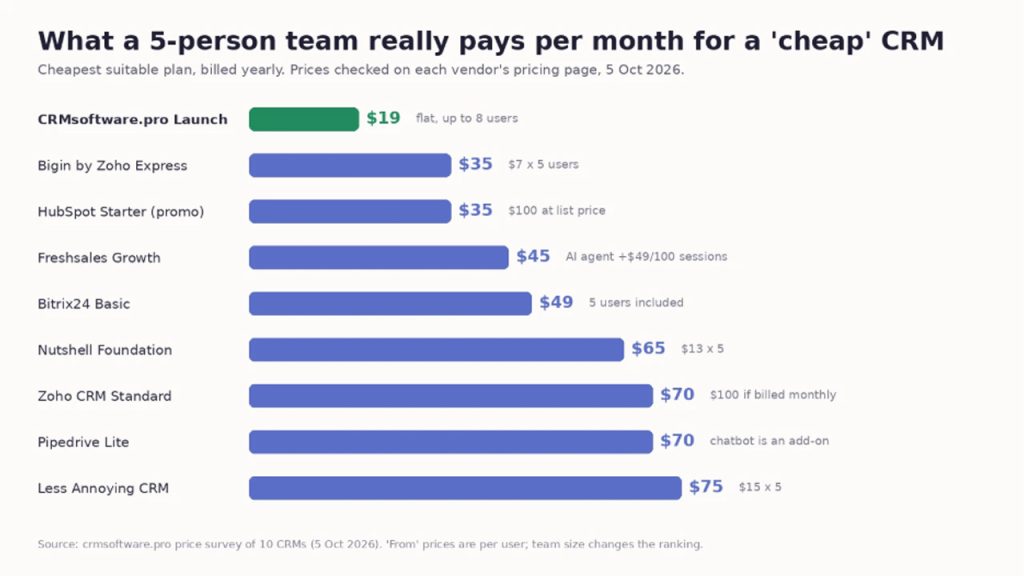
| CRM and plan | 5 users, per month | Note |
| CRMsoftware.pro Launch | $19 | Flat price, covers up to 8 users, 1,000 AI messages |
| Bigin by Zoho Express | $35 | $7 per user, up to 3 pipelines |
| HubSpot Starter | $35 on a limited-time offer, $100 at list | Offer is for new customers |
| Freshsales Growth | $45 | AI agent extra: $49 per 100 sessions |
| Bitrix24 Basic | $49 | 5 users included |
| Nutshell Foundation | $65 | $13 per user, 10 AI outcomes a month |
| Zoho CRM Standard | $70 | $100 if billed monthly |
| Pipedrive Lite | $70 | Chatbot and web forms are an add-on |
| Less Annoying CRM | $75 | $15 per user, same price monthly or yearly |
| Brevo Sales Essentials | $31 for 1 seat | Extra seat price not shown on the pricing page |
The spread is $19 to $75 for the same five people, and it reorders the “cheapest” list completely. Businesses comparing CRM pricing can also explore CRM for Small Companies to find a solution that fits their team size, budget, and customer management needs. Bigin is the lowest price per user and ends up third. HubSpot is free to start and lands at $100 a month at list price once you need Starter for five seats. The flat-price tools (Bitrix24, CRMsoftware.pro) look expensive per user on a one-person test and cheap the moment there is a team.
Two notes on fairness. First, the company I work with makes CRMsoftware.pro, so it sits at the top of this table and you should weigh that; the numbers are still the vendors’ own. Second, “cheapest suitable plan” is a judgment: I picked the lowest tier that gives a small team a pipeline, shared contacts and some way to capture leads from a website, because a contact list without lead capture is a spreadsheet with a login.
What the free plans are actually for
The free tiers are not a trick, but they are built for a specific person: the solo founder or the two-person shop that needs a pipeline and nothing else.
- Zoho CRM: free for up to 3 users, with limited workflow rules. Good if you expect to grow into Zoho’s paid tiers.
- HubSpot: free for 2 users and 1,000 contacts, with a very large app marketplace. The jump after Starter is steep and AI runs on credits.
- CRMsoftware.pro: free for 3 users, 1 pipeline, 100 AI messages and 3 AI voice minutes a month, 1 bot, 1 website.
- Bigin: free for 1 user.
- Bitrix24 and Brevo have free tiers; Freshsales, Pipedrive, Less Annoying CRM and Nutshell offer 14 to 30 day trials instead.
If you are one or two people, pick the free plan whose paid tier you can live with later, because the migration is the expensive part, not the subscription.
A real example: what the CRM was for
Related walkthrough
WhatsApp Business API Pricing 2026 Explained (Simple Breakdown)
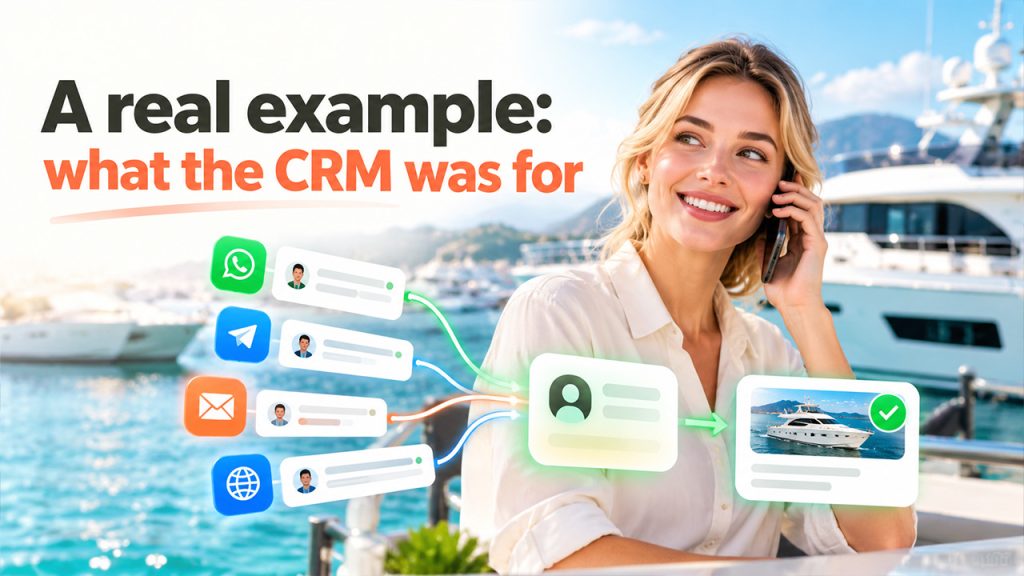
Here is the case that changed how I read pricing pages. DanEri Yachts runs 18 boats and talks to roughly 600 customers a day. Before anyone books, they ask about routes, prices, children on board, weather, availability and payment, in several languages, at all hours. One person starts on the website, sends a voice note on WhatsApp, follows up on Telegram and then emails a document.
They started on a free plan. Today an AI agent inside the CRM handles about 80% of those conversations in roughly two seconds, and the faster answers helped the company sell about 70% more while visitors were still ready to book. Your numbers will be different. The point is where the value came from: not from storing contacts, but from answering at the moment of interest and turning the conversation into a deal someone can close.
That reframes the whole comparison. A CRM that costs $35 but needs a $49 add-on and a separate chat tool to answer a customer at 23:41 is not the cheap option. A $70 CRM that your team never opens because the inbox is somewhere else is the most expensive software you own.
A 20-minute way to pick without a demo call
- You can do this with a notebook before you connect a single real customer.
- Write down ten recent conversations. A quiet lead, a high-value lead, a weekend question, a WhatsApp chat and one request that needed somebody else on the team. For each, note the first reply time, who owned it, whether it was handed over and what happened next.
- Count the people who will log in. Everyone who replies to a customer or needs to see the history. That is your user count; use it, not “from”, on every pricing page.
- List the channels those ten conversations came through. Website chat, email, phone, WhatsApp, Instagram, Telegram. Any CRM that does not include the top two channels on the plan you can afford is going to need an add-on.
- Check the four must-haves on the cheapest tier: one shared history across channels; fast routine answers with a clear handover to a person; owners, notes and tasks so nobody wonders who replies next; and a report that shows replies, qualified leads and revenue.
- Price the whole thing. Users times price, plus every add-on you circled, plus the monthly rate if you will not commit to a year. Compare that number across three vendors, not ten.
- Run the trial with real conversations, not sample data. Paste in those ten conversations and see which tool makes the next step obvious.
Three things the pricing pages hide
Monthly billing. Several tools quote the yearly price in large type. Zoho CRM Standard is $14 per user yearly and $20 monthly, which turns $70 into $100 for five people. If cash flow matters more than the discount, read the small type.
Onboarding fees. The mid-tier of one popular suite costs $90 per seat plus a required $1,500 onboarding fee. That is not a small-business plan, whatever the marketing says.
AI as a meter. Credits, sessions and “outcomes” are all ways of saying the AI costs extra once you use it. If answering customers automatically is the reason you want the tool, find the plan where the AI volume is included and ask what happens at the limit.
Conclusion
“Free CRM for small business” is a real search with a mostly fictional answer. Free exists for one to three people; a working team pays somewhere between $19 and $100 a month for the same five seats, and the order of the list depends entirely on whether the vendor charges per user and what it sells as an add-on.
If you want to shortcut the research, the full comparison of all ten tools, with pros, cons and who each one suits, is in this guide to the best affordable CRM for small business. And if your leads mostly start as a chat or a message rather than a form, it is worth looking at CRM software for small business that includes the AI agent and the users in one flat price, because that is the combination the per-user pricing pages are built to make you add up yourself.
Data in this post: vendor pricing pages checked on 5 October 2026 (CRMsoftware.pro, Bigin by Zoho, Freshsales, Zoho CRM, HubSpot, Pipedrive, Less Annoying CRM, Nutshell, Bitrix24, Brevo); Semrush Keyword Magic Tool, US database, 15 October 2026; DanEri Yachts figures as reported by the company to CRMsoftware.pro.

