
How to Build a CRM Integration Stack That Doesn’t Break
A detailed guide on how to build a stable CRM integration stack, covering API evaluation, common pitfalls, and middleware options and when you can build custom.
Nobody’s CRM breaks because the platform is dysfunctional. It disrupts since all the tools connected to it, the accounting syncs, the email connectors, the lead-scoring integrations, and the support hooks, were never planned to function as a single system. You will face no issues on the first day. However, just give around six months, and you will see some stale data, duplicate records, broken automations, and someone on your team that copies invoice totals into a spreadsheet by hand because nothing is really adding up.
Most teams consider integration to be an optional choice. They will choose a CRM, get it set up, and only then begin wondering how their current tech stack is going to connect to it. This order is precisely backwards. Read further as we are going to understand the mistakes that people typically make, how you can properly assess the middleware, and when a custom-developed tool becomes a natural choice, and what makes a stack to run long-term in a clean way.
Where Most CRM Integration Stacks Go Wrong?
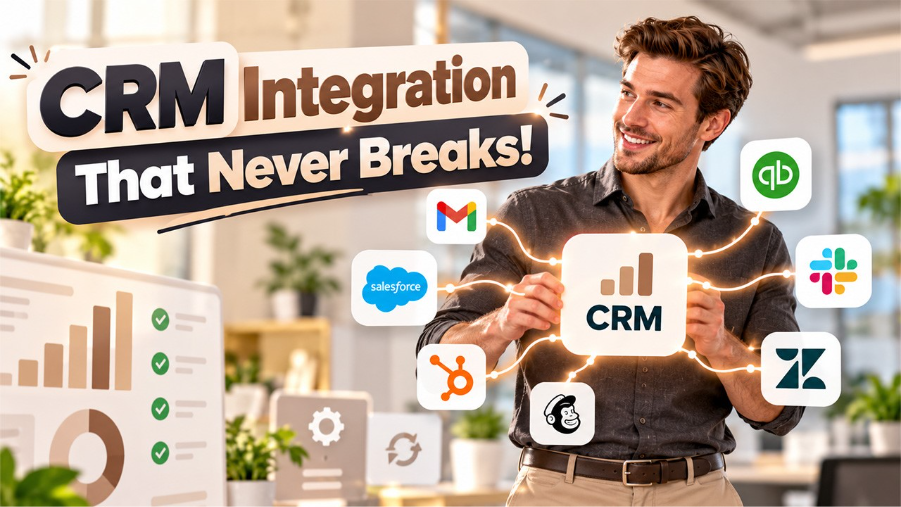
Combining multiple tools at a time, without any mapping rules on how the data will move between all of them, is exactly where the damage often starts. You will synchronize the CRM with the email tool, then separately connect it to accounting, and long before you will end up with two distinct versions of the same contact record since neither of the integration has knowledge about the existing of the other one. Each new connection adds a failure point. Without a clear picture of how data flows across the full stack, tracing problems back to their source will be a miserable experience for whoever gets stuck doing it.
Native integrations can be just as misleading. CRM platforms love to advertise hundreds of app connections in their marketplaces, and it all sounds impressive until you dig in. A lot of these connections are quite shallow. They will extract names as well as email addresses across but will not touch conditional logic, custom fields, two-way updates, or anything that require more than a standard data push, which implies that you will end up with a connection that looks to be flawless on paper yet it only moves half of what your team really requires.
How to Evaluate a CRM Before You Commit?
Related walkthrough
SuiteCRM Mailchimp Integration (Premium)

Before you sign up for anything, find out how the platform manages integrations at the API level. Pre-developed connectors can assist you up to a point. However, they will not cover each situation that you will often encounter. Thus, what is really important is a well-documented RES API with effective authentication, rate limits can manage your anticipated volume, webhook support for real-time events, and clear versioning so platform updates in future do not disrupt what you have built already.
Distinct CRM strategies can emphasize distinct things. However, flexibility in integration must always rank near the top of any assessment. Get this wrong and it’ll cost you. Lock yourself into a platform’s closed ecosystem and you’ll inevitably spend more on workarounds over the next two years than you ever saved on convenience upfront.
Middleware vs Custom: When to Use Each
For most small and mid-sized teams, middleware will handle roughly 80% of integration needs. The setup won’t take long. Platforms such as Make, Zapier, Tray.io, and n8n allow you to establish multi-step workflows between applications before you write even a single line of code, and your team can have standard integrations operating within a day or two of beginning.
There are limitations in Middleware though. Once you are managing huge datasets or require sub-second sync times combined with complex routing that drag-and-drop builder just cannot express, you will reach the ceiling sooner. A custom integration created on the API of CRM with a compact backend can make you deal with a huge upfront cost. However, it provides total control over retry logic, error management, data transformation, and precisely how records map between different systems. This control can save you problems later on for any team that is working in a quick way and adding new tools every coming month.
A CRM Integration Stack That Holds Up Over Time
Over time, the teams that dodge integration headaches will share a few habits. They are all pretty standard. They will map out flow of data before you select any platform, verify each integration with actual records instead of sample data, and establish monitoring so broken syncs get caught up early on, and document each single connection so that when something is not working at 2 a.m., you will really have a trail that you can follow.
Your stack does not have to be complex. However, it does have to be intentional, and the distinction between the two things will show a lot more quickly than you can anticipate. The order in which you integrate things, what fallback plans you have in place, how errors are being managed, and whether anyone really document how the complete setup works will define whether your system can cleanly scale or collapse slowly under its own weight.
OutRight Systems offers professional CRM integration services that empower you to seamlessly connect your CRM with business apps, enhance collaboration, automate data exchange, and simplify operations.

