
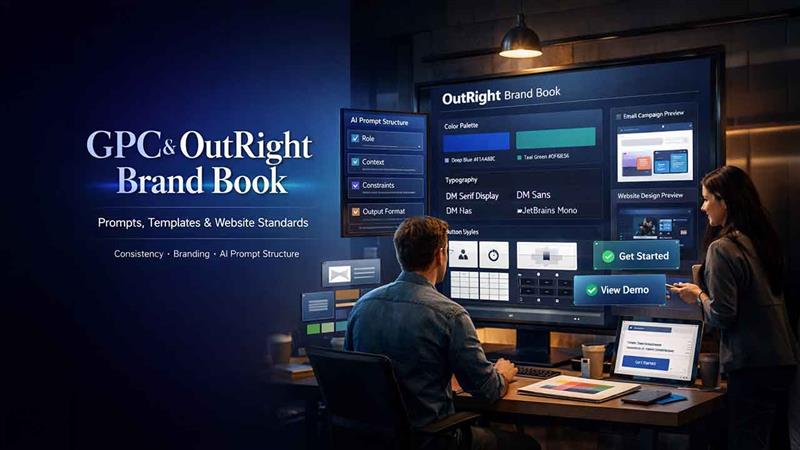
GPC & OutRight Brand Book — Prompts, Templates & Website
Day 8 of SuiteCRM training explores the Outright Brand Book and General Prompt Conventions. Learn the email, prompt, and website standards to keep all client-facing SuiteCRM output on-brand, consistent, and ready to deploy.
Every code that the team creates eventually leads to something that a client sees: a web page, an email, an automated message, and a CTA button. The goal of SuiteCRM training is to ensure that all of the output sounds, looks, and feels consistent, no matter who created it or when.
This session encompasses two things that work simultaneously. The OutRight Brand Book configures the tonal and visual standards that each piece of client-facing content needs to follow, ranging from typography and color codes to how CTAs are presented and logos are utilized. GPC, i.e., the General Prompt Convention, utilizes the same thinking to AI-based content, providing you with a structured template for creating prompts utilized in SuiteCRM automations and email creation. It is not only about ensuring proper functionality but also about ascertaining quality in outputs.
GPC — General Prompt Conventions
GPC is the internal standard for writing AI prompts used in SuiteCRM automations, email templates, and client-facing content generation.
GPC Template Structure
// GPC Template Format

{

  role: 'system',

  content: `

    You are [ROLE DESCRIPTION].

    Context: [BUSINESS CONTEXT].

    Constraints:

    - [CONSTRAINT 1]

    - [CONSTRAINT 2]

    Output format: [FORMAT SPECIFICATION]

  `

}
OutRight Brand Book — Key Guidelines
- Primary Color — #1A4A8C (Deep Blue) — used for headings, CTAs, and primary UI elements.
- Secondary Color — #0F6E56 (Teal Green) — used for success states and secondary actions.
- Typography — DM Serif Display for headings, DM Sans for body, JetBrains Mono for code.
- Tone of Voice — Professional, clear, no jargon. Active voice. Short sentences.
- Logo Usage — Minimum 40px height. Never stretch or rotate. Clear space = 1× logo height on all sides.
Learn More: Flight Task Manager Understanding & Issue Tracking
Website Standards
Related walkthrough
How Brand Booster Drives Explosive Website Growth Across Platforms

- Page titles — Format: “[Page Name] | Outright Digital”. Max 60 characters.
- Meta descriptions — 120–160 characters. Include primary keyword. Active voice.
- Image alt text — Descriptive, not keyword-stuffed. Empty alt for decorative images.
- CTAs — Action verbs: “Get Started”, “View Demo”, “Contact Us”. Never “Click Here”.
Email Template Standards
- Subject line: max 50 characters. Include a personalization token where possible.
- Preheader: 40–90 characters. Complements the subject, doesn’t repeat it.
- Single column: layout for mobile compatibility.
- CTA button: minimum 44×44px tap target. High-contrast background.
- Unsubscribe link: required in the footer of all marketing emails.
- Plain text version: always include alongside HTML version.
Conclusion
A generic CTA with a simple “Click Here” subject line that is a little too long, or a prompt with no specified output, can seem as if they are small things. However, they can quickly add up across a client base and team. The Outright Brand Book and General Prompt Conventions help you ensure consistency. When the same standard is followed by everyone, the output becomes reviewable, predictable, and simpler to hand off.

