
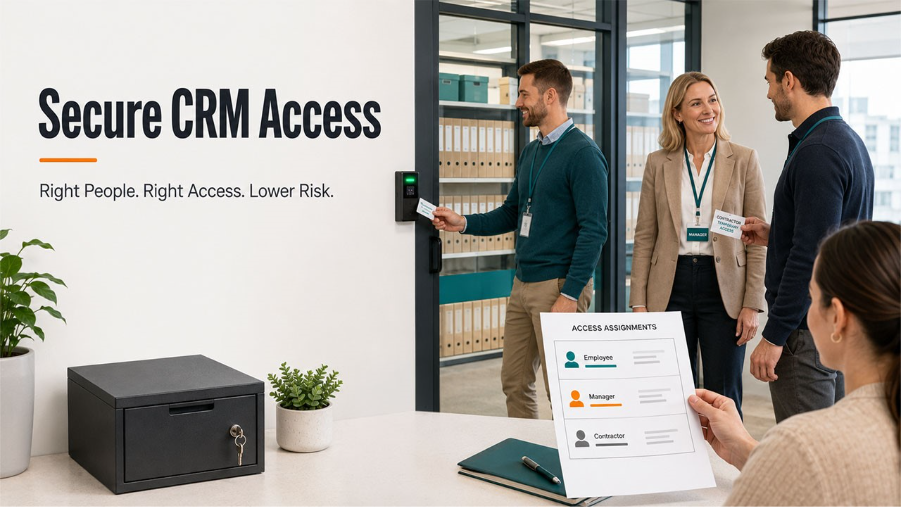
Secure CRM Access for Small Teams
Secure CRM access for small teams: build an access matrix, protect connections with a VPN, and manage onboarding and offboarding the right way.
A growing business may give employees, contractors, and service providers access to its CRM before it has a dedicated security team. Sales representatives work from home, managers review dashboards while travelling, and specialists may need temporary access to customer records.
Convenient and secure CRM access supports faster work, but it also creates opportunities for an old account, unmanaged device, or unsafe connection to expose business information. Small teams can reduce that risk with a clear process that is easy to follow and review.
Start With the Systems People Need
Before choosing security tools, list the systems remote users can reach. This may include the CRM, cloud storage, billing software, analytics, email, and administrative panels.
Hosting affects where systems and data reside, who maintains them, and how users connect. Our guide to CRM hosting models explains the differences between cloud, on-premises, and hybrid environments. The choice also helps define which controls belong to the business and which depend on a provider.
For each system, identify its owner, the data it contains, and the roles that need access. This inventory prevents an onboarding request from becoming broad permission across several platforms.
Protect Accounts, Devices, and Connections
Remote access has three layers:
- Account controls verify who is signing in.
- Device controls reduce risks from outdated software, lost laptops, and personal equipment.
- Connection controls protect data while it travels across a network.
Employees often connect from home routers, client offices, hotels, or shared workspaces, which are networks outside the company’s direct control. For a team that handles customer records away from the office, a small business VPN can add an encrypted connection layer and central tools for managing access.
Note: that layer still needs multi-factor authentication, approved devices, software updates, and rules for suspicious login requests. A VPN cannot repair an infected laptop, identify every phishing message, or justify permissions beyond a user’s role.
Secure CRM Access Matrix
Related walkthrough
SuiteCRM 8 Database Backup-Restore | Protect u0026 Recover Your CRM Data

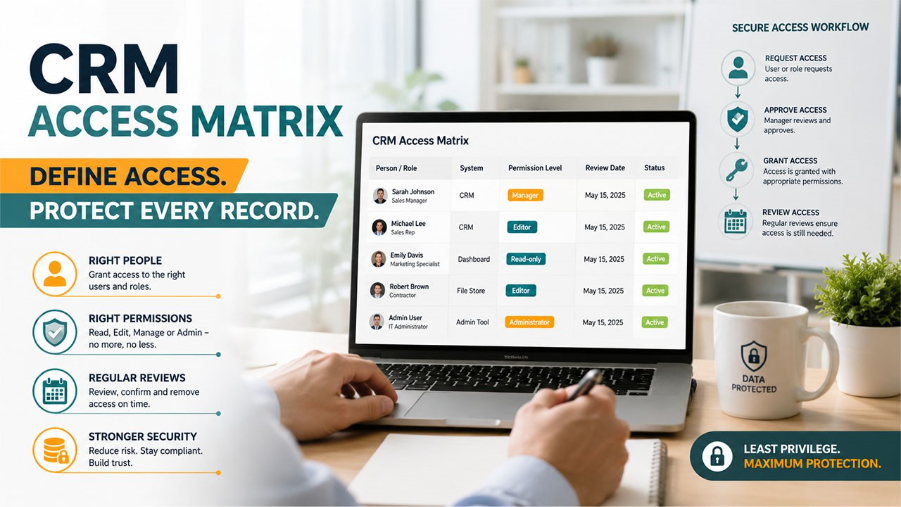
A small access matrix can replace scattered decisions in email threads and chats. Record four details for every user:
- Person or role: The employee, contractor, or vendor receiving access
- Required system: The CRM, file store, dashboard, or administrative tool
- Permission level: Read-only, editor, manager, or administrator
- Review date: When access must be confirmed, reduced, or removed
Use named accounts instead of shared credentials wherever possible. Named access makes ownership clearer when records are exported, settings are changed, or files are deleted.
Administrative permissions should be limited to people who perform administrative work. A contractor preparing reports may need analytics data without access to billing, user management, or the full customer database.
Treat Onboarding and Offboarding as One Process
Access decisions are often strongest on a person’s first day and weakest when a project ends. Temporary accounts remain active, shared folders stay available, and former vendors may retain valid credentials.
Create access with an end date whenever work has a defined schedule. At project close, remove accounts, revoke sessions, rotate shared credentials, and confirm how downloaded customer data should be deleted or retained.
The same process should cover internal role changes. A promotion may require new permissions, while a move to another department may make older access unnecessary.
Prepare for a Remote Access Incident
Every small business needs a short response plan for a lost device, suspicious login, exposed password, or unexpected CRM export. Assign one person to coordinate the first steps and keep current contact details for software vendors and technical support.
The FTC’s cybersecurity guidance for small businesses recommend secure remote connections, updated devices, staff training, multi-factor authentication, and security provisions for vendors. These controls work best when employees know whom to contact and can report concerns promptly.
The first response may include disabling an account, revoking sessions, isolating a device, preserving logs, and checking whether customer or employee information was affected. Therefore, it is highly advised to always document the action so that the business can improve its rules afterward.
Final Note: Keep the Process Small Enough to Use
Small teams rarely need a complex enterprise program on day one. However, they do need an accurate system inventory, named accounts, limited permissions, protected remote connections, and a reliable way to remove access.
Review the access matrix on a fixed schedule and whenever a role, vendor, or project changes. A repeatable process gives the business clearer control over customer data without slowing routine work.
For more informative blogs on CRM, explore our outrightsystems.org website.

