

Why Mobile App Design Matters Before Development Starts
Explore why mobile app design services are essential before development, and understand how it improves UX, reduce rework, and ensures a successful app launch.
Building a mobile app often feels like project development. In this, the company first has the idea, defines the key features, chooses a tech stack, and looks for developers who can build the app. But, even before the first line of code is written, design is the major stage that can significantly shape the entire outcome.
Mobile apps are not only about how the application looks, but it defines how the user moves through the product, how easily they complete key actions, and how clearly the app communicates value. That is why many companies invest in professional mobile app design services before development starts. It helps teams reduce uncertainty, avoid costly mistakes, and build a product that is easier to use from the first version.
For businesses, designing matters more, as the development of a mobile application is expensive. Mobile App Development Companies often recommend completing the design phase before coding begins because when the app logic, user flow, or interface is unclear, developers may still build the product, but the result may be difficult to use, hard to scale, or misaligned with the goals of the business. A good design offers the project a structured workflow before technical execution begins.
Design Turns a Business Idea Into a Product Experience
The development of a mobile app generally starts with a business objective. The company may look to improve customer engagement, automate internal workflows, create a new revenue channel, or support users on the go.
Design helps translate that objective into screens, flows, actions, and decisions. It answers practical questions before development begins. What should users see first? What is the main action on each screen? How many steps should it take to complete a task? And, what can be hidden or delayed?
Without these steps, the app development teams may build features that are just based on assumptions, rather than actual needs. Without design, the app may work, but the user may not fully understand where to go, what to do next, or how the product is helpful. A well-designed and optimized application creates a clear path between the intent of the user and business value.
It Clarifies the Core User Journey
Every mobile app has a core journey. For an ecommerce app, it may be browsing products, adding items to a cart, and completing checkout. For a CRM app, it may be checking leads, updating records, and following up with customers. For a healthcare app, it may be booking appointments, viewing care plans, or sending information securely.
Before the development of the app even begins, the teams need to understand the complete journey of the customer in detail. The main flow should be simple, logical, and focused. If the core journey is confusing, it will lead to an even harder fix after development.
Designing the app before development allows teams to map the complete journey visually. This allows the teams to easily identify unnecessary steps, missing information, weak calls to action, and moments where users may feel stuck.
A clear user journey gives developers better direction. Instead of building isolated features, they can understand how each feature fits into the full experience.
It Reduces Development Rework
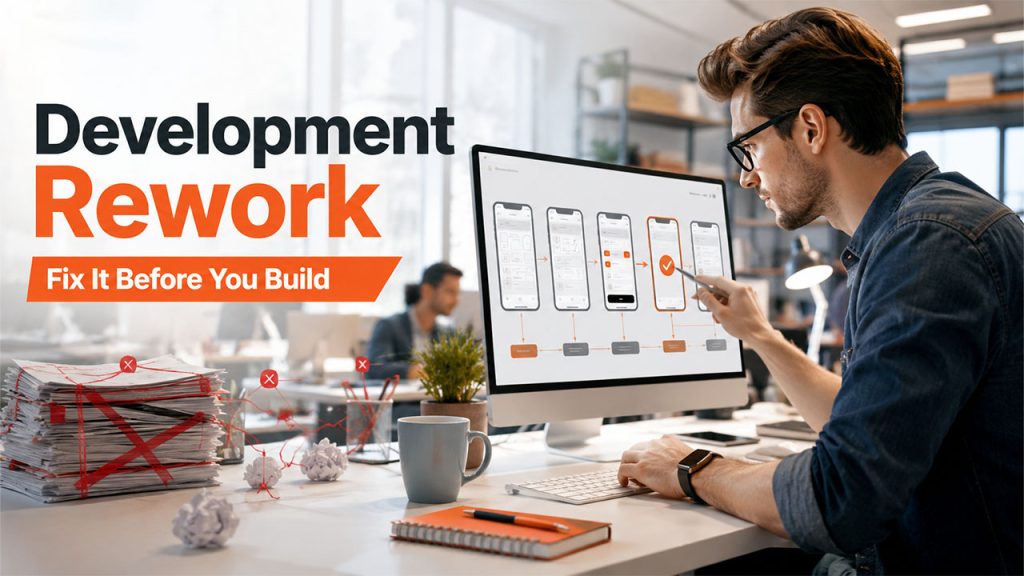
One of the major hidden costs of app development is its rework. Rework generally happens when teams build something, test it, and realize that it is not solving the problem properly. Then the team rebuilds part of the app.
Some rework is normal in any product process. But a large amount of rework often comes from weak planning. If user flows are unclear, features are poorly prioritized, or screen logic changes halfway through development, the project becomes slower and more expensive.
Designing the app before development reduces the risk of rework by making the product visible. Various aspects like wireframes, prototypes, and interface design allow the teams to review the app early and understand the complete journey. With designing, the stakeholders can also test assumptions, discuss edge cases, and adjust priorities before developers commit time to implement.
It Helps Prioritize Features
Many app projects start with too many features as the team want user accounts, dashboards, search filters, and others. Some of these may be necessary. Others may be better saved for later.
Design helps teams see how features affect the user experience. A feature that sounds useful in a planning document may make the app more complicated when placed inside a real flow. Another feature may seem small but be essential for helping users complete a key task.
This is especially important for MVP development. A mobile MVP should not be a rough version of everything. It should be a focused version of the most important user journey. Design helps define that focus.
When the features are prioritized through UX planning, the development team can build a cleaner first version of the app. Through this, businesses can quickly launch, collect better feedback, and simultaneously improve the product, based on the real usage.
It Improves Communication Between Stakeholders
Mobile app projects often include founders, managers, marketers, developers, designers, and sometimes investors or external partners. Each person may imagine the app differently.
A founder may think about business goals. A marketer may think about conversion and retention. A developer may think about technical structure. A customer support manager may think about common user problems. Without a visual design process, these different views can stay hidden until development is already underway.
Design creates a shared reference point. When everyone can see the screens and flows, feedback becomes more specific. Instead of just saying that the onboarding should be simple, the team should discuss the onboarding flow of the app. Similarly, instead of saying that user need quick access to their account, the team could decide where that access should appear and how many taps it should take to access the dashboard.
This improves decision-making. It also reduces misunderstandings that can lead to delays later.
It Reveals Usability Problems Early
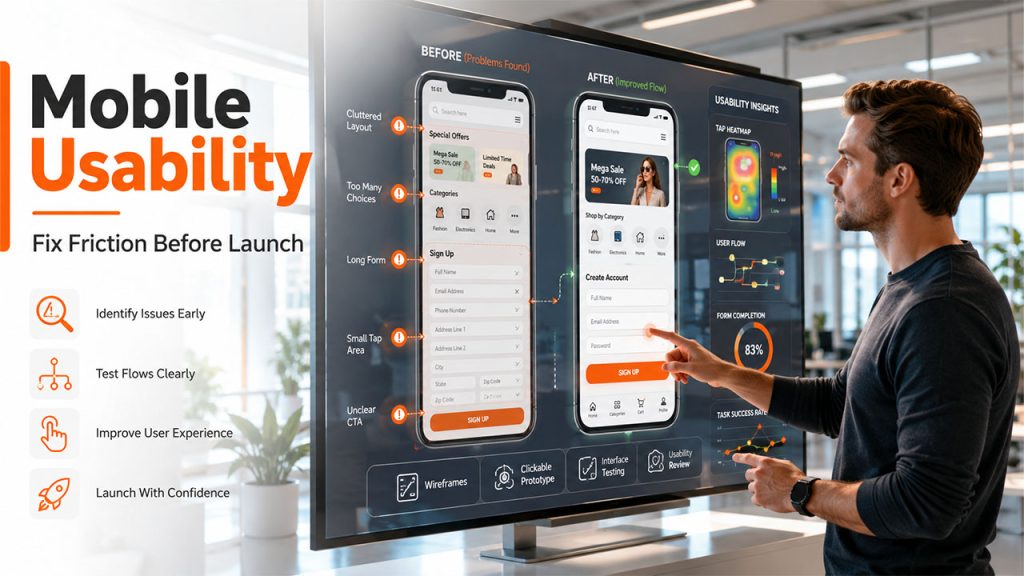
A mobile screen has limited space. In a mobile app, every label, input field, icon, and menu of choice matters. If too much information is placed on the screen, it can overwhelm the user. If navigation is unclear, the user may leave. If forms are too long, completion rates can drop.
In this, designing helps reveal various problems even before development. A clickable prototype can also show whether the user understands the flow; wireframes can show whether the information hierarchy makes sense. Whereas interface testing can show whether important actions are visible enough.
Early usability review is valuable because mobile behavior is fast. Users expect apps to be simple, responsive, and easy to learn. They may not spend much time trying to understand a confusing interface.
Fixing usability issues during design is more efficient than discovering them after launch, when users have already formed a negative impression.
It Supports Better Technical Planning
Related walkthrough
Turn Figma Designs into Code Instantly with Claude

Design and development are closely connected. Good design helps developers understand what needs to be built, but it also helps them plan how to build it.
When screens, states, flows, and interactions are defined early, developers can better estimate scope. They can see where the app needs backend logic, API connections, permissions, offline behavior, data validation, or third-party integrations.
For example, a simple booking screen may require calendar logic, availability rules, user notifications, payment handling, and admin controls. Without design, these requirements may appear late. With design, they can be discussed earlier.
This helps reduce technical surprises. It also allows developers to recommend better solutions before the project becomes too rigid.
It Makes the App More Consistent
Consistency matters in mobile apps because users pick up patterns fast. When buttons, navigation, forms, or icons suddenly act in unexpected ways, people get confused. That little pause to figure out what’s happening? It adds up and frustrates users.
Design systems, reusable components, and clear UI guidelines keep these headaches away. Even a simple app feels more intuitive when the interface sticks to predictable patterns. As an app grows, consistency isn’t just helpful; it becomes essential.
It’s smart to iron out the basics before anyone writes code. Define your buttons, cards, input fields, alerts, empty states, loading spinners, and navigation elements up front. With those elements clear, developers can code each component once and reuse them everywhere.
This approach makes things smoother for everyone. Users get familiar, reliable experience, and the development team works faster. When you decide to add new features later, you won’t have to untangle a mess; your app can grow without losing its structure.
It Strengthens Brand Trust

Users judge mobile apps quickly. If the application remotely feels outdated, confusing, or inconsistent, users will question its reliability. This is especially true in the case of an industry where trust matters more, such as finance, healthcare, and education, among others.
Visual design also supports the trust of the customer, making the app feel professional and intentional, enhancing user engagement. Although trust is not only about visual polish, but also more about the clarity, predictability, accessibility, and performance of the app.
A good and efficient mobile app design balances brand identity with usability. It also helps increase the credibility of the product, without making the interface unnecessarily complex.
It Helps Plan Onboarding
Onboarding makes or breaks a mobile app. It is the first thing that users size up and decide whether your app is worth their attention or not.
Even the best product stumbles if onboarding falls flat. If people can’t see the value right away, they bolt before ever reaching the good stuff. If there are too many steps, they’ll give up. If you ask for permission without offering any explanation, users will show hesitation.
Good design shapes onboarding from the start. Teams figure out what users must know, the steps they take, and how soon they get to something that matters to them. Most times, users don’t want a lengthy tutorial. They just want a simple path that help them complete something meaningful as soon as possible.
Before writing even a single line of code, plan onboarding. That’ll save you a headache of forced account creation, confusing setup flows, or just generic welcome screens that do nothing to guide new users.
It Improves Accessibility From the Start
In mobile application development, accessibility cannot be treated as the final check after development, but it should be considered from the beginning of the design process. Mobile accessibility includes various key aspects, such as readable text, sufficient contrast, clear touch targets, logical navigation, helpful labels, and support for assistive technologies. These choices affect many users, including people with visual, motor, or cognitive difficulties.
When you think about accessibility in the earlier stages, it becomes a part of the product structure. Keeping accessibility in mind, designers can select layouts works well and developers can make strategies for proper implementation. This helps users to use the final product more smoothly.
Accessibility also improves usability for everyone. Clear labels, simple flows, and readable interfaces help all users complete tasks more easily.
It Gives the Project a Stronger Launch Foundation
Launching a mobile application is a difficult process, especially when the product experience has not been properly understood by businesses. Marketing may bring in some users, but design affects whether they will stay, understand the product, and complete key actions.
A string design process not only gives the launch a better foundation, but it also helps in ensuring that the app has a cleaner flow, more focused features, stronger onboarding, and fewer usability problems. It also helps the team in better understanding what to measure after launch.
This makes post-launch improvement easier. Instead of fixing basic structural problems, the team can focus on learning from user behavior and improving the product over time.
Final Thoughts
Mobile app design matters more before development, as it helps in reducing uncertainty, understanding the journey of the user, prioritizing features, improving communication, and avoiding expensive rework.
A successful application is not just created by code alone, but it also depends on how well the product helps in solving the real-world problems of the users. Custom Mobile App Development builds on this foundation by transforming a well-designed user experience into a scalable, high-performing application tailored to specific business requirements. In this, the design of the application plays a crucial role.
Design brings decisions to life; it’s the moment where ideas take shape and become real. If you’re a business thinking about a mobile app, get clear on the user experience before you dive into the tech side. When you lead with design, the development team knows where they’re headed, works faster, and has a much better shot at creating an app people actually care about.

