
Think You’re Protected Online? Think Again
Discover how your online data is tracked and collected, plus practical tips to protect your online privacy, avoid cyber threats, and stay secure.
Who knew the world would come to a point when privacy would be viewed as a “public good” instead of an individual right? Unfortunately, this is the new reality. What matters is how you control both the amount of personal information you share online and who has access to it.
This brief guide breaks down the illusion of privacy, explaining how online privacy really works and why your data is constantly being collected. And no, we won’t leave you with fear and anxiety. We’ll also look at some simple but effective steps you can take to better protect yourself in an increasingly digital world.
How Your Data Is Collected
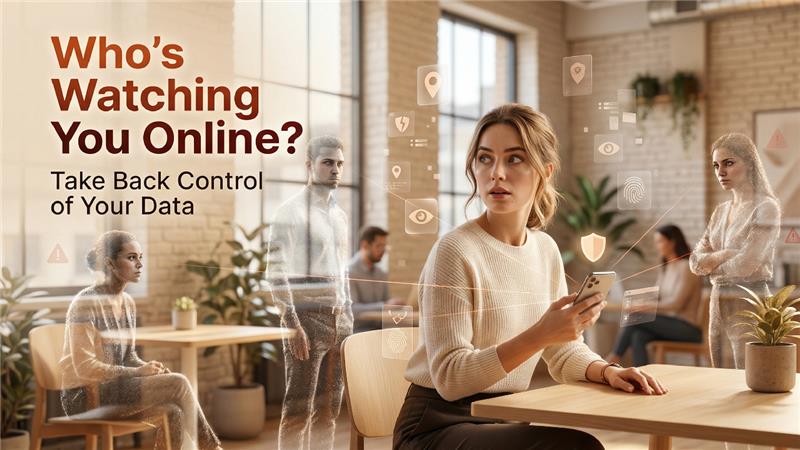
Think you’re private online? Think again. Every time you browse a website, scroll through your social media, click on an ad, or fill out a form, you leave a digital footprint. Unfortunately, your online activity is tracked, recorded, and sometimes even shared without your full awareness.
For instance, websites can use cookies to track your behavior, social media platforms can collect data from your likes and interactions, and mobile apps may access your location, contacts, or camera. Sites even track your IP address.
Your personal details could also be online if you have added them to resumes, chats, or social media pages. Businesses and organizations monitor all these details to build your digital profile. And let’s just say, it’s not the best situation.
Why It’s Important to Keep Your Information Private
Your information should not be the currency of the internet for one basic reason: Criminals may use your data to orchestrate targeted attacks. Malicious actors may try to steal your identity, send phishing emails, and commit other cyber crimes
Simple Ways to Protect Your Privacy Online
Related walkthrough
Stellar OST to PST Converter Review 2026 | Online vs Desktop – Real Test

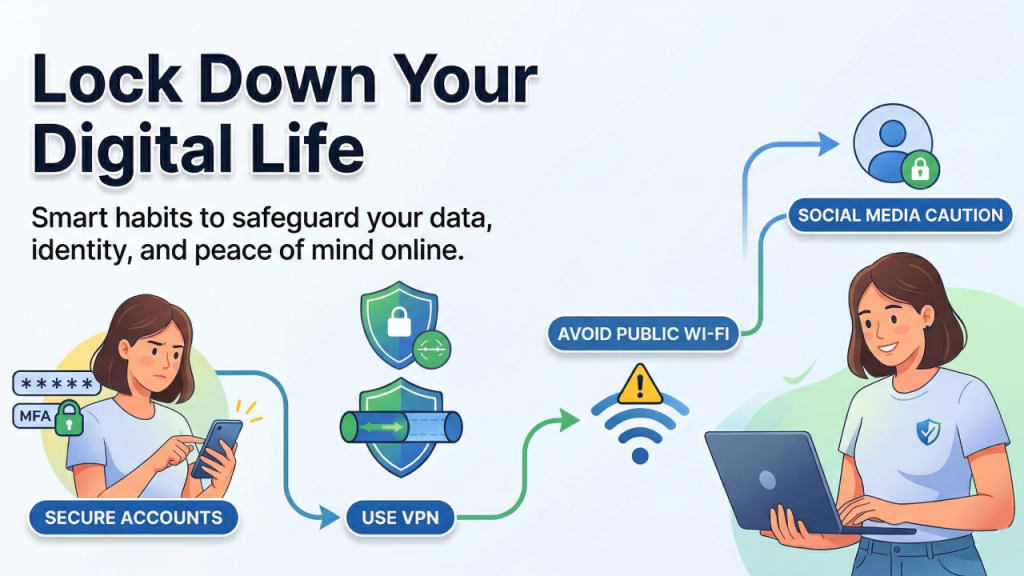
Here are four simple ways to strengthen your online privacy and keep your personal information out of the wrong hands.
Secure your accounts
Almost every mobile app requires you to create an account. The best thing you can do is take measures to secure your accounts. Use a password manager to generate unique passwords and enable multi-factor authentication (MFA) on all accounts. This is especially important for your bank accounts.
Use a VPN
Another effective way to protect your online privacy is to use a VPN. A virtual private network does two main things: It creates an encrypted tunnel for your online traffic and masks your IP address.
The benefit? Hackers, internet service providers (ISPs), and malicious attackers can’t spy on your browsing habits and launch attacks. A VPN with dedicated IP safely connects you to different networks.
Avoid public Wi-Fi networks
As much as we’d like it to be, public Wi-Fi networks aren’t always secure. They often lack encryption, which means hackers can intercept sensitive data such as passwords, credit card numbers, and emails. Attackers can also use malicious hotspots, man-in-the-middle attacks to eavesdrop, or inject malware into devices sharing the same network.
Therefore, avoid using public Wi-Fi as much as possible. And if you have to, don’t log in to your bank account or make transactions.
Beware of what you post on social media
Sharing too much about your personal life on social media can be harmful. Avoid sharing details about your location, daily routine, travel plans, or sensitive information that could compromise your privacy and safety.
What to Do If Your Data Has Already Been Exposed
Here’s the thing nobody really talks about: most people’s data have already been exposed in some way. Whether it was a company breach you never heard about, an old account you forgot to delete, or an app you gave too many permissions years ago — the chances are high that some version of your information is already out there.
That doesn’t mean you should panic. It means you should act.
The first step is to find out what’s already been compromised. Tools like Have I Been Pwned (haveibeenpwned.com) let you enter your email address and see if it has appeared in any known data breaches. It takes about ten seconds, and the results can be genuinely eye-opening.
If your email or password has been exposed, change those credentials immediately and don’t reuse the same password across other accounts. This is exactly why a password manager is so valuable. You don’t have to remember a dozen different complex passwords; you just have to remember one.
Next, check your financial accounts. Look for any transactions you don’t recognize, no matter how small. Fraudsters often test stolen card details with tiny charges before attempting larger ones. If anything looks off, contact your bank right away.
It’s also worth doing a basic audit of your digital footprint every few months. Search your own name online, check which apps have access to your accounts, and remove any you no longer use. Many platforms like Google and Facebook let you see and revoke third-party app access directly from your settings — it takes a few minutes but removes a surprising number of silent data collectors.
The truth is, online privacy isn’t a one-time fix. It’s an ongoing habit. And the sooner you treat your personal data with the same care you’d give your wallet or your keys, the better protected you’ll be.
Conclusion
Online privacy is not something that you can set up and forget. The internet is always evolving and so are the people trying to exploit it. But staying protected does not have to be overwhelming as small, consistent habits go a long way. Start with basics, stay aware, and remember that protecting your data is one of the smartest things you can do for yourself online.

