
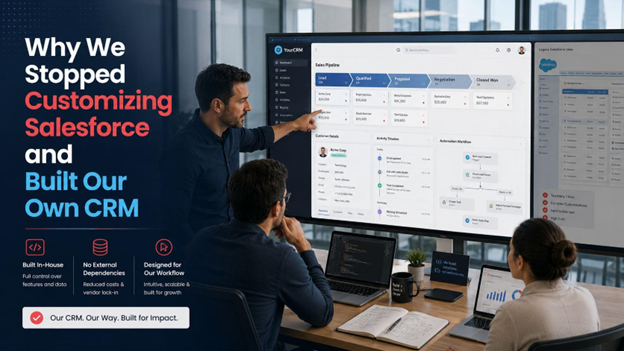
Why We Stopped Customizing Salesforce and Built Our Own CRM
We spent two years customizing Salesforce before we admitted it wasn't working. Here's what we learned and why we built a custom CRM instead.
We were two years into Salesforce when our head of sales said something that stuck with me.
“I spend more time working around the CRM than actually using it.”
That was the moment I knew we had a problem. Not a Salesforce problem specifically, Salesforce is a powerful platform. What we had was a “fit” problem. The way our team sold, tracked accounts, and managed renewals didn’t map cleanly onto how Salesforce expected us to work. And we had spent two years trying to make it fit.
How We Got Here
We adopted Salesforce when the team was twelve people. At that size, the standard pipeline view, contact records, and activity tracking were enough. We customized the deal stages, added a few custom fields, and called it done.
Then the business grew. Our sales cycle got longer and more complex. We added a customer success function that needed visibility into the same accounts our sales team managed. We started tracking product usage data alongside deal data. We built a referral program that needed to connect to our CRM records.
Every new requirement meant another Salesforce customization. Custom objects, workflow rules, Process Builder automations, and third-party integrations that needed their own maintenance. The platform could technically do all of it. But each customization added complexity, and that complexity compounded.
Also Read: Automating Success: How Custom & Smart CRM Systems Save Time and Boost Sales
By month eighteen, our Salesforce instance was a system that only two people on the team fully understood. Onboarding a new sales rep took three days to explain the CRM. Reports that should have been simple required someone with admin access to build. And every time we needed to change something, a new field, a new automation, we had to schedule time with our Salesforce consultant.
The Breaking Point
The final straw was a reporting problem. Our VP of Revenue wanted a dashboard showing pipeline health by account tier, connected to renewal dates and product usage scores. In theory, Salesforce could produce this. In practice, it required combining data from four custom objects, two third-party integrations, and a custom report type that our consultant said would take three weeks to build properly.
Three weeks to build one dashboard. For a report, we need it every single Monday morning.
That’s when we started asking a different question. Instead of “how do we make Salesforce do this?” we asked: “What would a CRM built specifically for our business actually look like?”
What Happened When We Started Building Our Own CRM
Related walkthrough
The Future of CRM is Here | OutRightCRM
I want to be honest about this: building a custom CRM is not a small decision. It takes planning, the right development team, and a clear picture of what you need before anyone writes a line of code.
We started by mapping every workflow our sales and customer success teams ran through in a week. Every step, every data point, every handoff. That exercise took two weeks and involved twelve people. What came out of it was a requirements document that looked nothing like a standard CRM template, because our process looked nothing like a standard sales process.
From there, we worked with a development team to build in phases. Phase one covered the core, account records, contact management, deal tracking, and the custom pipeline stages that matched how we actually sold. Phase two added the customer success layer, health scores, renewal tracking, and account history tied directly to sales records. Phase three connected our product usage data through an API.
The implementation of a CRM at enterprise scale is more structured than most people expect going in. Data migration alone, moving two years of Salesforce records cleanly into a new system, took longer than building several of the core features.
The hardest part of the whole process wasn’t the build. It was the three months before we committed to it, when the team was split. Half believed we could fix our Salesforce problems with more customization. Half believed we were throwing good money after bad. The decision to stop customizing and start building felt risky in a way that’s hard to explain. Salesforce was a known quantity. A custom system was not. What finally moved us was a simple cost comparison: what we had spent on Salesforce licenses, consultant hours, and lost productivity versus what a custom build would cost over three years. The numbers made the decision easier than the debate did.
What Changed After We (Finally) Built It
Six months after launch, the results were hard to argue with:
- Sales rep onboarding dropped from three days to half a day; the CRM made sense to new hires without a manual
- The Monday pipeline dashboard our VP needed took four hours to build, not three weeks
- Customer success stopped duplicating data across spreadsheets because the CRM had a section built specifically for their workflow
- Handoffs between sales and success got cleaner, and both teams worked in the same system with a shared view of every account
- Handoffs between sales and success got cleaner, and both teams worked in the same system with a shared view of every account
The biggest change was less visible but more important. The team trusted the data. When your CRM is built around how you work rather than the other way around, people actually use it. They update records because the records make sense to them. That data quality improvement changed how we made decisions as a business.
When a Custom CRM Makes Sense, And When It Doesn’t
A custom CRM is not the right answer for every business. If your sales process is straightforward and maps cleanly onto a standard pipeline, off-the-shelf tools are faster and cheaper to get running. Salesforce, HubSpot, and Zoho are excellent products for the businesses they’re designed for.
The signal that it’s time to consider building is when your customization costs consistently outpace the value the platform delivers.
A few specific signs worth paying attention to:
- Your CRM requires a dedicated admin or consultant for routine changes
- New hires need days to understand the system, not hours
- Your team keeps parallel spreadsheets because the CRM doesn’t capture what they need
- Building a report requires more effort than the insight it produces
When you spend more energy working around the tool than working inside it, the tool is no longer working for you.
Also Read: Custom CRM Development: Solving the Problems Off-the-Shelf Tools Leave Behind
When you reach that point, the right move is to find CRM developers who understand both the technical build and the business process design. The code is the easier part. Getting the requirements right before you build is where most custom CRM projects succeed or fail.
Hard Lessons Learned
We waited too long. We kept believing the next customization would fix the problem, and it never did. The signs were there twelve months before we made the decision: the consultant dependency, the onboarding friction, the reports that took weeks to build. We saw them and convinced ourselves they were normal.
They weren’t normal. They were the cost of using the wrong tool for the job.
If your team is spending more time managing your CRM than selling, that’s the signal. Not a reason to panic, but a reason to ask the question we should have asked a year earlier. That realization is exactly why more businesses are now investing in CRM for Sales Teams that simplify workflows rather than adding complexity.

