
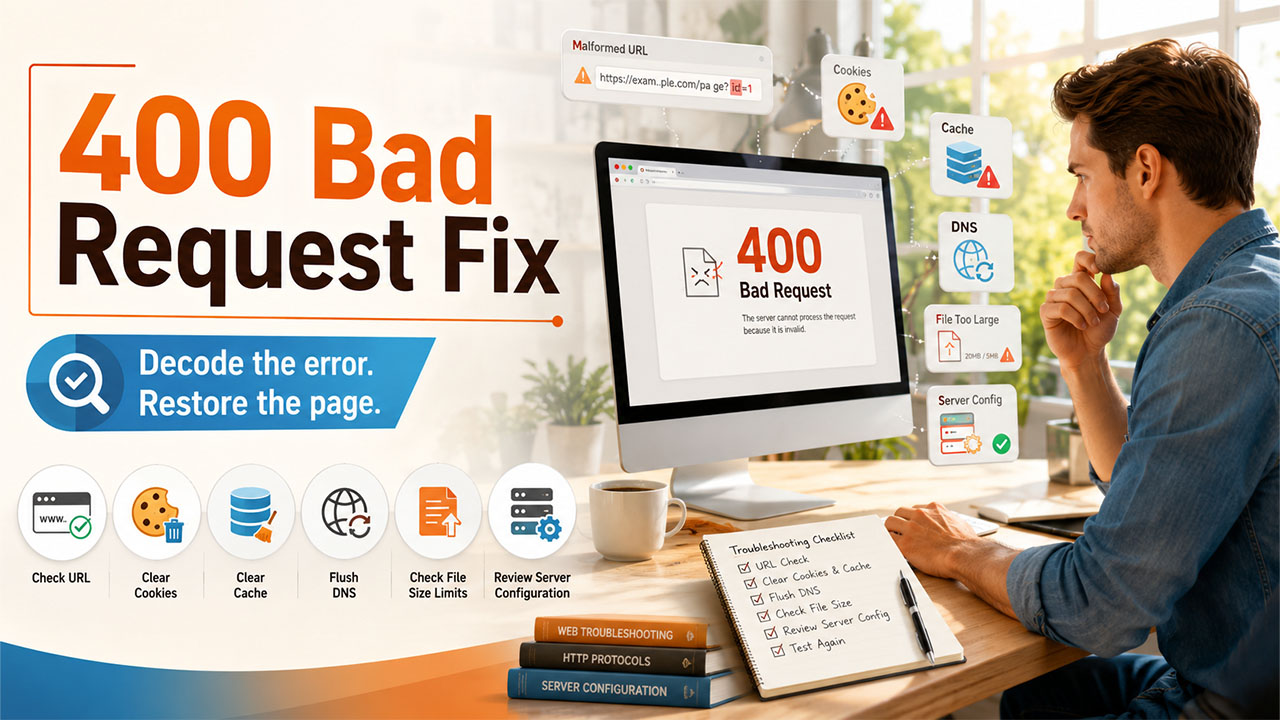
400 Bad Request Error: What It Means and How to Fix It
A 400 bad request error conveys that the server rejected a malformed request. Here are the common causes and detailed fixes to get your website working again.
A 400 bad request error is one of the most commonly seen roadblocks you will run into while managing a website or browsing the web. It gets displayed without any warning, generally right when you want to load a page, submit a form, or upload any file. The best news is that this error is almost always fixable once you understand what causes it.
In this guide, let us break down what a 400 bad request error actually means, why it occurs, and the exact steps you must take to fix it, whether you are a visitor stuck on the site of someone else or a website owner looking to secure your own traffic.
Understanding 400 Bad Request Error
A 400 bad request error can be defined as an HTTP status code that tells you the server has received your request but has not processed it since the request itself was invalid or malformed. Contrary to server-side errors in the 5xx range, a bad request error indicates a problem on the side of the client, meaning the issues are with the request your browser has sent instead of the website infrastructure.
In straightforward terms, you can consider it like mailing a letter with an address that the postal service cannot read. The server, which is like the post office, has no way to deliver a response since it cannot make sense of what was sent to it. Prevalent triggers are as follows:
- Broken URL structure or malformed request syntax.
- Expired or invalid cookies that are stored in the browser.
- Corrupted data in the browser cache.
- Oversized uploading of a file that goes beyond server limits.
- Request headers that are misconfigured.
Prevalent Causes of 400 Bad Request Error
Before you resolve the issue, it aids in highlighting what is causing it actually. There is rarely a single cause of the error, so working through the possibilities saves time systematically.
- Mistyped or Incorrect URLs – An encoded space, a stray character, or an extra symbol in the address bar can instantly trigger the error.
- Corrupted cookies and cache – Damaged or old browser data can conflict with what the server anticipates receiving.
- DNS-related issues – DNS records that are outdated occasionally interfere with how a request is directed to the server.
- Limits of File Size – If you upload a file that is larger than what the server allows, it generally results in a rejected request.
- Theme or Plugin Conflicts – On WordPress websites, a WordPress plugin that is poorly coded can send malformed requests at the time of page updates.
How to Resolve a 400 Bad Request Error?
Related walkthrough
Fix Error 31007 — Migrate from Twilio Lookup v1 to v2

Once you get a gist of the possible causes, you can work through these solutions in the given order, beginning with the simplest solution:
- Check the URL carefully: Find missing characters, typos, or symbols that must be encoded. Searching or retyping for the right link generally instantly fixes the issue.
- Clear Your Browser Cookies and Cache: Local data that is corrupted is one of the most common reasons that cause this error. Clearing it can force the browser to request fresh data from the server.
- Flush your DNS cache: DNS records that are outdated can misdirect a request. On Windows, this can be completed via Command Prompt, and on macOS via the Terminal. For an in-depth look at browser-based DNS troubleshooting, our guide on using chrome://net-internals/#dns provides troubleshooting details through the entire process step-by-step.
- Temporarily Disable Browser Extension: Privacy tools, ad blockers, and VPN extensions interfere occasionally with outgoing requests. Switching them off one by one can aid in isolating the culprit.
- Minimize the Size of File Upload: If you face an error during the upload, you can compress the file or check whether it crosses the configured limit of the server.
- Go Through Configuration on the Server-side: For owners of the website, assessing the PHP upload limits, .htaccess rules, and plugin conflicts can find the root cause on the server side.
If none of the above steps give you the result, the issue might be closely associate with the connectivity problems. It is worthwhile to assess your symptoms using our guide, such as ERR_CONNECTION_TIMED_OUT, since browser-driven errors overlap in cause or resolution sometimes.
Avoiding a 400 Bad Request Error on Your Site

For owners of the website, a repetitive version of this error can quietly hurt search visibility and user experience. A few preventive habits you can adopt are as follows:
- Keep themes, plugins, and core software updated to prevent compatibility conflicts.
- Set header size and reasonable file upload limits on the server.
- Consistently track server logs to detect malformed requests early.
- Utilize a dependable content delivery network to minimize corrupted or misrouted requests. If your website is not using one already, our detailed guide on how to set up Cloudflare encompasses the process of setup from beginning to end.
- Test uploads, forms, and login flow periodically to confirm that they are sending requests that are properly formatted.
Conclusion
A 400 bad request error can feel disruptive, but it is almost always a client-side issue with a straightforward fix. Checking the URL, clearing cache and cookies, flushing DNS records, and reviewing file sizes will resolve the vast majority of cases. Website owners who stay on top of plugin updates, server configuration, and upload limits are far less likely to see this error affect their visitors in the first place. With a methodical approach, a bad request error is rarely more than a temporary interruption.
Frequently Asked Questions
It means the server got your request but rejected it since the request was invalid, malformed, or unreadable otherwise.
It is generally an issue on the client-side, implying that the problem exists with the request sent from the browser instead of the server itself.
Yes, corrupted cookies or browser cache are among the most prevalent causes, and clearing them fixes the problem in a lot of cases.
It generally happens when the file goes beyond the configured memory limit or upload size of the server.
No, the server is working correctly. It just means that it could not process the particular request that was sent.

