

Custom Software Development: Types & Best Practices
Discover how custom software development helps businesses build tailored solutions that improve efficiency, automate workflows, scale operations, and support growth.
Picture a mid-sized logistics company that uses a well-known ready-made inventory tool. In the first year, it worked just fine. By year two, they started changing the way they worked just to match what the software could do. By year three, they were paying for features that were never used while doing two or three things manually.
A lot of businesses reach this point where they feel like they need something that’s built just for them. That’s where custom software development comes in. This guide walks you through what custom software development actually means, how it stacks up against off-the-shelf software, what to look for when you’re evaluating it, and how businesses across different industries are using it today.
What Is Custom Software Development?
Custom software refers to software that is built specifically for one business instead of something that is made for the masses or general purposes. You don’t have to adjust your workflows to fit a generic product. The software is built around how you actually work. A software development company usually leads this process. It understands your needs, designs the system, builds it, and provides support and maintenance afterwards. However, it does not automatically make it better than off-the-shelf software. It’s just built differently, for different purposes.
Custom Software Development vs Off-the-Shelf Software
This is usually the first real decision point, and it deserves an honest comparison rather than a sales pitch either way.
| Factor | Custom Software Development | Off-the-Shelf Software |
| Fit to business needs | Built around your exact workflows, terminology, and internal processes | Built for a general audience, so you often adjust your process to match the tool |
| Initial cost | Higher upfront investment since everything is built from scratch | Lower upfront cost, usually a subscription or one-time license fee |
| Time to deploy | Takes weeks to months depending on complexity | Ready to use almost immediately after purchase |
| Scalability | Grows with your business exactly as needed, no artificial ceilings | May require upgrading to a pricier tier or hitting hard feature limits |
| Ownership | You typically own the source code and full rights to the software | You’re licensing usage rights, not ownership. Access can end if you stop paying |
| Long-term cost | Higher upfront, but often cheaper over years without recurring fees | Lower upfront, but subscription costs accumulate steadily over time |
| Customization | Fully flexible; features can be added, removed, or changed anytime | Limited to whatever settings and add-ons the vendor allows |
| Integration | Designed to connect smoothly with your other existing systems | May require workarounds or third-party plugins to integrate properly |
| Security | Security measures tailored to your specific risk profile and data | Standardized security, which may not address niche compliance needs |
| Support | Support terms are whatever you negotiate with your development team | Support depends entirely on the vendor’s policies and response times |
Neither one is universally right. A startup might do well with an off-the-shelf tool. A company that has unique operational needs, strict compliance requirements, or a process that simply doesn’t map onto generic software often finds that custom software development services solve problems that off-the-shelf tools never could.
What to Look for in Custom Software Development

Look for these qualities that separate solid custom software from a project that quietly runs into trouble.
Clear Requirements and Business Goals:
A good custom software development gathers all information, asks detailed questions before they even write a single line of code. If they skip straight to building, that’s usually a warning sign.
Scalable Software Architecture:
The software should be built to handle tomorrow’s workload, not just today’s. Otherwise, you’ll have to rebuild it sooner than expected.
Transparent Communication Throughout Development:
You should always be aware of how things progress and what stage they are at. Lack of updates about a project usually means problems are piling up quietly.
Security-First Software Development:
Security decisions should shape the build from day one, not get patched in right before the launch.
Comprehensive Software Testing:
Every serious development team tests the product continuously. Catching bugs early is far cheaper than fixing them after the launch.
Reliable Post-Launch Software Support:
Building and deploying software is not the end. Software needs care after it ships. A team that disappears after delivery leaves you stranded when issues come up.
Transparent Costs and Timelines:
Honest estimates might sound less exciting, but they save you from expensive surprises down the road.
Instead of getting persuaded by flashy portfolios or unrealistic promises, focus on these qualities. A development partner who’s honest about timelines, budgets, and limitations is usually more trustworthy than one who agrees to everything.
Pros and Cons of Custom Software Development
Like most business decisions, it also comes with some real trade-offs. Here’s a balanced look at both sides:
Pros:
- It is built precisely around your existing workflows instead of forcing you to adapt to someone else’s design
- No unnecessary features cluttering the interface or driving up costs
- Full ownership of the software, including the source code in most cases
- Easier to scale and modify as your business changes
- Often more cost-effective over a long enough timeline, since you’re not paying recurring license fees indefinitely
- Better integration with your other existing systems and tools
Cons:
- Higher upfront cost compared to buying an existing product
- Longer development timeline before you can start using it
- Requires ongoing maintenance, which means budgeting for ongoing support
- Success depends heavily on choosing the right development team
- Initial planning takes real time and involvement from your side, too
Do not assume that custom software is a risky business decision. It simply means that the investment needs planning.
Types of Custom Software Solutions
Related walkthrough
Chapter 9 | SuiteCRM Custom Code Architecture | Logic Hooks, Workflows & Upgrade-Safe Development

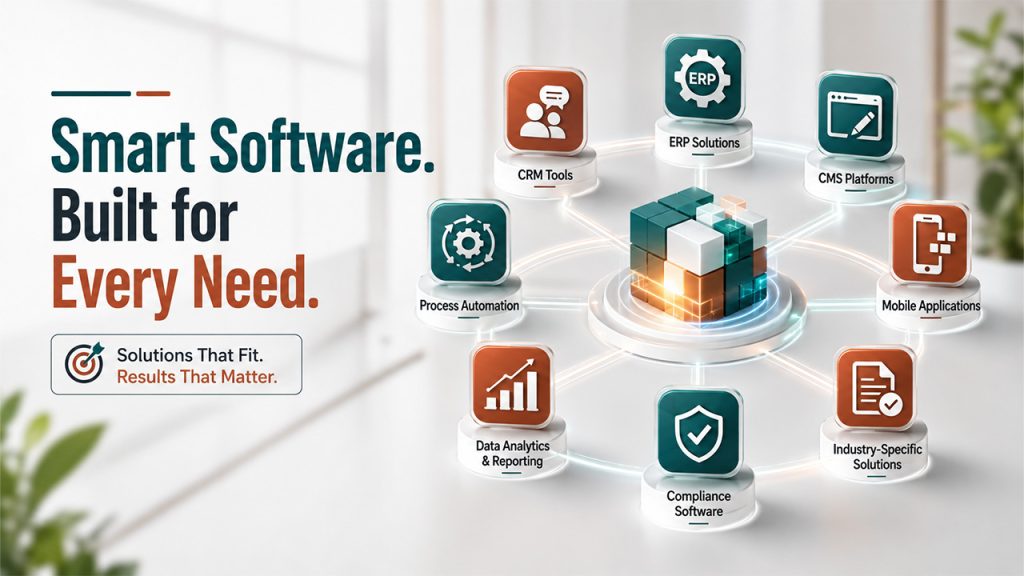
Custom software solutions come in different forms, each designed to solve specific business needs. Application development covers the broader process that custom solutions like these are built on.
Enterprise Resource Planning (ERP) Solutions:
These bring finance, inventory, HR, and operations into one shared system, so you don’t have to juggle multiple tools. This makes reporting and decision-making noticeably faster.
Customer Relationship Management (CRM) Tools:
They are built for sales teams to store customer details, track leads, follow-ups, and customer history through CRM systems. This reduces the manual tracking sales reps usually end up doing.
Content Management System (CMS):
Custom-built platforms for managing websites, blogs, or large volumes of digital content. These are shaped around a company’s exact publishing needs. That means fewer plugins and less clutter over time.
Business Process Automation Tools:
These are designed to automate repetitive, company-specific tasks, so that businesses can eliminate hours of manual work. Teams can focus on more complex tasks that actually need human oversight and judgment.
Custom Mobile Applications:
These apps are built for a specific business function, whether that’s internal operations or customer-facing use. They’re designed around exact user needs rather than broad app-store trends.
Data analytics and reporting platforms:
These tools pull data from multiple sources, organize them, and present them in the exact way teams need to see them. Teams get useful insights that are actually relevant to their decisions. This saves time spent on compiling reports manually.
Industry-specific compliance software:
Solutions built to meet regulations that generic software often can’t fully cover. These are especially common in healthcare, finance, and legal industries. Getting compliance wrong is costly, so this software is built with extra care.
While it’s true that each of them solves a different kind of problem; however, they all follow the same underlying idea: designing software shaped around a specific need rather than a general one.
Custom Software Applications Across Industries
Custom software isn’t limited to tech companies. It shows up across nearly every industry, often solving problems that are invisible to people outside that field.
Healthcare:
Custom software manages patient records, schedules appointments, and stays compliant with strict data privacy regulations. Off-the-shelf tools struggle to handle the complex workflow of medical institutions well.
Finance:
Banks and financial institutions use custom platforms to detect fraud, assess risks, and keep an eye on the transaction process as airtight security is crucial in this industry to protect sensitive data.
Retail and E-Commerce:
In this industry, businesses or shop owners use custom solutions to manage their inventory, provide personalized customer experiences, and integrate their online and in-store systems seamlessly.
Manufacturing Industry:
Here, custom software often handles supply chain tracking, equipment monitoring, and production scheduling. The software is tailored to a factory’s specific machinery and processes to ensure smooth operations.
Education:
Schools, Universities and most educational institutions use custom learning management systems and student information platforms that are designed around their specific curriculum and administrative structure to offer high-quality education and learning experience.
Across all these industries, the pattern is the same: generic software gets a business most of the way there, but custom software closes the gap that generic tools were never designed to close.
Best Practices for Custom Software Development

Building the right custom software needs a sound, structured process. Here are a few best practices that consistently lead to better outcomes:
- Start with clear, written requirements. Vague goals lead to vague software without any specific purpose.
- Choose the right development approach. Agile suits evolving projects while structured methods suit fixed, well-defined ones.
- Prioritize communication throughout the process. Regular check-ins catch small issues before they turn into costly fixes.
- Test early and often. Waiting until the end almost always costs more time.
- Plan for post-launch support from day one. Software needs monitoring, updates, and fixes as your business grows.
- Document everything. Clear documentation makes future maintenance or expansion far easier.
Following the entire Software Development Life Cycle carefully; from planning to maintenance, is what separates a smooth custom software project from a chaotic one.
Conclusion
Custom software development is not about chasing the latest technology or keeping up with a trend. It’s about realizing when your business has outgrown generic solutions and deciding that you need a more specific way of managing your workflows. For some businesses, off-the-shelf software will always be a practical choice. For others, especially ones with unique workflows, compliance needs, or long-term growth plans, custom software development services offer something no generic product ever could: software that actually fits.
Whichever path you choose, the goal stays the same, which is adopting technology that works for your business, not the other way around.
Frequently Asked Questions (FAQs)
Q. Is custom software development expensive?
It usually costs more upfront than off-the-shelf software, but it can save money long-term by avoiding recurring license fees and unnecessary features.
Q. How long does custom software development take?
Timelines vary widely based on complexity, but most projects take anywhere from a few months to over a year to complete.
Q. Do I need technical knowledge to request custom software?
No. A good software development company will guide you through the process and translate your business needs into technical requirements.
Q. Can custom software integrate with tools I already use?
Yes. One major advantage of custom software is that it can be built to connect smoothly with your existing systems and tools.
Q. Is custom software only for large companies?
No. Small and mid-sized businesses use custom software too, especially when off-the-shelf tools no longer fit their growing or specialized needs.

