

Incognito Mode Isn’t Enough: Why You Still Need a VPN for Chrome
Learn how a VPN for Chrome adds privacy beyond Incognito mode. Discover how it encrypts browser traffic, hides your IP, and protects data on public Wi-Fi.
Many people feel secure when they open the Incognito window in their Chrome browser. After all, the dark browser theme and private session prompt suggest that their browsing is safe and hidden. However, the Incognito mode’s functionality is limited. It stops Chrome from storing a user’s local history and cookies on the device but does not make them invisible online. For additional online privacy, using a VPN for Chrome can help protect your internet activity and IP address.
Your internet service provider can still see what you are browsing, public Wi-Fi networks remain as unsafe as ever, and websites and advertisers still know your IP address. This gap between perception and reality is why more users are now looking beyond Incognito and adding an extra layer of security with a VPN Chrome extension. This article explores how this VPN extension for Chrome secures your connection in ways that Incognito mode simply can’t.
What Incognito Mode Does
In Incognito, Chrome keeps your browsing activity private from other users on the same device. Once you close the window, your history and cookies get erased locally. That’s where the protection stops; this is what it does not do:
- Hide your IP address
- Encrypt your internet connection
- Protect your data on unsafe networks
- Prevent trackers from monitoring your activity across sites.
In short, Incognito protects against someone snooping through your browser history at home or work. It doesn’t protect you from someone trying to monitor your information online.
The Risks That Stay Uncovered
The modern web centres around tracking. Every website you visit collects information, often automatically, including your IP address, device details, and browsing patterns. Even in Incognito mode, these digital footprints can link back to you.
Another area of concern is the easy availability of public Wi-Fi. Cafes, airports, and hotels often have open networks, where data moves without encryption. Understanding the full scope of public Wi-Fi risks and VPN protection helps clarify why anything you send on such networks — login credentials, bank details, and more can be intercepted if unprotected. Incognito does nothing to secure your data from being pried upon on any network. Even at home, your internet provider can see which websites you use and what your browsing habits are. Sometimes, these internet service providers may share this information with third parties.
How a VPN for Chrome Closes the Gaps
Related walkthrough
IP Address Info Pro Chrome Extension – Instantly Reveal IP & Geolocation Like a Pro!

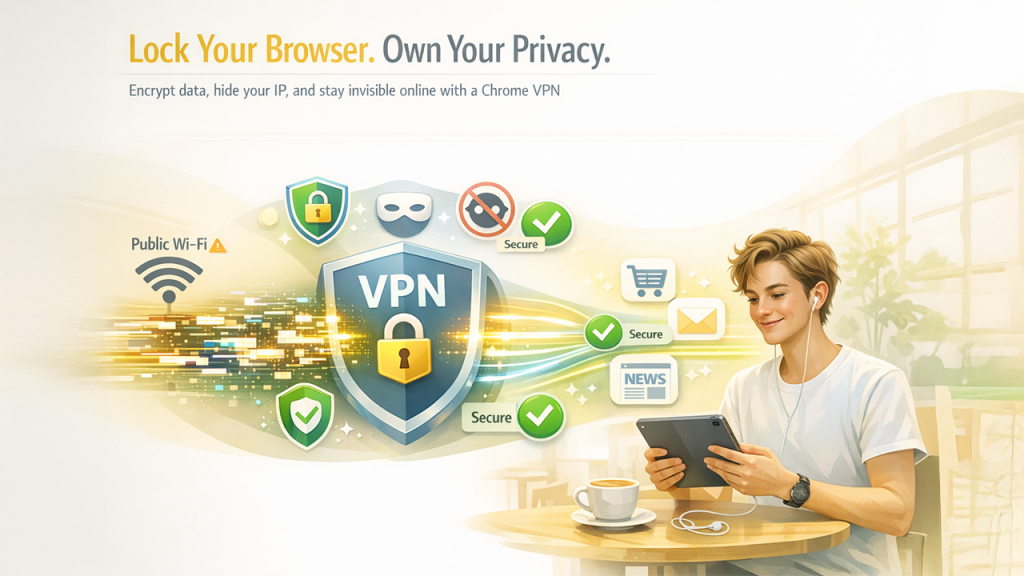
A VPN extension for Chrome works differently. Instead of clearing history, it encrypts the data between your browser and the internet. This encryption implies that even on a shared public network, the information looks scrambled to anyone trying to intercept it. At the same time, a VPN masks your real IP address.
Websites, advertisers, and trackers only see the VPN server’s IP, not yours, which makes it harder for them to connect your activity across multiple sites and reduces the amount of data they can build about you. The extension is a lightweight privacy shield that works automatically once turned on for browser-based activities like reading news, logging into email, shopping, or video calls.
Practical Situations Where a VPN Helps
Here are some of the common scenarios that most of us come across, where a VPN can help:
1. Cafe Work Sessions
You log in to your email and cloud storage over free Wi-Fi. With a VPN extension running in Chrome, your login details remain encrypted, which makes it much harder for anyone nearby to capture them.
2. Shopping Online
Even at home, your ISP can track your visits to shopping sites. A VPN hides your activity from your internet provider, which adds privacy to your online activity.
3. Social Media Browsing
With the VPN on, trackers that rely on your IP address to link your actions across different platforms lose a valuable data point.
4. Traveling Abroad
Connecting to unfamiliar networks in hotels or airports becomes less risky when using a VPN, as your browser traffic stays encrypted. So, you need not worry about your login, payment, or other crucial information getting leaked.
Final Thoughts
Google never designed Incognito mode to keep you safe from hackers and trackers on the internet. It just erases traces on your device. So, a VPN for Chrome is the best way to keep your browsing safe and private. It’s a simple inclusion that addresses risks that Incognito alone cannot, making your everyday browsing safer and more secure.

