

Claude Design by Anthropic Labs: Everything You Need to Know
Claude Design by Anthropic Labs allows teams to create presentations, prototypes, and visual assets via a simple conversation; no qualification in design is required. Available for Max, Pro, Team, and Enterprise plans.
Anthropic Labs released the Claude Design preview on April 17th, 2026. Its release has caused unprecedented movements in the design space. Figma’s stock price fell below 7%, and Google Trends search interest for Claude reached an all-time high. The release of Claude Design generated great responses among the designers. However, is this hype justified? The short answer is only partially. Experts have been impressed by the platform’s outputs. They also have a few pieces of feedback that can be deal-breakers for some audiences.
Visual design has always been about higher skill, time, and iteration. For designers, this means fewer directions being explored. For non-designers, including product managers, founders, and marketers, it generally implies entirely depending on someone else to bring an idea to life. Claude Design was created to change all this. Irrespective of whether you are someone who has never opened a design tool before or a proficient designer, Claude Design reduces the barrier to creating top-level visual output.
What Is Claude Design?
Claude Design is a product of Anthropic Labs that enables you to work with Claude to generate visual assets, including interactive prototypes, designs, one-pagers, slide decks, and marketing collateral, completely via a conversational interface. Claude, as you know, refers to the family of advanced AI models and chatbots and is one of the core alternatives to ChatGPT.
Built on top of Claude Code, it utilizes Claude Opus 4.7, which is Anthropic’s most capable vision model. Available currently in research preview, Claude Design is accessible to Claude Max, Pro, Team, and Enterprise subscribers.
The tool comprises a split interface which includes a chat panel on the left and a live canvas on the right. You can give a description of what you want in the Chat, Claude creates a working design on the canvas, and you can enhance it from there, utilizing inline comments, chat messages, or direct edits.
Key Features of Claude Design
Claude Design is created around a simple creative workflow. Here is a deeper look at what it provides-
Brand-Aware Output
At the time of onboarding, Claude Design processes your design files and codebase to create a design system for your team. Each project utilizes the colors of your brand automatically as well as the component patterns and brand colors. No manual configuration is needed.
Flexible Options of Input
You can begin a project in numerous ways:
- From a text prompt that describes what you wish to create
- Uploading screenshots, images, or documents (PPTX, DOCX, XLSX)
- By referring Claude to an available codebase
- Utilizing the tool of web capture to directly collect elements from a live website
Granular Controls of Refinement
Apart from chatting, Claude Design provides inline comments where you directly select a canvas to request a particular change. Adjustment knobs enable you to make changes in color, spacing, and layout in real-time, with changes applied across the design on request.
In-built Collaboration
You can keep the projects private, shared with your business through a link, or opened with the help of collaborative editing where numerous team members can change chat and design with Claude together.
Handoff and Export Options
When you make the design ready, you can export it as:
- PDF of PPTX
- A ZIP folder
- Standalone HTML
- A file compatible with Canva
- A bundle of handoff for Claude Code, so developers can directly execute the design
Read More: How to Use the Claude Code Frontend-Design Plugin?
What Are the Use Cases of Claude Design?
Related walkthrough
How to Create AI UGC Ads Using Google Flow Agent | Complete Beginner Guide

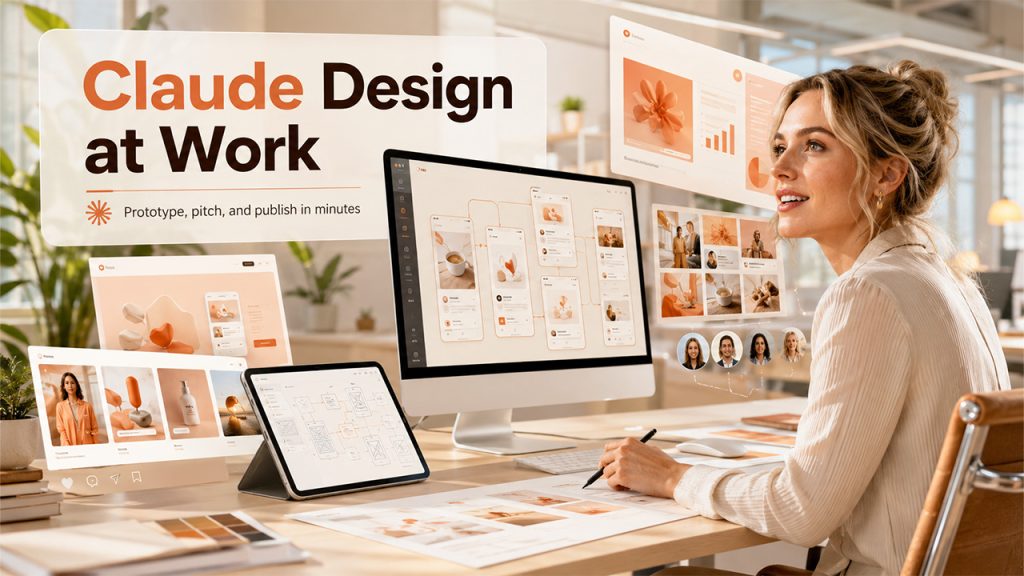
Claude Design is created for a broad range of users across functions:
- Designers can utilize it to quickly create numerous directions, convert static mockups into shareable interactive prototypes, and hand them off to Claude Code without creating additional briefs.
- Product Managers can create wireframes, sketch feature flows, and share them with design or engineering teams for more refinement.
- Founders and Account Executives can start from a rough outline to an on-brand and comprehensive pitch deck in minutes, and then easily export it in the format of PPTX or directly send it to Canva.
- Marketers can create social assets, landing pages, and campaign visuals, and then designers can be looped in to make the output more refined.
For teams that consistently juggle through visual deliverables across various functions, Claude Design can greatly minimize back-and-forth that greatly sketches a single review of design across numerous days.
How to Get Started with Claude Design?
Beginning with Claude Design is simple. Here is the general flow:
- Develop a new project. It inherits the design system of your organization automatically
- Add context: reference images, screenshots, or linked code repository
- Create a clear prompt that describes what you wish to build
- Review what Claude creates on the canvas
- Fine-tune chat messages for broad changes or inline comments for customized edits
- Share or export when the result aligns with your needs.
What Are the Tips for Better Results?
- Include complexity in layers and start with the core layout
- Be specific in feedback; vague direction always leads to vague output.
- Mention whether the design is responsive across mobile, tablets, and desktop.
- Provide prompt Claude to display two or three variations where you are unsure about the direction.
- Leverage the built-in review capability of Claude to check for accessibility, contrast ratios, and data hierarchy.
Known Limitations
Since Claude Design is in research preview currently, a few rough edges are available. And these are worthy to consider before you fully go for this platform:
- Inline comments disappear occasionally before Claude can even read them. Thus, you should paste feedback into the chat, which is usually the suggested workaround.
- The compact layout mode can trigger save errors. If you switch to full view, then it can resolve this.
- Linking large-scale repositories can cause lags in the browser when connecting to specific subdirectories, as advised.
- Chat upstream errors can also happen; launching a new chat tab within a similar project generally fixes the problem.
These are not permanent shortcomings necessarily. The tool is still in preview, but there are possible friction points that teams must factor in.
Conclusion
Claude Design showcases a considerable shift in how design gets completed, not by replacing the designers but by giving everyone better space to explore, iterate, and ship. Its April 2026 launch caused a great response among designers, causing Figma’s stock to sharply decline and search interest in Claude to reach record highs.
Having said that, as experts note, the hype is only justified partially at this stage. There are a few noticeable limitations as per the workflows of your team; a few can be significant. With consistent development, Claude Design has the potential to become a non-negotiable part of product workflows and modern design. Explore it for yourself as it is available at claude.ai/design for Max, Pro, Team, and Enterprise subscribers.
FAQs About Claude Design
Q1. What is Claude design?
A- Claude Design is an AI-driven visual creation workspace built by Anthropic. It enables you to create and modify polished work like landing pages, websites, slide presentations, and interactive UI prototypes. You can do that just by describing what you need in the chat prompt.
Q2. Is Claude.ai design free?
A- No, it is not free. It is exclusively available for users on paid subscription tiers, beginning with Claude Pro.
Q3. Is Claude.ai good for design?
A- Yes, Claude is highly regarded for design, particularly for creating design systems, quick prototyping, and creating front-end code. With specialized platforms such as Claude Code and Claude Design, it works as a great partner for brainstorming and prototyping.
Q4. How do I use Claude Design?
A- In order to use Claude Design, just sign in to your paid Anthropic account through the Claude web interface, choose Design in the left-hand navigation, and describe what you desire to build. You can generate prototypes, wireframes, slide decks, or complete user interface designs with uploaded reference materials.
Q5. What are the alternatives to Claude design?
A- The alternatives to Claude design include Buddy by Anima, Anima Playground, UX Pilot, and Google Stitch.

