
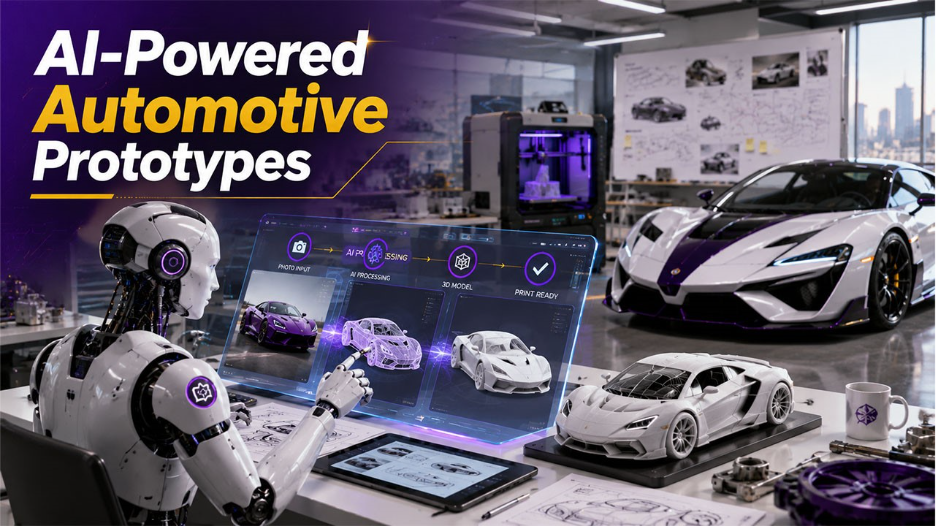
How to Turn Automobile Product Photos into 3D Printable Prototypes with AI
Learn how to turn automobile product photos into 3D printable prototypes using AI. Discover the tools, workflow, benefits, and best practices.
The automotive industry is driven by innovation, but the path from idea to an actual prototype can take considerable time/resources/engineering expertise. The creation of a custom wheel, dash component, aftermarket body kit, or repair part can now easily see the physical prototyping phase virtually instead of using resources for physical testing.
Thanks to AI-driven 3D modeling, there has been a change in how designers, engineers, and manufacturers do their jobs. By using platforms like Tripo 3D, designers can take automotive product photos to create image to 3D models in seconds instead of days, facilitating rapid movement from visual references to printable prototypes, speeding up the design approval process, and reducing production costs.
This article will focus on how AI is revolutionizing the world of automotive prototypes and how Tripo can help expedite your entire workflow:
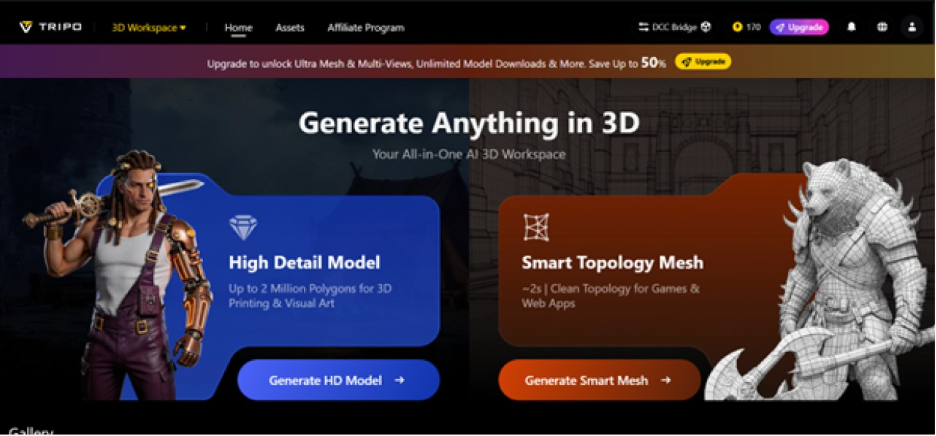
When one photograph becomes the blueprint for your next automotive design
Automotive design always starts with references-they can be photos of existing products, concept sketches, aftermarket accessories or competitive products. Traditionally, converting these into workable 3D models has involved extensive CAD design or manually building models from scratch, an endeavor that could take days or hours, depending on the component.
Tripo is altering this equation by allowing you to upload images to generate detailed, high-quality 3D geometry. This allows you to bypass having to build a design from the ground up, with the possibility of generating it from a visual reference in the first place.
When it comes to designing multiple product variations, this rapid acceleration can considerably cut down on product development cycles.
Beyond speed: why automotive prototyping needs more than just rapidity
Rapid model generation is a crucial aspect, but automotive prototypes require accuracy and detailed, editable geometry. Prototypes aren’t just for visual effect; they need to help teams assess and validate:
- Shape and dimensions
- Part fit
- Design aesthetics
- Manufacturing viability
- Customer response
Tripo has these requirements covered by allowing you to generate and refine clean geometry for easy editing, segmentation, texturing, or import into production workflows.
Rather than starting off with basic sketches that require a lot of time to rework, designers can create high-fidelity models that are ready for production development in a fraction of the time.
From the garage concept to the workshop test in record speed
One of the benefits that comes with AI-driven workflows is being able to quickly iterate designs and test concepts. If you were to design an aftermarket grill for a vehicle, instead of spending hours manually designing it in CAD, you could instead upload a photo of your concept to Tripo, which would quickly generate the primary geometry for the component.
This is the area where workflows like image to STL come into play. Instead of having to manually rebuild a design before converting it to a printable format, you can now generate it from a reference image.
The resulting model could then be modified, iterated, and made ready for production. You can create and test multiple product variations without causing a bottleneck in the development schedule, helping engineers avoid costly mistakes and production resource commitments in the earliest stages of design.
The express lane from photo to prototype starts here
Related walkthrough
Turn Figma Designs into Code Instantly with Claude

Developing an automotive prototype using Tripo has an easy workflow, reducing complexity while producing impressive results:
Step 1: Input and upload
Begin by navigating to the Tripo AI workspace and selecting your chosen method of generation; Image to 3D is an ideal approach for automotive prototypes, utilizing reference images of products. Upload your selected file, ensuring it captures the object or component you’re looking to create a 3D asset of.
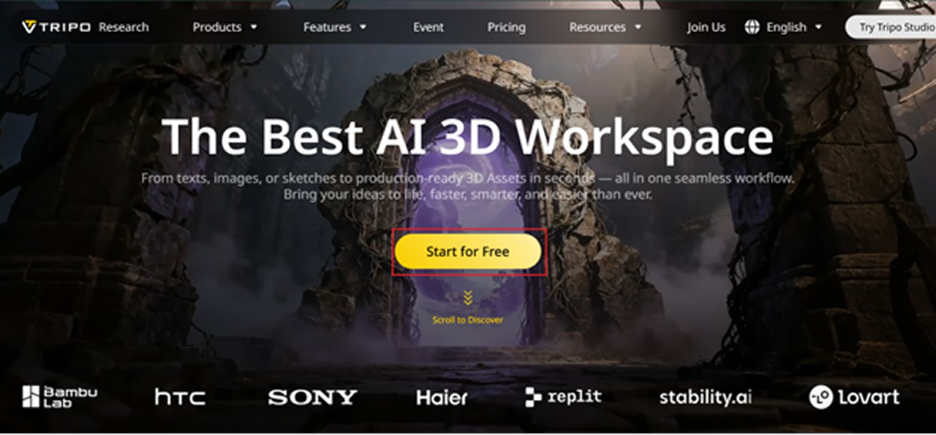
Step 2: Configure
You can customize the settings to best suit the needs of your project, adjusting to higher levels of detail on more intricate models or lower quality for quicker iterations. Texture adjustments can also be made based on your intent-whether for visualization, presenting to customers, or direct use in 3D printing.
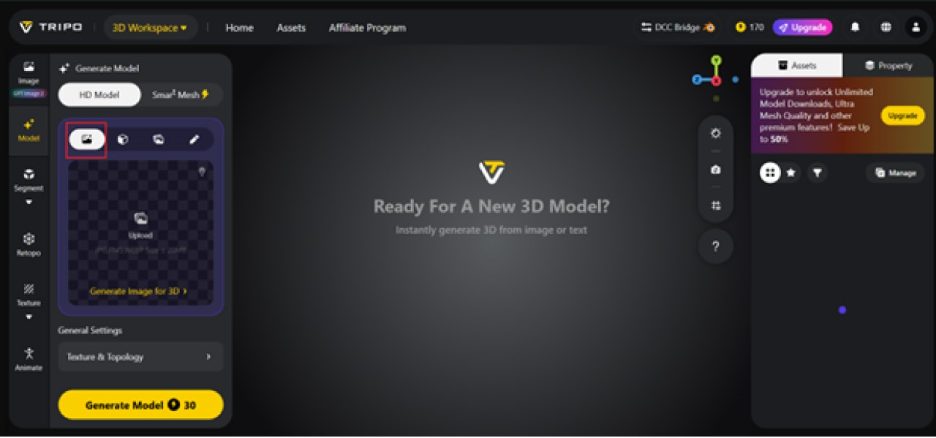
Step 3: Generate and refine
In a matter of seconds, the 3D model will be generated. Once completed, use built-in tools, such as the automatic rigging tool or Magic Brush, to further edit and enhance the assets if necessary, as well as individual parts for greater detail and quality without starting from scratch.
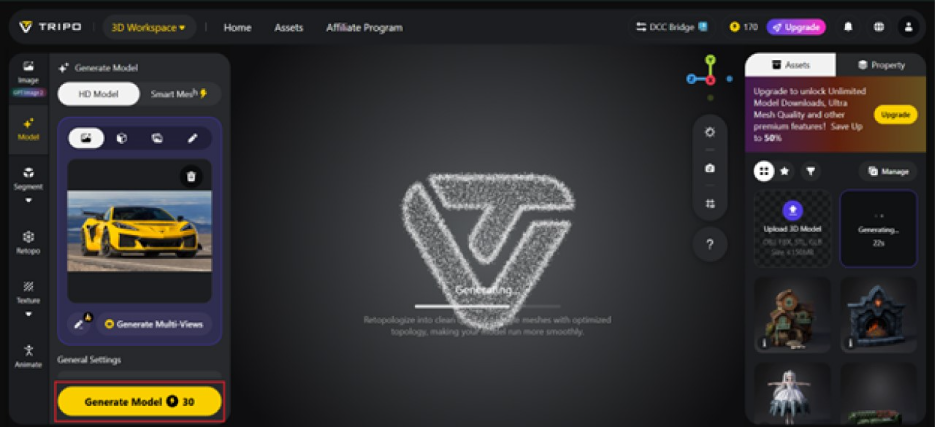
Step 4: Export
Once the model meets your needs, export it in one of the many formats available, including STL, OBJ, FBX, GLB, and USD, which allow you to integrate it with your existing CAD software, visualization tools, or 3D printing pipeline.
Translating digital concepts into tangible components
The real benefit of 3D AI models emerges in the production stage. Most automotive designs will require printable files that can be tested and verified in the physical realm. The process for a custom accessory, scale model, or a repair part involves an efficient transfer from design to fabrication, a critical element for any successful project.
This will streamline your workflow, reduce time spent on production preparation, and accelerate your path to a finished product.
Areas where 3D AI automotive modeling will see the greatest impact
- Aftermarket customization: Developers can design, test, and prototype a wide array of products, including spoilers, bodykits, grilles, and body-trim elements before large-scale production.
- Aftermarket parts development: Engineers can rapidly generate reference models for hard-to-source or no longer produced parts to create replacements and restorations.
- Restoration projects: AI models help create precise parts for vintage vehicle restorations where reference information is limited.
- Visualization and marketing: Product images generated from 3D models can be used for marketing, product presentations and customer previews before manufacturing is even complete.
In all these scenarios, 3D AI technologies minimize the amount of manual modeling required while speeding up the entire process.
Driven by faster decisions and smarter workflows
Modern automotive product development is all about adapting and reacting quickly while minimizing resource waste. AI modeling provides an efficient workflow to create, test and iterate on designs faster than ever before, allowing design and engineering teams to spend less time manually constructing models, and more time optimizing the products that matter.
This represents a competitive edge for automotive businesses, regardless of size or established status.
Conclusion
Automotive prototyping no longer has to be a lengthy and intensive process driven by complex modeling work. With Tripo 3D, automotive designers can turn photographs into high-fidelity 3D assets, easily refine them using intelligent tools, and output them in readily printable formats, expediting the entire validation and development process.
From initial concept to physical prototype, Tripo provides a means of minimizing manual tasks and maximizing design innovation for all automotive teams.
For start-ups, custom manufacturers, and large automotive companies, start experimenting with Tripo 3D today to accelerate your workflow from idea to product.

